
SniffyMiKe - Minecraft Skins & Skin History
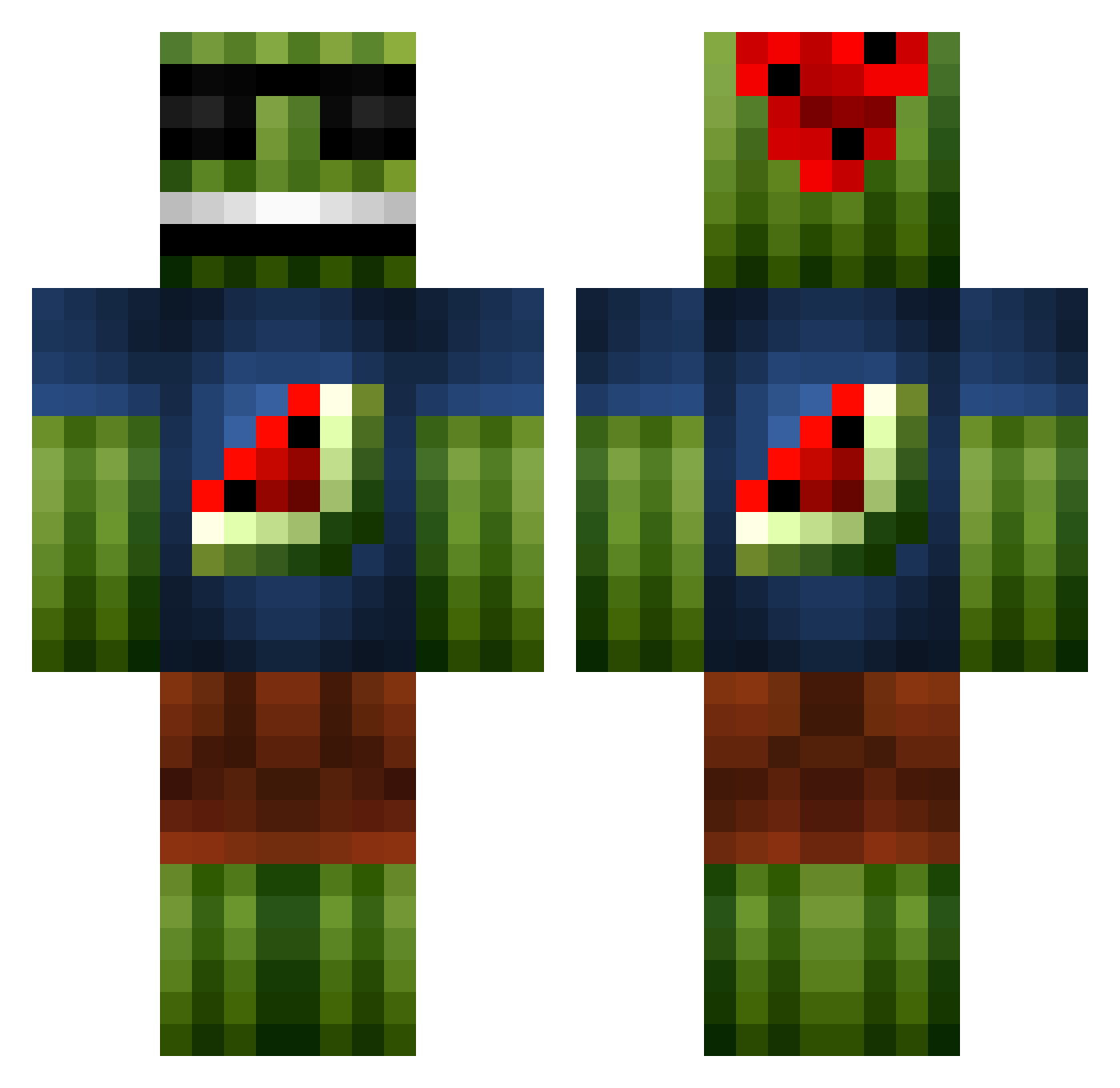
Current Minecraft skin of the player SniffyMiKe, loaded from the official Mojang API. Rotate the 3D model with your mouse or finger, then download the skin as a PNG file and use it in Minecraft: Bedrock Edition or Java Edition for free. When SniffyMiKe changes their skin, this page updates automatically and the old skin stays in the history below.
Other players with this skin (1099)
SniffyMiKe was the 792nd player we have seen with this skin, first spotted on 13.10.2026. The same skin was seen on these players. Open a nickname to see their current skin and skin history.
 Hartl2012 ladavelik KingGeorge8 Spe3dy101 SPY_PUTS iondolby Pancake2549 daveboy123 cyborgmaster37 xXNICK22Xx duffman4564 Cinnamon_Bunz11 irampage PurplePointy CrazyGez nawaf0123 somethingfishy93 supermansimon banaani345 MLPZdude CraftAdventurer MadBlok Barfbag1 cartierslattford pianoninja456 FeelinSalty69 DJMcBigMac Timety_V14Z4 _atkinson_ Balser1998 Sh0k228 Xencar solal007 xhallonsaftx timothyluca Eat_My_Shorts 123fancypants123 snabel14 Bigtoeman99 lazer5634 DeerSkinner seanwithans Scroll_Lord LucidVengeance rj100998 Mr_Loony44 Kalikep King_Quilty RubberRapidz Eldiabloduck seanpeters2007 iPoke111 Jwb3602 Just4funck1 THEGREATOX Fireflame46 Artem4ik321 turkkomando88 ItzStraxD steenmachine2
More Watermelon Minecraft skins
How to install the SniffyMiKe skin
- Press the Download button above to save the skin as a PNG file.
- Minecraft: Bedrock Edition (PE): open the Dressing Room from the main menu (or tap your character → Edit Character), go to Classic Skins → Owned, press the + (new skin) button, choose the downloaded PNG and pick the Classic (Steve) model. Works on PC and mobile; consoles cannot import custom skins.
- Minecraft: Java Edition: open the Minecraft Launcher, go to the Skins tab, click New Skin, load the PNG, pick the Classic (Steve) model and press Save & Use. You can also upload it at minecraft.net → Profile → Change Skin.
The skin does not show up after import - what should I do?
Restart Minecraft and open the Dressing Room again - imported skins sometimes appear only after a restart. Also make sure you selected the imported skin and picked the Classic (Steve) model.
Which model should I choose, Classic or Slim?
This skin is designed for the Classic (Steve) model. If you pick the wrong model, the arms of the skin will look stretched or squeezed.
Is the skin of SniffyMiKe free to download?
Yes. Press Download, save the PNG file and use it in Minecraft: Bedrock Edition or Java Edition - no payment or registration needed. The skin also works on multiplayer servers and Realms.
More skins
Looking for more? Go back to all Minecraft skins and check the top skins of the week, month and all time, or find any player's skin by nickname.