
Slick_slothss - Minecraft Skins & Skin History
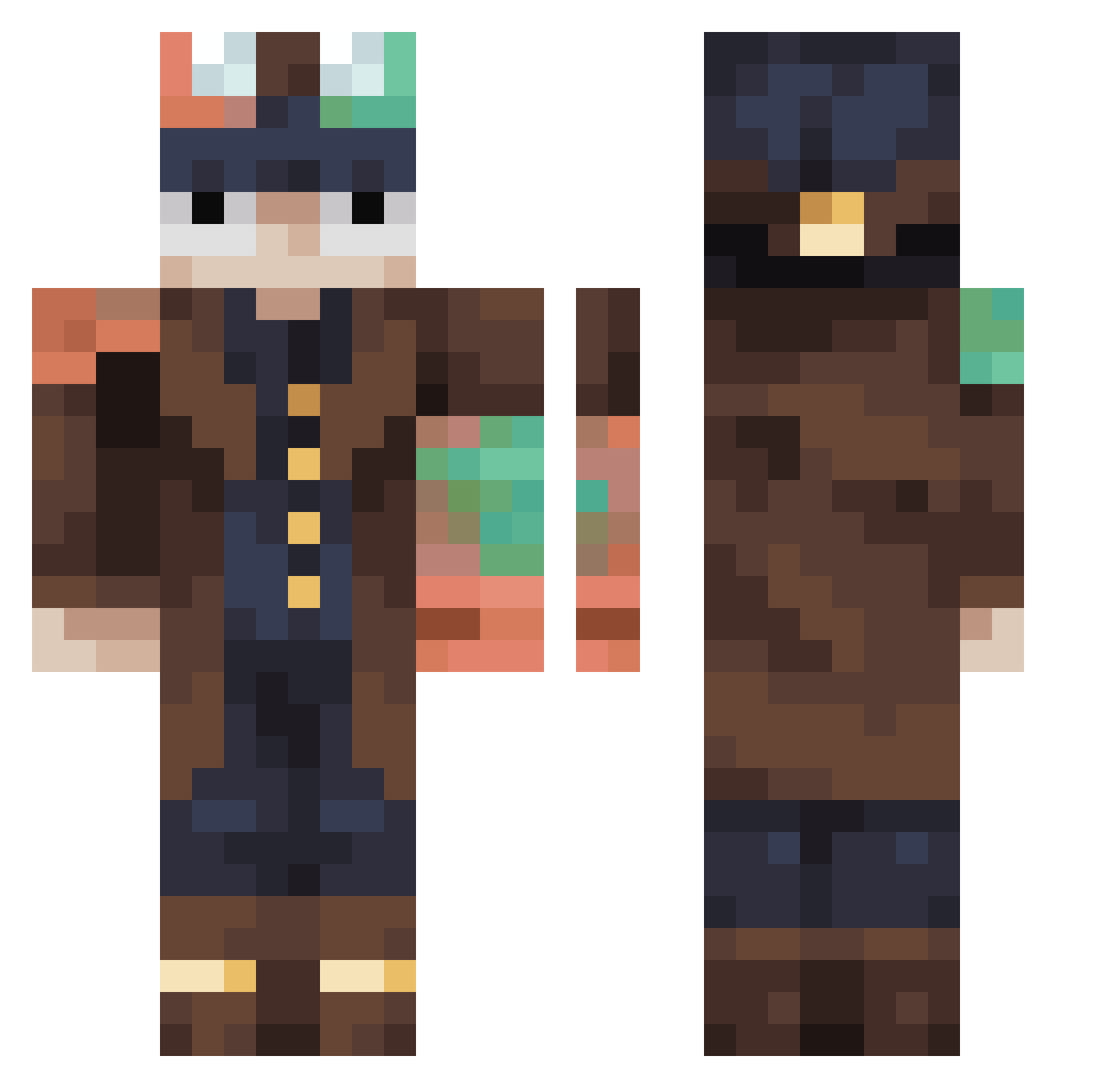
Current Minecraft skin of the player Slick_slothss, loaded from the official Mojang API. Rotate the 3D model with your mouse or finger, then download the skin as a PNG file and use it in Minecraft: Bedrock Edition or Java Edition for free. When Slick_slothss changes their skin, this page updates automatically and the old skin stays in the history below.
Other players with this skin (454)
Slick_slothss was the 203rd player we have seen with this skin, first spotted on 14.09.2026. The same skin was seen on these players. Open a nickname to see their current skin and skin history.
 Stelios7 LoupBlank boby71 Koling231 Nexlor44 ToufTouf_542957 Aktruz OwieScott Aceofdea7h Variablebird661 death1554 ANTIxELISEO SlimTwig69 PERSI2111 Rabro2009 xxZOMBIEzSLAYER OrangeShirtGuy23 TAKAMORA Pineappleboy691 Maksim4321 Kenavo leonardo75099 BigJayro Ben_GOLD NightlyCannon VoidFury_ coolknut14 creepertprk KrElement36 Xeldm Steelyyyy McMidgets9 Itxu DanteSYB Flash_Allen CringeTirow123 gyeono13 Pipo0414 Aiolianes kx23 sergio1907 minisoula Tropical38 Alahtee KaK__Tyc LAMBY7181 dxwerrr ounourse Prevell_ Cl4ssification freeze838 fireninja_27 JerryD1701
 jimmker HotDurian Spiidermann2 EJL2507 GOSUNWOO282 MrSquirrel72 ZawMalLone
Previous skins of Slick_slothss
Skins that Slick_slothss wore before, newest first. Click a skin to open its page and download it.
More Steampunk Minecraft skins
How to install the Slick_slothss skin
- Press the Download button above to save the skin as a PNG file.
- Minecraft: Bedrock Edition (PE): open the Dressing Room from the main menu (or tap your character → Edit Character), go to Classic Skins → Owned, press the + (new skin) button, choose the downloaded PNG and pick the Classic (Steve) model. Works on PC and mobile; consoles cannot import custom skins.
- Minecraft: Java Edition: open the Minecraft Launcher, go to the Skins tab, click New Skin, load the PNG, pick the Classic (Steve) model and press Save & Use. You can also upload it at minecraft.net → Profile → Change Skin.
The skin does not show up after import - what should I do?
Restart Minecraft and open the Dressing Room again - imported skins sometimes appear only after a restart. Also make sure you selected the imported skin and picked the Classic (Steve) model.
Which model should I choose, Classic or Slim?
This skin is designed for the Classic (Steve) model. If you pick the wrong model, the arms of the skin will look stretched or squeezed.
Is the skin of Slick_slothss free to download?
Yes. Press Download, save the PNG file and use it in Minecraft: Bedrock Edition or Java Edition - no payment or registration needed. The skin also works on multiplayer servers and Realms.
More skins
Looking for more? Go back to all Minecraft skins and check the top skins of the week, month and all time, or find any player's skin by nickname.