
SkillerScufx - Minecraft Skins & Skin History
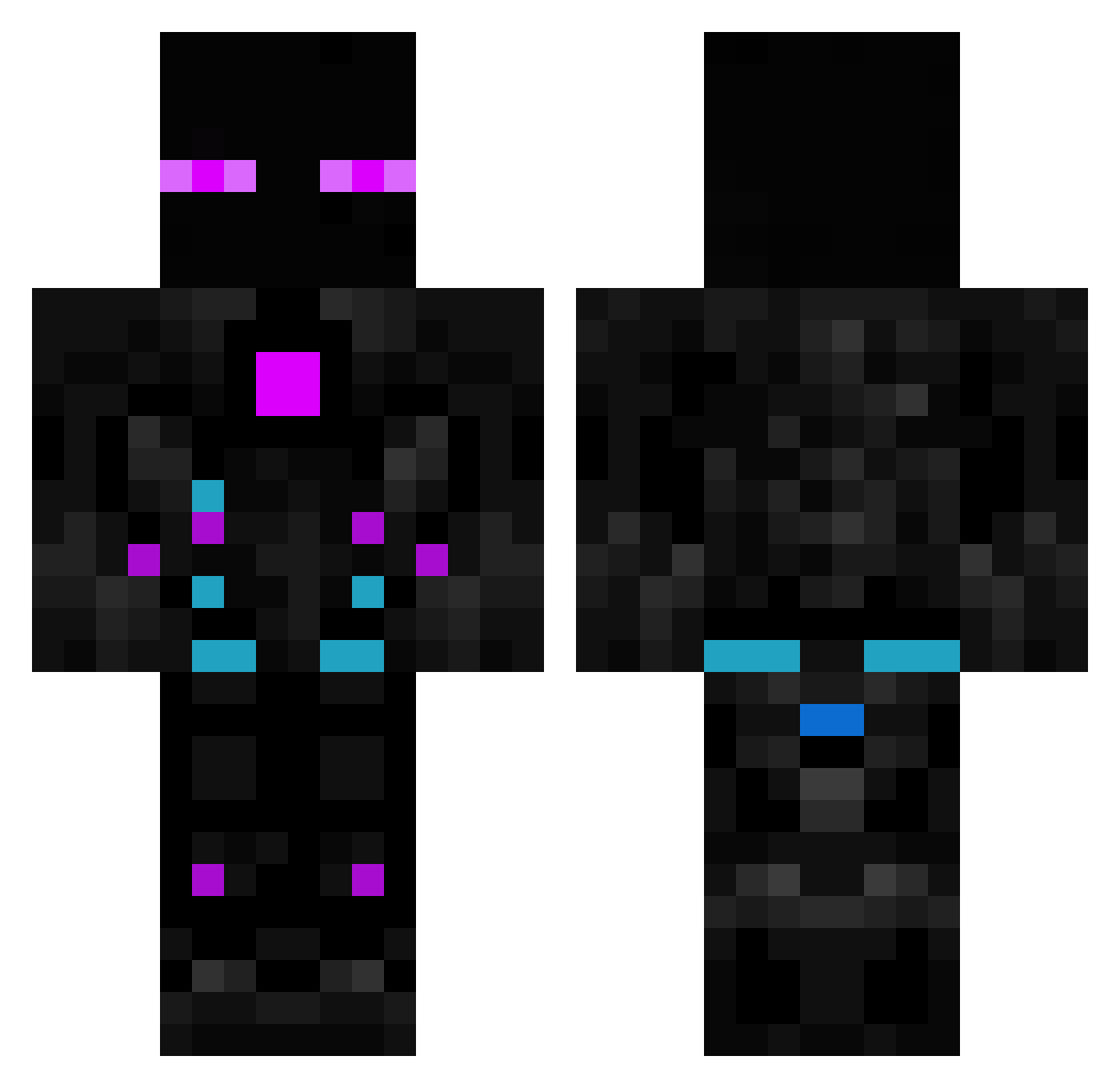
Current Minecraft skin of the player SkillerScufx, loaded from the official Mojang API. Rotate the 3D model with your mouse or finger, then download the skin as a PNG file and use it in Minecraft: Bedrock Edition or Java Edition for free. When SkillerScufx changes their skin, this page updates automatically and the old skin stays in the history below.
Other players with this skin (614)
SkillerScufx was the 421st player we have seen with this skin, first spotted on 13.10.2026. The same skin was seen on these players. Open a nickname to see their current skin and skin history.
 dr_jd LIvI0_0 wexi01 Croxasss PhantomBlade72 TheConqueror01 ALEKWAG InfShadow063 EniumBenjamin frederik259k stridrr Time_DeltaTime maxkevi Naoki_X_You Oldlab555 Leo20111 ryan17011 erminao LeftOn_Read Booble04 Manuelitu CircuitSurge Saito_Sixx A2222S yanmaikelvincent Panterfighter meitecs PrimoPower1 aizencraft2010 Menezes1551 Lumplux Lequitskill ZeritoSinTuAmor Agent2408 AntPlayer1 Ariel_The_Shark JoJonas6988 EnderPvPZ07 IamNOOBIEMAN FriedFishTaco D_COM Adriananan propereira sodawake Captn_Sharky A71211 Kim_Josh_Un NoobVer1 loesgabi Usluic Data2001 Nik0n Devkontroll TOXIC_PRO360 Fakestreamer555 L3GAC1 1X1X_ Abduzedo Kinggoldfish2020 akaromo
More Cyborg Minecraft skins
How to install the SkillerScufx skin
- Press the Download button above to save the skin as a PNG file.
- Minecraft: Bedrock Edition (PE): open the Dressing Room from the main menu (or tap your character → Edit Character), go to Classic Skins → Owned, press the + (new skin) button, choose the downloaded PNG and pick the Classic (Steve) model. Works on PC and mobile; consoles cannot import custom skins.
- Minecraft: Java Edition: open the Minecraft Launcher, go to the Skins tab, click New Skin, load the PNG, pick the Classic (Steve) model and press Save & Use. You can also upload it at minecraft.net → Profile → Change Skin.
The skin does not show up after import - what should I do?
Restart Minecraft and open the Dressing Room again - imported skins sometimes appear only after a restart. Also make sure you selected the imported skin and picked the Classic (Steve) model.
Which model should I choose, Classic or Slim?
This skin is designed for the Classic (Steve) model. If you pick the wrong model, the arms of the skin will look stretched or squeezed.
Is the skin of SkillerScufx free to download?
Yes. Press Download, save the PNG file and use it in Minecraft: Bedrock Edition or Java Edition - no payment or registration needed. The skin also works on multiplayer servers and Realms.
More skins
Looking for more? Go back to all Minecraft skins and check the top skins of the week, month and all time, or find any player's skin by nickname.