
Siunin - Minecraft Skins & Skin History
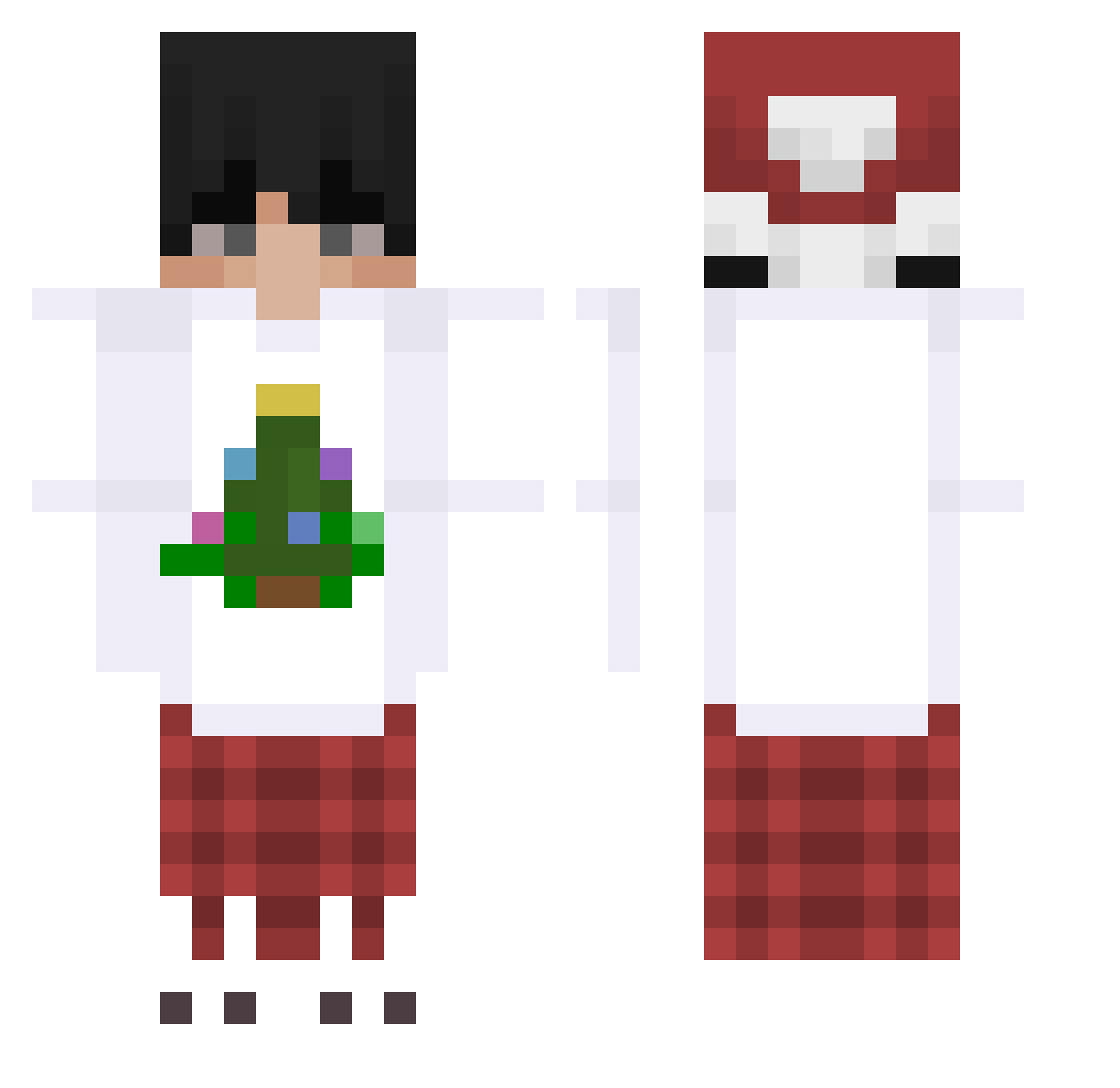
Current Minecraft skin of the player Siunin, loaded from the official Mojang API. Rotate the 3D model with your mouse or finger, then download the skin as a PNG file and use it in Minecraft: Bedrock Edition or Java Edition for free. When Siunin changes their skin, this page updates automatically and the old skin stays in the history below.
Other players with this skin (168)
Siunin was the 41st player we have seen with this skin, first spotted on 15.08.2026. The same skin was seen on these players. Open a nickname to see their current skin and skin history.
 Osadnik2137Popo sanktum8_ asdfasdfadsf NnNut_TH Requiem3978 JOMOs2110 MxybePrincE realmichael55 Panve Avelinella Inkognito25 Pai_lAky_ Fan_p1tomek EnchantedTitan syselec208 MrLavenuso WTFFILIP Im_Dany_ Foxyadventures87 LizaczQ ziomtrio syntient kubiikxx TheDoctor1876 Releny breakneckPace MaybeYes TzGod_ MasterJokers uwufrags Richard_Craniuum HavMy_M Kizarry KrokenV2 hard1js Yushidapro suisideax NevoGG innokentiy489 Chaz_1313 iwam28 SCM1407 leevialekz yourmedium PoprostuMaksio xeelll speedrun_2000 kwanek077 junseo0123 XDArbuz MirailayUWU xuan2025 Allushinn SheepNotFund Verseuchter Zielmankun LilCloud805 Frans_22 MuYuLuuuuu kjears
More Winter Minecraft skins
How to install the Siunin skin
- Press the Download button above to save the skin as a PNG file.
- Minecraft: Bedrock Edition (PE): open the Dressing Room from the main menu (or tap your character → Edit Character), go to Classic Skins → Owned, press the + (new skin) button, choose the downloaded PNG and pick the Classic (Steve) model. Works on PC and mobile; consoles cannot import custom skins.
- Minecraft: Java Edition: open the Minecraft Launcher, go to the Skins tab, click New Skin, load the PNG, pick the Classic (Steve) model and press Save & Use. You can also upload it at minecraft.net → Profile → Change Skin.
The skin does not show up after import - what should I do?
Restart Minecraft and open the Dressing Room again - imported skins sometimes appear only after a restart. Also make sure you selected the imported skin and picked the Classic (Steve) model.
Which model should I choose, Classic or Slim?
This skin is designed for the Classic (Steve) model. If you pick the wrong model, the arms of the skin will look stretched or squeezed.
Is the skin of Siunin free to download?
Yes. Press Download, save the PNG file and use it in Minecraft: Bedrock Edition or Java Edition - no payment or registration needed. The skin also works on multiplayer servers and Realms.
More skins
Looking for more? Go back to all Minecraft skins and check the top skins of the week, month and all time, or find any player's skin by nickname.