
SimpingTurtle - Minecraft Skins & Skin History
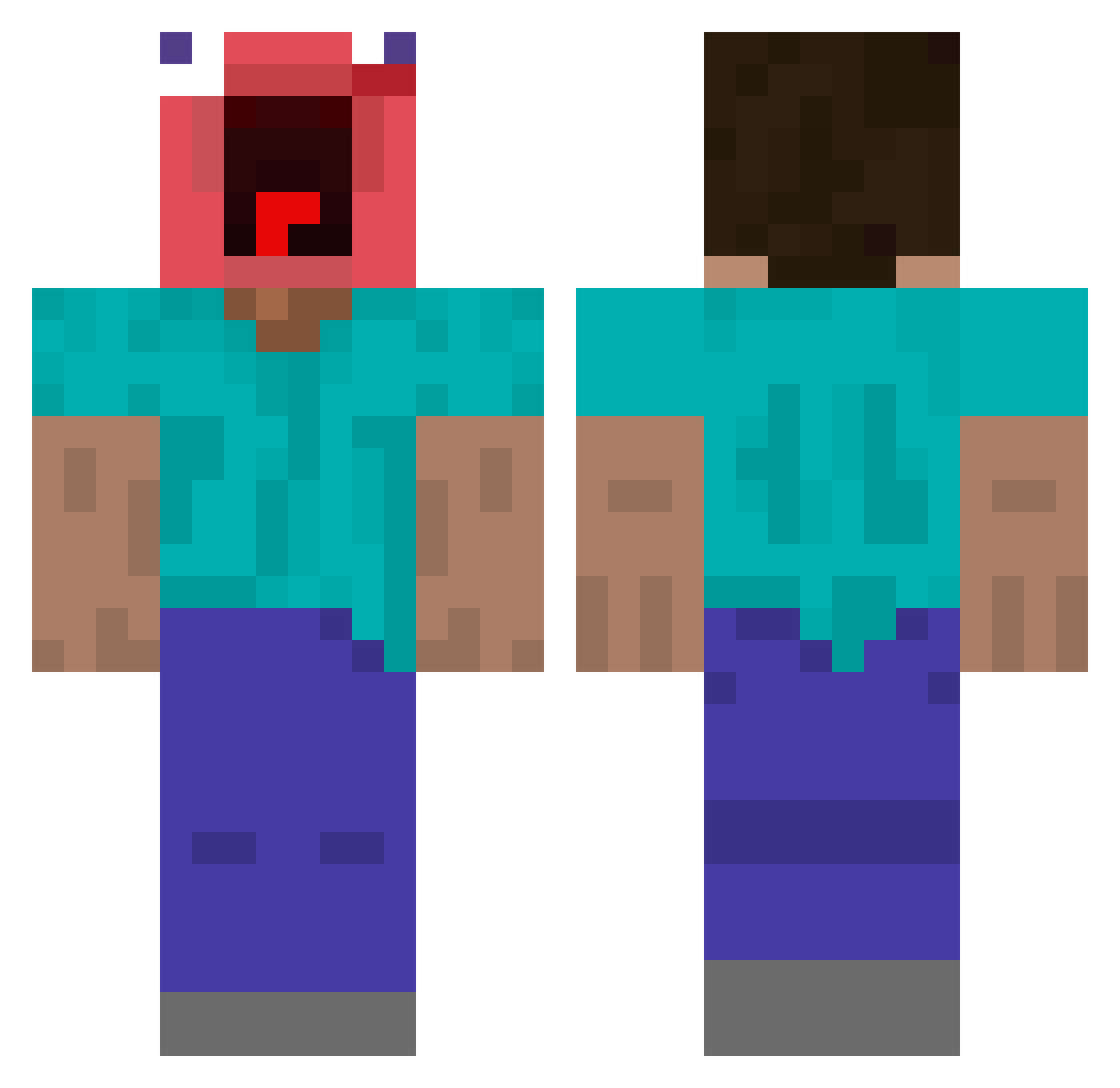
Current Minecraft skin of the player SimpingTurtle, loaded from the official Mojang API. Rotate the 3D model with your mouse or finger, then download the skin as a PNG file and use it in Minecraft: Bedrock Edition or Java Edition for free. When SimpingTurtle changes their skin, this page updates automatically and the old skin stays in the history below.
Other players with this skin (444)
SimpingTurtle was the 328th player we have seen with this skin, first spotted on 08.10.2026. The same skin was seen on these players. Open a nickname to see their current skin and skin history.
 flxmthenumber1 Manic5997 viinzz_ yeah_nangua bobtheguy65 hippiegangterpus tako6775 Omuseong 21_kh Moosepickle LilLegs0331 OnWavee Ge0rgea Creepaaman jgj98 Merijn_Aktas aduangkhoa gxq666 Horvi29 GamerJenHen plano1234554321 chikpeee DustyPipe LamFungX Jose0moine turborasfk trenkrzys Noahthesigma ouhouhah eunho10 sussybaka1994 propriofede Panzerfaust911 nightykilla HarshStinks Elysia1024 Mr_Craig skull_8 iLickBATTERYZ rezziie G0tr0n NooWeDz TELLTELL_e qrvcx ShirtJ Kdoogle MoldyWaffle1916 Bluue_RL Einfach_Fl000 Red_Sh0gun mineman1313 MOTOMOTO97 Migumehl Lboscoindat gyronyoho Z31Vic XIAOmex donkey8shrek JosueBoruc Tamwyn_L_Ananas
More Screaming Minecraft skins
How to install the SimpingTurtle skin
- Press the Download button above to save the skin as a PNG file.
- Minecraft: Bedrock Edition (PE): open the Dressing Room from the main menu (or tap your character → Edit Character), go to Classic Skins → Owned, press the + (new skin) button, choose the downloaded PNG and pick the Classic (Steve) model. Works on PC and mobile; consoles cannot import custom skins.
- Minecraft: Java Edition: open the Minecraft Launcher, go to the Skins tab, click New Skin, load the PNG, pick the Classic (Steve) model and press Save & Use. You can also upload it at minecraft.net → Profile → Change Skin.
The skin does not show up after import - what should I do?
Restart Minecraft and open the Dressing Room again - imported skins sometimes appear only after a restart. Also make sure you selected the imported skin and picked the Classic (Steve) model.
Which model should I choose, Classic or Slim?
This skin is designed for the Classic (Steve) model. If you pick the wrong model, the arms of the skin will look stretched or squeezed.
Is the skin of SimpingTurtle free to download?
Yes. Press Download, save the PNG file and use it in Minecraft: Bedrock Edition or Java Edition - no payment or registration needed. The skin also works on multiplayer servers and Realms.
More skins
Looking for more? Go back to all Minecraft skins and check the top skins of the week, month and all time, or find any player's skin by nickname.