
Sigma_Syndicate - Minecraft Skins & Skin History
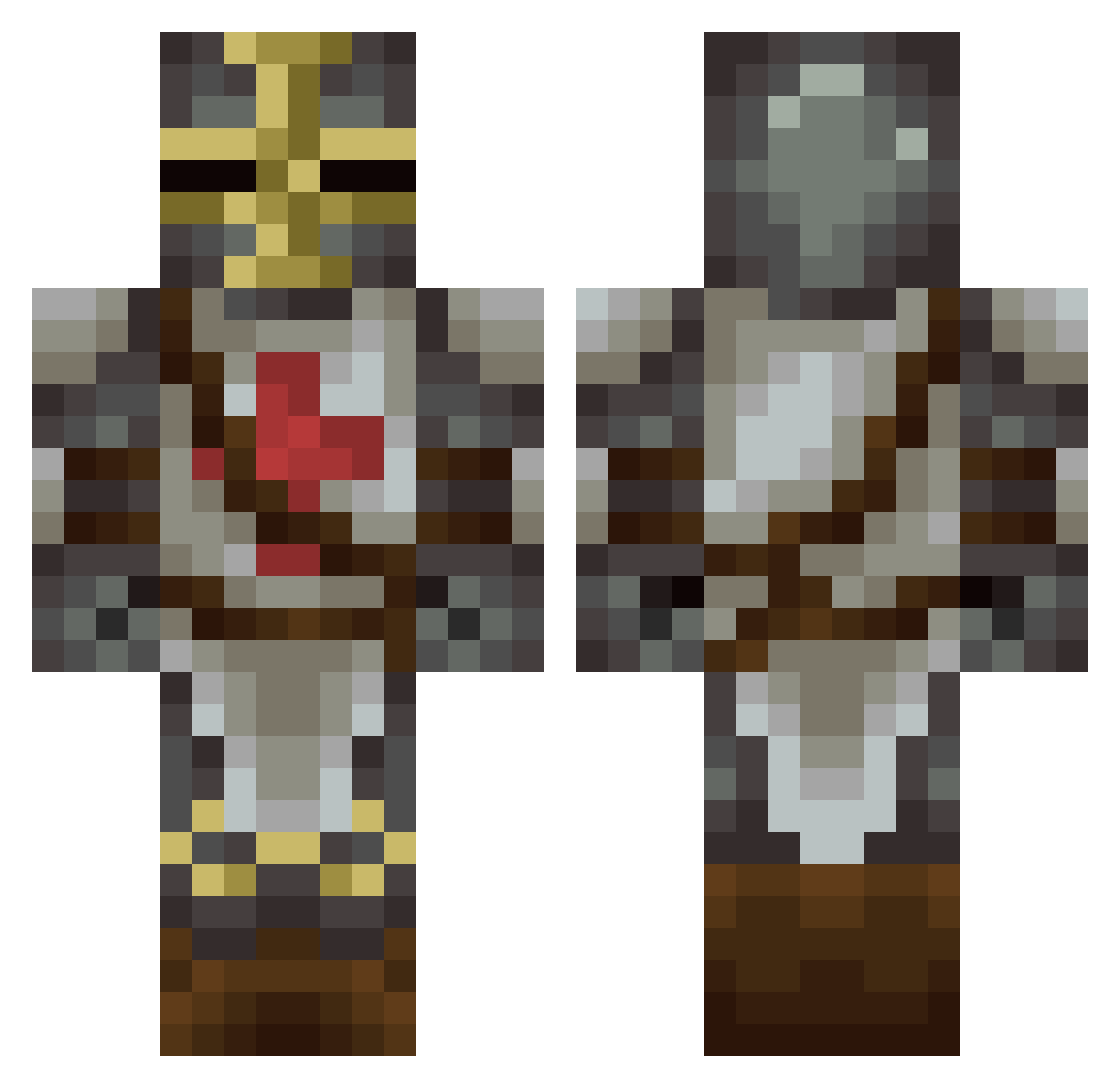
Current Minecraft skin of the player Sigma_Syndicate, loaded from the official Mojang API. Rotate the 3D model with your mouse or finger, then download the skin as a PNG file and use it in Minecraft: Bedrock Edition or Java Edition for free. When Sigma_Syndicate changes their skin, this page updates automatically and the old skin stays in the history below.
Other players with this skin (181)
Sigma_Syndicate was the 116th player we have seen with this skin, first spotted on 02.10.2026. The same skin was seen on these players. Open a nickname to see their current skin and skin history.
 Abycia Firevell St0nedCoyote yeekuhh arterialbread Vorcray Trynaxael akyomd TheGoldenToilet kjames91 TheBossG Hikarukan ItsRinTohsaka Elrathgames J4rdo Bmagnew Tonzak GamerManW Trolltomte Styl0o0 SpaceAgeWizard Ahs350 Sochs Stribber Bronzebullfrog Lord_Lardazs commitdiee Pipimbo Epic_Nova Major_McScruffy Dotykproboszcza1 louboo13 EdanZar boodoomohg SoldierCat420 Prasta JordanGamer_B621 Kaukenux King_of_Masons Master_Kenney GuardOfNothing BailDawg Qebas KINGxEUGENE TabooBuba Milosovich1979 blackbeltat11 NickObama monkeyhunter3 FaultyDawn juanper14201 SpleenBandit Jimpsy69 SirTandeth Helestre DeadMau2008 JustAlexing SpaghettiMagoo SirNoName1 Gadgeeter
More Crusader Minecraft skins
How to install the Sigma_Syndicate skin
- Press the Download button above to save the skin as a PNG file.
- Minecraft: Bedrock Edition (PE): open the Dressing Room from the main menu (or tap your character → Edit Character), go to Classic Skins → Owned, press the + (new skin) button, choose the downloaded PNG and pick the Classic (Steve) model. Works on PC and mobile; consoles cannot import custom skins.
- Minecraft: Java Edition: open the Minecraft Launcher, go to the Skins tab, click New Skin, load the PNG, pick the Classic (Steve) model and press Save & Use. You can also upload it at minecraft.net → Profile → Change Skin.
The skin does not show up after import - what should I do?
Restart Minecraft and open the Dressing Room again - imported skins sometimes appear only after a restart. Also make sure you selected the imported skin and picked the Classic (Steve) model.
Which model should I choose, Classic or Slim?
This skin is designed for the Classic (Steve) model. If you pick the wrong model, the arms of the skin will look stretched or squeezed.
Is the skin of Sigma_Syndicate free to download?
Yes. Press Download, save the PNG file and use it in Minecraft: Bedrock Edition or Java Edition - no payment or registration needed. The skin also works on multiplayer servers and Realms.
More skins
Looking for more? Go back to all Minecraft skins and check the top skins of the week, month and all time, or find any player's skin by nickname.