
Gadgeeter - Minecraft Skins & Skin History
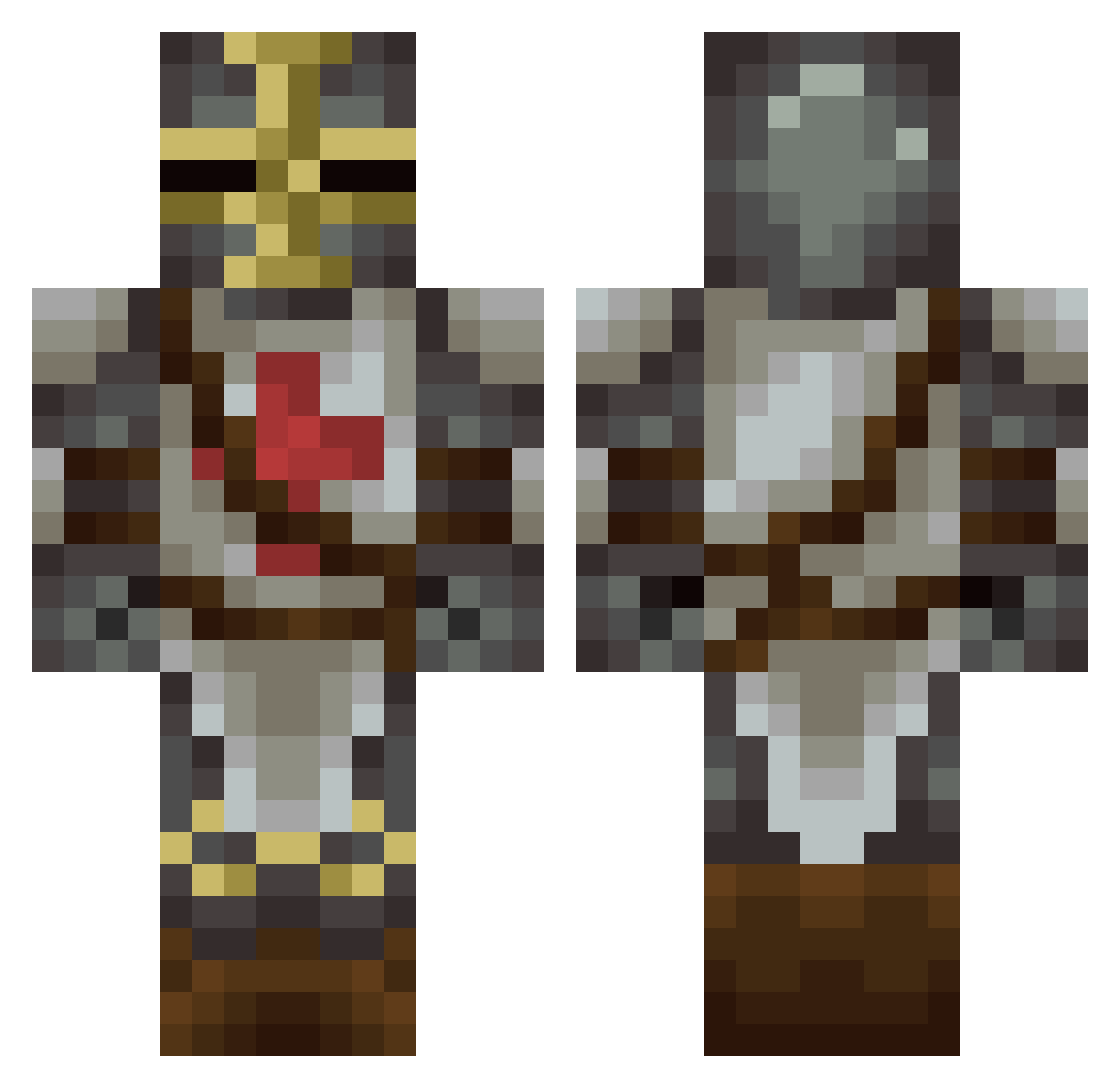
Current Minecraft skin of the player Gadgeeter, loaded from the official Mojang API. Rotate the 3D model with your mouse or finger, then download the skin as a PNG file and use it in Minecraft: Bedrock Edition or Java Edition for free. When Gadgeeter changes their skin, this page updates automatically and the old skin stays in the history below.
Other players with this skin (181)
Gadgeeter was the 143rd player we have seen with this skin, first spotted on 16.10.2026. The same skin was seen on these players. Open a nickname to see their current skin and skin history.
 SirNoName1 Shinkame JustAlexing Cobra1502 Admiralbudgie Frauser Helestre Zubob_Kupchenko SirTandeth Zombiesquid101 Lukrra xx_JoeMama_xx420 FaultyDawn Fitshy xFreshRealAlt SakaGozluguAvisi Wurst_Party NickObama Milosovich1979 jet_fuse Mordorkaiser BailDawg Master_Kenney Hao_strike Raistrike EDAV96 NotDarix Miggnes Kaukenux JordanGamer_B621 MinishChap_ Prasta Gonff11 Dotykproboszcza1 Major_McScruffy Epic_Nova Andor23 commitdiee Lord_Lardazs Trexdistroyer Ahs350 SpaceAgeWizard U202422181 Kiliroo Styl0o0 Biron__ GamerManW Luckky458 Rimedra Bmagnew J4rdo Elrathgames Sniff_Buster Sinx_Minecraft Trynaxael D3u5Vult Gronkle FreeZLuck Vorcray my5coolcows
More Crusader Minecraft skins
How to install the Gadgeeter skin
- Press the Download button above to save the skin as a PNG file.
- Minecraft: Bedrock Edition (PE): open the Dressing Room from the main menu (or tap your character → Edit Character), go to Classic Skins → Owned, press the + (new skin) button, choose the downloaded PNG and pick the Classic (Steve) model. Works on PC and mobile; consoles cannot import custom skins.
- Minecraft: Java Edition: open the Minecraft Launcher, go to the Skins tab, click New Skin, load the PNG, pick the Classic (Steve) model and press Save & Use. You can also upload it at minecraft.net → Profile → Change Skin.
The skin does not show up after import - what should I do?
Restart Minecraft and open the Dressing Room again - imported skins sometimes appear only after a restart. Also make sure you selected the imported skin and picked the Classic (Steve) model.
Which model should I choose, Classic or Slim?
This skin is designed for the Classic (Steve) model. If you pick the wrong model, the arms of the skin will look stretched or squeezed.
Is the skin of Gadgeeter free to download?
Yes. Press Download, save the PNG file and use it in Minecraft: Bedrock Edition or Java Edition - no payment or registration needed. The skin also works on multiplayer servers and Realms.
More skins
Looking for more? Go back to all Minecraft skins and check the top skins of the week, month and all time, or find any player's skin by nickname.