
Sidrah - Minecraft Skins & Skin History
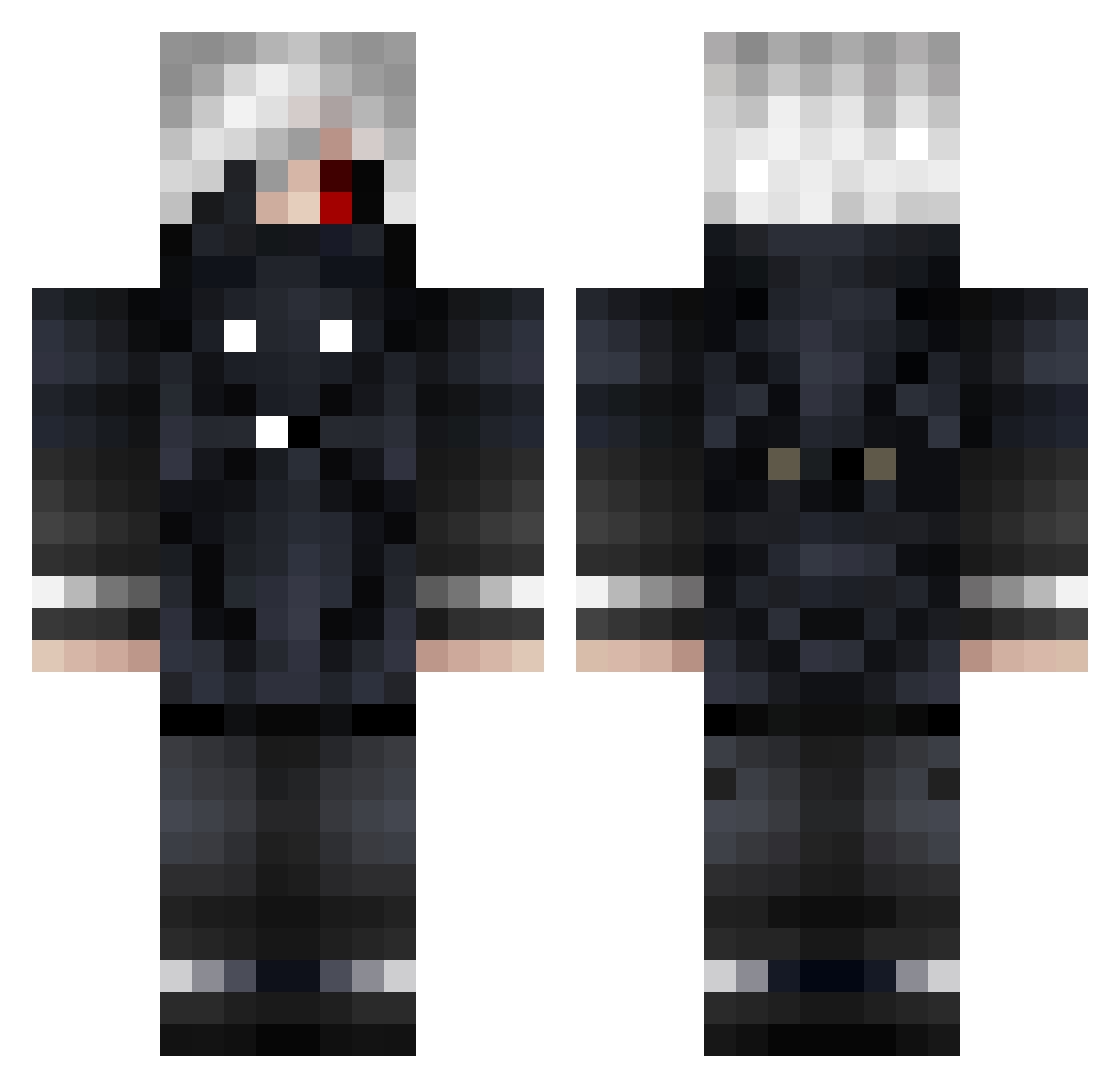
Current Minecraft skin of the player Sidrah, loaded from the official Mojang API. Rotate the 3D model with your mouse or finger, then download the skin as a PNG file and use it in Minecraft: Bedrock Edition or Java Edition for free. When Sidrah changes their skin, this page updates automatically and the old skin stays in the history below.
Other players with this skin (648)
Sidrah was the 39th player we have seen with this skin, first spotted on 27.07.2026. The same skin was seen on these players. Open a nickname to see their current skin and skin history.
 Kriszh2 Itsaddyboy69 TENAMOON Kerim2529 kkrsky NFraley03 goatmoose20 nCored alex6sfr2 Saru6042 NTXSTEALTH jo6co102 Kebabsvetsare12 ladlax Ceifeiro13 FezillGhoul Meza413 FF3lieX luluberlu0811 killoverme TripMan236 RnStei1156 Pyrobarbare57 enesinben dDonNexb DieLegende123 Nebulla69 mutatamu savageshyguy tak_h Julien004 Eziss Narizzle JibbleButt CuriousSunshine vulpes70 LostSoulsPala Quatha CryptWolf7 LastResort007 G0_4T PiDOraSik2 YEZI_REDWOLF ToxicFlash Just_johny 1wawe1 darkreider KDapple Gl1TCH0101 ItsBobbyBich elkks3000 Mingfeng0823 Jeth027 GokuGamer811 FakeItaa Jameshsu29 929_rabbit iiTsukiii SLAM_TRACK ROCK5TARMADE
More Mask Minecraft skins
How to install the Sidrah skin
- Press the Download button above to save the skin as a PNG file.
- Minecraft: Bedrock Edition (PE): open the Dressing Room from the main menu (or tap your character → Edit Character), go to Classic Skins → Owned, press the + (new skin) button, choose the downloaded PNG and pick the Classic (Steve) model. Works on PC and mobile; consoles cannot import custom skins.
- Minecraft: Java Edition: open the Minecraft Launcher, go to the Skins tab, click New Skin, load the PNG, pick the Classic (Steve) model and press Save & Use. You can also upload it at minecraft.net → Profile → Change Skin.
The skin does not show up after import - what should I do?
Restart Minecraft and open the Dressing Room again - imported skins sometimes appear only after a restart. Also make sure you selected the imported skin and picked the Classic (Steve) model.
Which model should I choose, Classic or Slim?
This skin is designed for the Classic (Steve) model. If you pick the wrong model, the arms of the skin will look stretched or squeezed.
Is the skin of Sidrah free to download?
Yes. Press Download, save the PNG file and use it in Minecraft: Bedrock Edition or Java Edition - no payment or registration needed. The skin also works on multiplayer servers and Realms.
More skins
Looking for more? Go back to all Minecraft skins and check the top skins of the week, month and all time, or find any player's skin by nickname.