
Shuroo - Minecraft Skins & Skin History
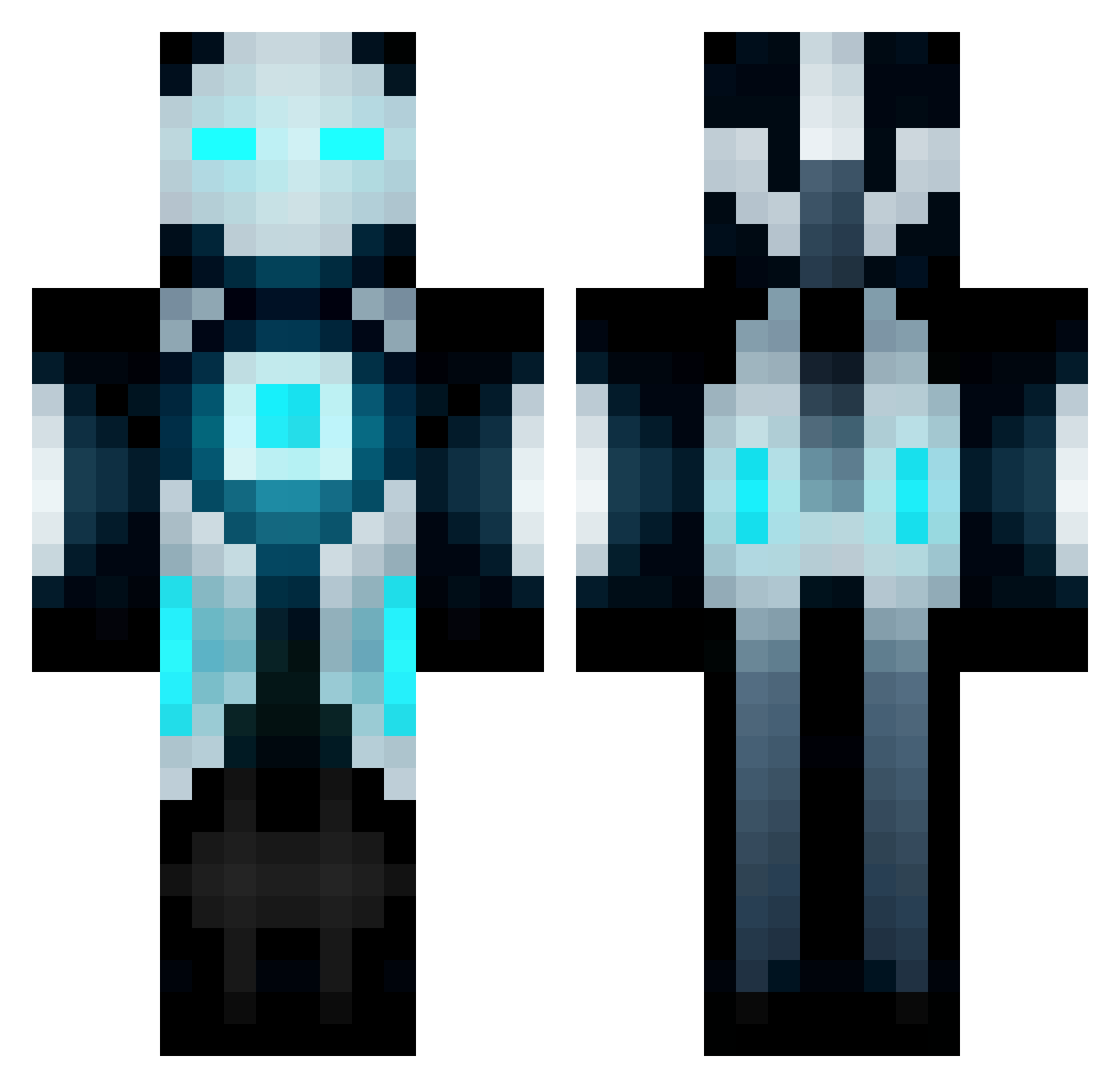
Current Minecraft skin of the player Shuroo, loaded from the official Mojang API. Rotate the 3D model with your mouse or finger, then download the skin as a PNG file and use it in Minecraft: Bedrock Edition or Java Edition for free. When Shuroo changes their skin, this page updates automatically and the old skin stays in the history below.
Other players with this skin (672)
Shuroo was the 343rd player we have seen with this skin, first spotted on 28.09.2026. The same skin was seen on these players. Open a nickname to see their current skin and skin history.
 Arcinate ILoveTebzz Kopatar vortex2601 JacksonhasAIDS alex_syco Fourtified haloreachguy8223 Big_Ounce365 T0209 spootyness Kyuseishu07 crossfire2587 Minionfriend Probable_Muppet Alethorious christiandagamer IMiloI Gaming_asian Landoz_ Spooderling potatom0nster2 Apurtuce mastiffboy iRexionZ TheCuchufli blalock9934 technodwarf Cag AngioCirus derfdestroyer92 Flavour90 delly4city Topancho Shard34 illuzi0nz_ mikeandmikey TheRightReverend BassmentDweller ZnjalePipaSone gkilimanjaro brakesan Macking99 iNsiDiOuS_kNiGhT Knight_devil CHARISMAxSKIILZ Supertrouper212 Zusya Ratchetix Norte235 Froglo viktor_221 Xvalle04 crmcreynolds dorff19 EnigmaKnight oLimar1002 All_Mighty_POWA TYphoonYT creeppeep03
More Futuristic Minecraft skins
How to install the Shuroo skin
- Press the Download button above to save the skin as a PNG file.
- Minecraft: Bedrock Edition (PE): open the Dressing Room from the main menu (or tap your character → Edit Character), go to Classic Skins → Owned, press the + (new skin) button, choose the downloaded PNG and pick the Classic (Steve) model. Works on PC and mobile; consoles cannot import custom skins.
- Minecraft: Java Edition: open the Minecraft Launcher, go to the Skins tab, click New Skin, load the PNG, pick the Classic (Steve) model and press Save & Use. You can also upload it at minecraft.net → Profile → Change Skin.
The skin does not show up after import - what should I do?
Restart Minecraft and open the Dressing Room again - imported skins sometimes appear only after a restart. Also make sure you selected the imported skin and picked the Classic (Steve) model.
Which model should I choose, Classic or Slim?
This skin is designed for the Classic (Steve) model. If you pick the wrong model, the arms of the skin will look stretched or squeezed.
Is the skin of Shuroo free to download?
Yes. Press Download, save the PNG file and use it in Minecraft: Bedrock Edition or Java Edition - no payment or registration needed. The skin also works on multiplayer servers and Realms.
More skins
Looking for more? Go back to all Minecraft skins and check the top skins of the week, month and all time, or find any player's skin by nickname.