
Shockono - Minecraft Skins & Skin History
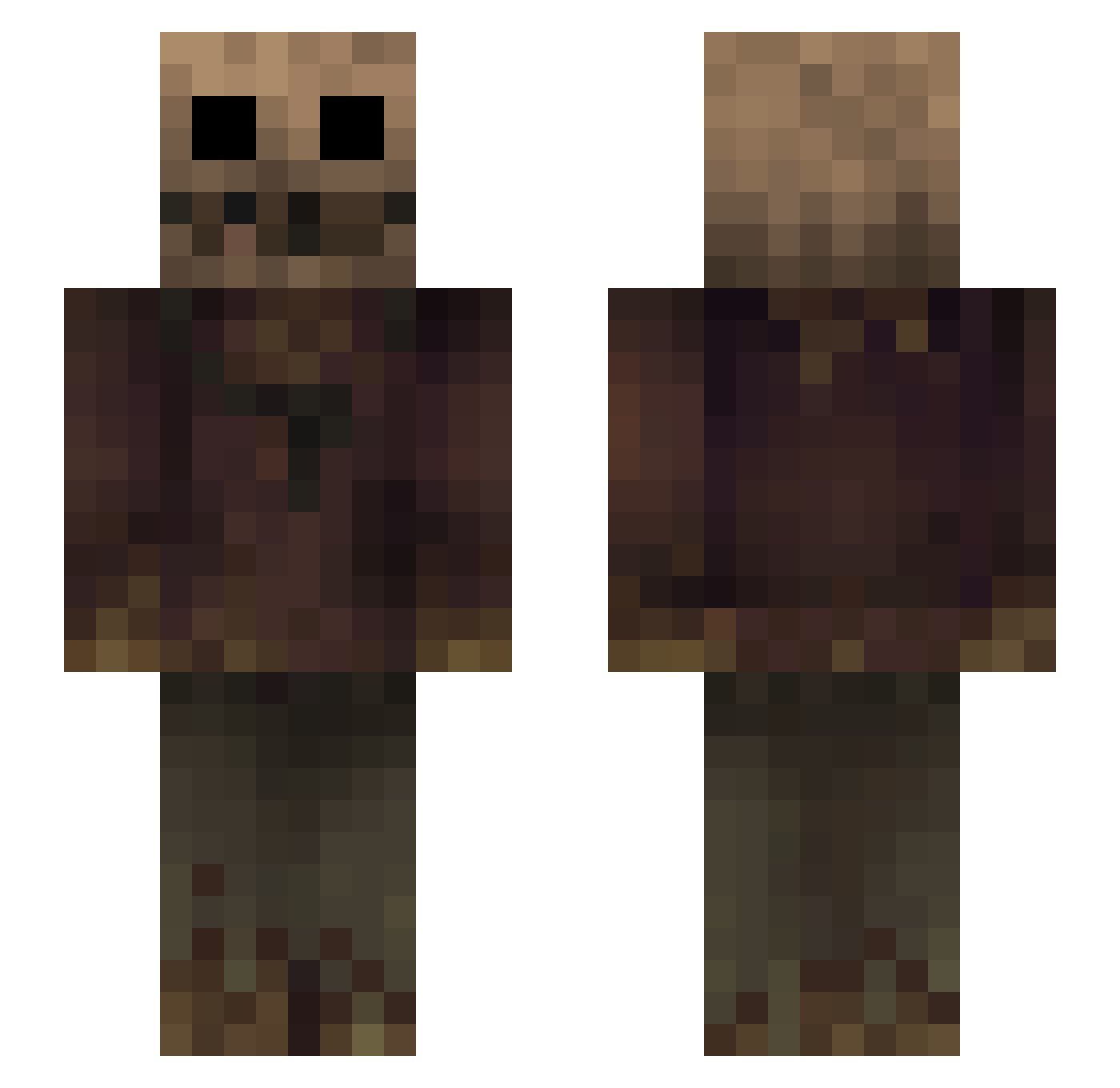
Current Minecraft skin of the player Shockono, loaded from the official Mojang API. Rotate the 3D model with your mouse or finger, then download the skin as a PNG file and use it in Minecraft: Bedrock Edition or Java Edition for free. When Shockono changes their skin, this page updates automatically and the old skin stays in the history below.
Other players with this skin (268)
Shockono was the 217th player we have seen with this skin, first spotted on 06.10.2026. The same skin was seen on these players. Open a nickname to see their current skin and skin history.
 Dina32022 LykandroSam AtomicWaste00 LaZyOmg yoglo1234 VacanzaMare01 el_famo_ma NotHiralaam BearToTheAir420 spookyfiji YOKEDEN 12cash sleepdemon666 GatorSpleen Risla Chriscokes Nxah999 Loomers Soren779 Killerle ValiantCrimson Musquito00 MNSHimself amstq Artfullywon TangKai0609 P0rnflakes RAFT5 xMORGIx ToastBrotKing Arrestoron uLyPANNN Jommper illusions8808 ADDIKTION_ McLegolas1 AnTh027 lorenzosgt End_Lezz TheDarkVoid MrGrandpa5 Venkalth Tiripe Load_ sammx_6 KaPuCiNiO1337 uky6677 nypok Calypco bossqt Thartifle vpuvd zz870 KoperKru Foxhound12 crassplay Unkoven lolies_are_yum hightechniker01 Hounger
More Scarecrow Minecraft skins
How to install the Shockono skin
- Press the Download button above to save the skin as a PNG file.
- Minecraft: Bedrock Edition (PE): open the Dressing Room from the main menu (or tap your character → Edit Character), go to Classic Skins → Owned, press the + (new skin) button, choose the downloaded PNG and pick the Slim (Alex) model. Works on PC and mobile; consoles cannot import custom skins.
- Minecraft: Java Edition: open the Minecraft Launcher, go to the Skins tab, click New Skin, load the PNG, pick the Slim (Alex) model and press Save & Use. You can also upload it at minecraft.net → Profile → Change Skin.
The skin does not show up after import - what should I do?
Restart Minecraft and open the Dressing Room again - imported skins sometimes appear only after a restart. Also make sure you selected the imported skin and picked the Slim (Alex) model.
Which model should I choose, Classic or Slim?
This skin is designed for the Slim (Alex) model. If you pick the wrong model, the arms of the skin will look stretched or squeezed.
Is the skin of Shockono free to download?
Yes. Press Download, save the PNG file and use it in Minecraft: Bedrock Edition or Java Edition - no payment or registration needed. The skin also works on multiplayer servers and Realms.
More skins
Looking for more? Go back to all Minecraft skins and check the top skins of the week, month and all time, or find any player's skin by nickname.