
ServerAdmin20 - Minecraft Skins & Skin History
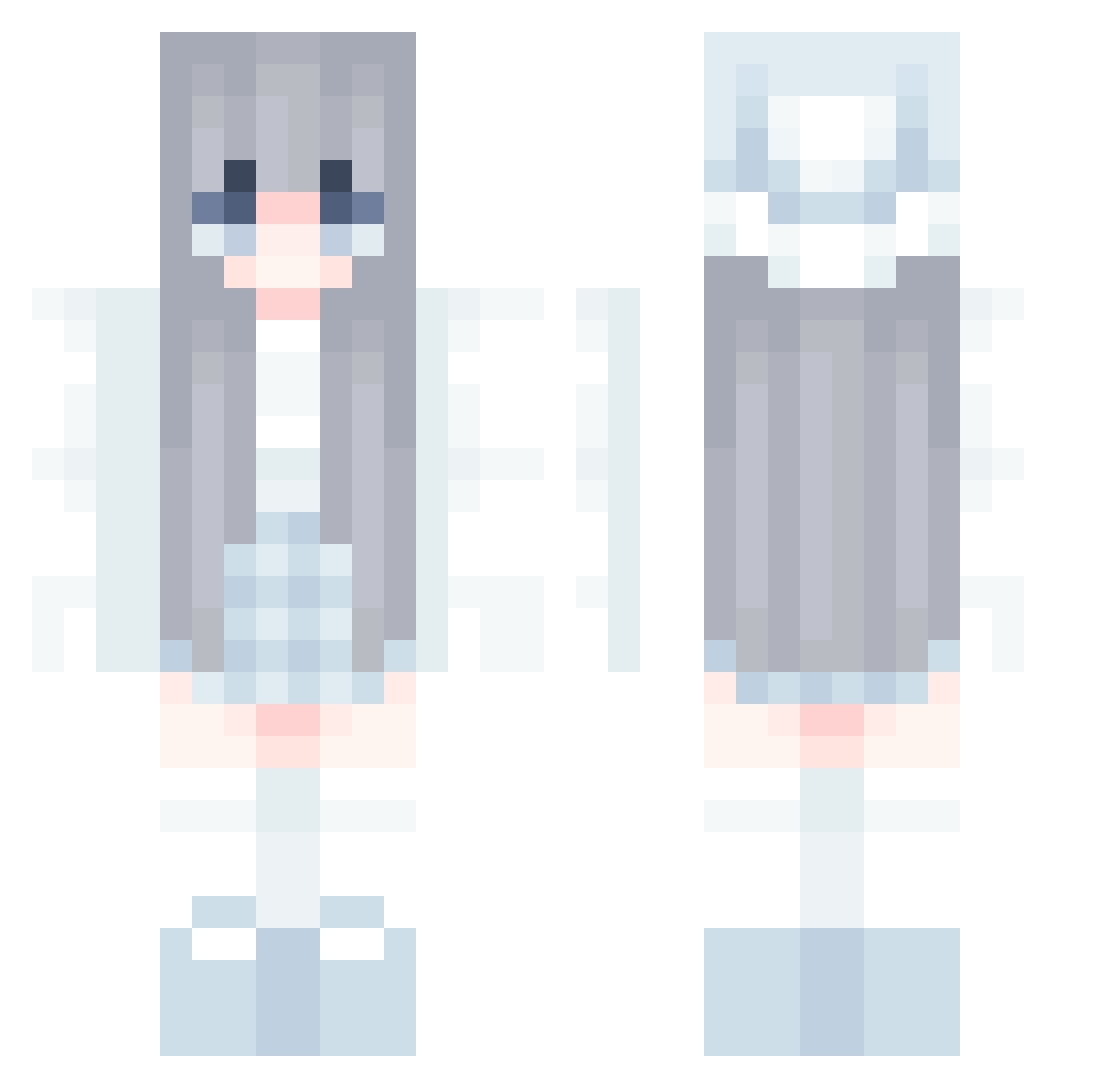
Current Minecraft skin of the player ServerAdmin20, loaded from the official Mojang API. Rotate the 3D model with your mouse or finger, then download the skin as a PNG file and use it in Minecraft: Bedrock Edition or Java Edition for free. When ServerAdmin20 changes their skin, this page updates automatically and the old skin stays in the history below.
Other players with this skin (857)
ServerAdmin20 was the 234th player we have seen with this skin, first spotted on 23.08.2026. The same skin was seen on these players. Open a nickname to see their current skin and skin history.
 APPLE5489 YueHei Poptart2112 coconina28 thebrownsheep bluemint Popozao01 Flanm_ cution343 shisho4440 jablonskaa_ Jeongseon27 yuan1817 bad_daisy SkyelerXO Ivennee hyunmani U_Rainbow Tsukion DarkestGreenPTNL dfkz Cloevador popbob147 zariyahisla bleublue2 byelin CuteAva_ Abby_0823 SKY_1230
 Bluefoo123 balsadaro MC_YuanChu EmoTheBuilder blackcoso Evegela Zzzzzzzzzzzzip lingranya z9s4c7 nemuino0 Lielf12 _Ailza bruhmemeisme Faustnt kina0423 Kasia4894 Folwod raunruanjiang MilkInCan Sona1000 xin12336 sabbiN apokolypz _myers Mumimix EtherealClouds91 silveriverity Keirora haaapic TheDarKingLight snowie8888
More Aesthetic Minecraft skins
How to install the ServerAdmin20 skin
- Press the Download button above to save the skin as a PNG file.
- Minecraft: Bedrock Edition (PE): open the Dressing Room from the main menu (or tap your character → Edit Character), go to Classic Skins → Owned, press the + (new skin) button, choose the downloaded PNG and pick the Classic (Steve) model. Works on PC and mobile; consoles cannot import custom skins.
- Minecraft: Java Edition: open the Minecraft Launcher, go to the Skins tab, click New Skin, load the PNG, pick the Classic (Steve) model and press Save & Use. You can also upload it at minecraft.net → Profile → Change Skin.
The skin does not show up after import - what should I do?
Restart Minecraft and open the Dressing Room again - imported skins sometimes appear only after a restart. Also make sure you selected the imported skin and picked the Classic (Steve) model.
Which model should I choose, Classic or Slim?
This skin is designed for the Classic (Steve) model. If you pick the wrong model, the arms of the skin will look stretched or squeezed.
Is the skin of ServerAdmin20 free to download?
Yes. Press Download, save the PNG file and use it in Minecraft: Bedrock Edition or Java Edition - no payment or registration needed. The skin also works on multiplayer servers and Realms.
More skins
Looking for more? Go back to all Minecraft skins and check the top skins of the week, month and all time, or find any player's skin by nickname.