
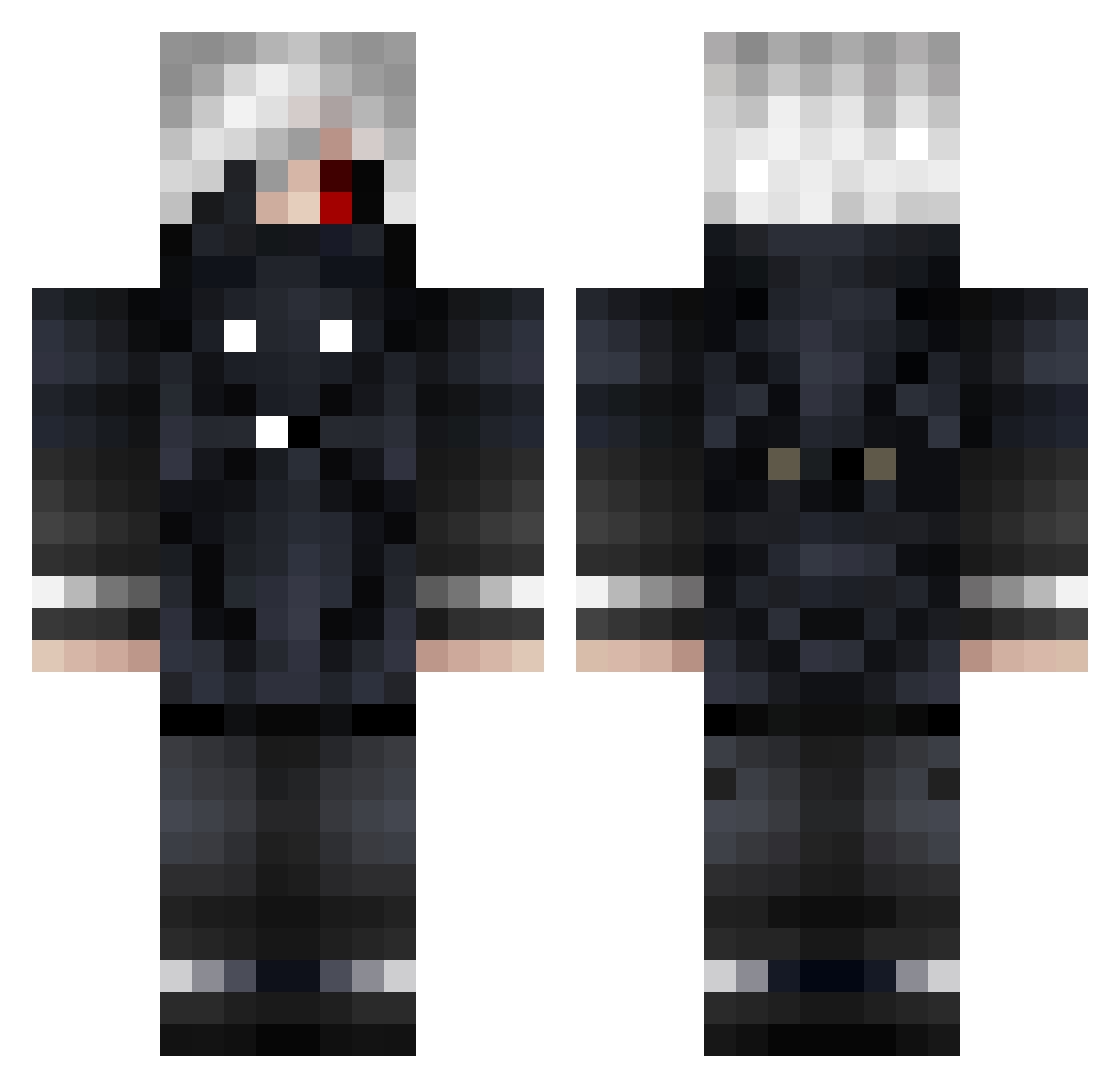
Current Minecraft skin of the player Sebibrow, loaded from the official Mojang API. Rotate the 3D model with your mouse or finger, then download the skin as a PNG file and use it in Minecraft: Bedrock Edition or Java Edition for free. When Sebibrow changes their skin, this page updates automatically and the old skin stays in the history below.
Other players with this skin (580)
Sebibrow was the 496th player we have seen with this skin, first spotted on 03.10.2026. The same skin was seen on these players. Open a nickname to see their current skin and skin history.
 AceOfCreativity Katzenato boechatfc Xelski hellboy9d sebas1561 KILLBEGAN TionpyngTiondes MagoValdivia69 AKsniper47 AyoItsBen LilAnzo NinjaOfTheGods goooooooober zzap23 Flying_Cobra Wzq1234 SuderHere prelyy VarSZN DortemoplexEz D4NDY_ Twelta LilUziRouge M4ri9s HuPPY_ zilla___ Derek421 Ken_Dev Nino_its_me Arjen_Robbun Abooka IAmTractor hadycrafter69 YC_Kaizo Okami7740 PTHN2001 ragnarogzeus Li_Y_Hua bast80 meko_kobayashi HDMKKK Chromics Roflan1488 BlockBuster785 NotToshiro glarieitor kilo0 Axlzz76 GT23P Lu1cer ImEyePatch MeTrance Sith_Owl Gorvet Il_Baffo_Rude BrownLettuce _Nikee_ Itz_Ronnin vvernui
More Mask Minecraft skins
How to install the Sebibrow skin
- Press the Download button above to save the skin as a PNG file.
- Minecraft: Bedrock Edition (PE): open the Dressing Room from the main menu (or tap your character → Edit Character), go to Classic Skins → Owned, press the + (new skin) button, choose the downloaded PNG and pick the Classic (Steve) model. Works on PC and mobile; consoles cannot import custom skins.
- Minecraft: Java Edition: open the Minecraft Launcher, go to the Skins tab, click New Skin, load the PNG, pick the Classic (Steve) model and press Save & Use. You can also upload it at minecraft.net → Profile → Change Skin.
The skin does not show up after import - what should I do?
Restart Minecraft and open the Dressing Room again - imported skins sometimes appear only after a restart. Also make sure you selected the imported skin and picked the Classic (Steve) model.
Which model should I choose, Classic or Slim?
This skin is designed for the Classic (Steve) model. If you pick the wrong model, the arms of the skin will look stretched or squeezed.
Is the skin of Sebibrow free to download?
Yes. Press Download, save the PNG file and use it in Minecraft: Bedrock Edition or Java Edition - no payment or registration needed. The skin also works on multiplayer servers and Realms.
More skins
Looking for more? Go back to all Minecraft skins and check the top skins of the week, month and all time, or find any player's skin by nickname.