
ScurvyBuckets - Minecraft Skins & Skin History
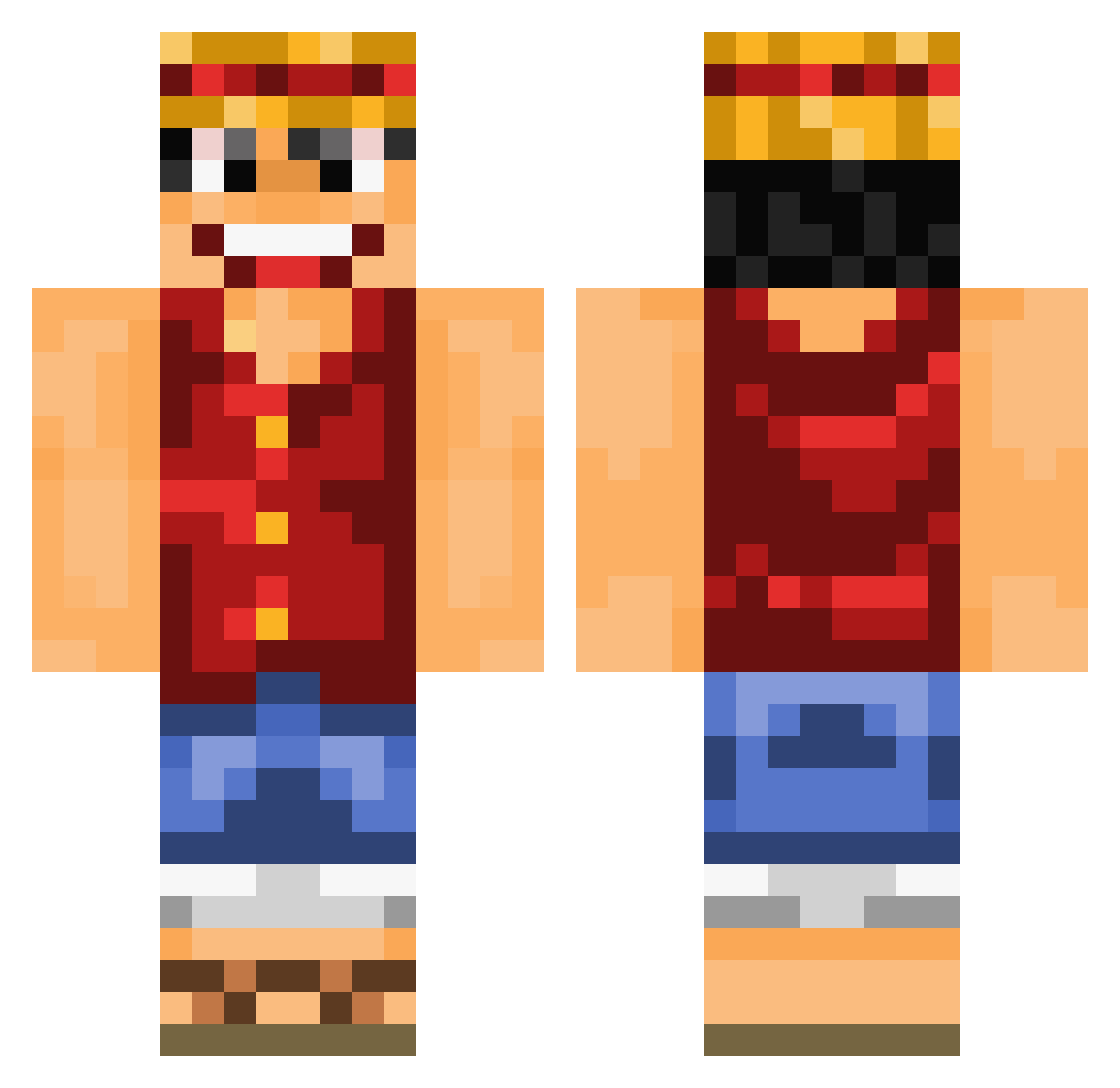
Current Minecraft skin of the player ScurvyBuckets, loaded from the official Mojang API. Rotate the 3D model with your mouse or finger, then download the skin as a PNG file and use it in Minecraft: Bedrock Edition or Java Edition for free. When ScurvyBuckets changes their skin, this page updates automatically and the old skin stays in the history below.
Other players with this skin (754)
ScurvyBuckets was the 133rd player we have seen with this skin, first spotted on 13.08.2026. The same skin was seen on these players. Open a nickname to see their current skin and skin history.
 sw_ll20 ColeMcClutch1 dominicwinkler EclipseWH GlassPlatypus jaylee6017 MagnificentD bou422_ AnRonixx Lelis_06 Cajun_Banker Guigian1 xiongkkk Portal2Nether Ohma92 MipoJohn MonkeyEDD66 Sehun529 GenoSniper WildWest0275 noetu xXSaud999Xx Raffy_ xiaomingtongxue1 MrSoulhammer Mastergames10 Darent6280 daddycrawfish Miiguiz Sangyun__ Benkaaa10 DEMBOSS99 AkhyYouyou Raphsterz MrPepino193 Yuca_Papi kobrakidmelissa ReversedFighter xXFreewayXx Gratchh BadamiAss UgotBlasted Bannger Jellar_ Piter96 haank1 pako155 Lazlo1503 LifeIsPuzzle Kristiandakuo TheSlimebomb MonkeyDSunho X_rayTAT Blank23 Vladdoooh ByTente GiamSpawn RaZzike bertie_vt Mpremel
More Monkey D Luffy Minecraft skins
See all 863 Monkey D Luffy skins
How to install the ScurvyBuckets skin
- Press the Download button above to save the skin as a PNG file.
- Minecraft: Bedrock Edition (PE): open the Dressing Room from the main menu (or tap your character → Edit Character), go to Classic Skins → Owned, press the + (new skin) button, choose the downloaded PNG and pick the Classic (Steve) model. Works on PC and mobile; consoles cannot import custom skins.
- Minecraft: Java Edition: open the Minecraft Launcher, go to the Skins tab, click New Skin, load the PNG, pick the Classic (Steve) model and press Save & Use. You can also upload it at minecraft.net → Profile → Change Skin.
The skin does not show up after import - what should I do?
Restart Minecraft and open the Dressing Room again - imported skins sometimes appear only after a restart. Also make sure you selected the imported skin and picked the Classic (Steve) model.
Which model should I choose, Classic or Slim?
This skin is designed for the Classic (Steve) model. If you pick the wrong model, the arms of the skin will look stretched or squeezed.
Is the skin of ScurvyBuckets free to download?
Yes. Press Download, save the PNG file and use it in Minecraft: Bedrock Edition or Java Edition - no payment or registration needed. The skin also works on multiplayer servers and Realms.
More skins
Looking for more? Go back to all Minecraft skins and check the top skins of the week, month and all time, or find any player's skin by nickname.