
Schwarzmilan1602 - Minecraft Skins & Skin History
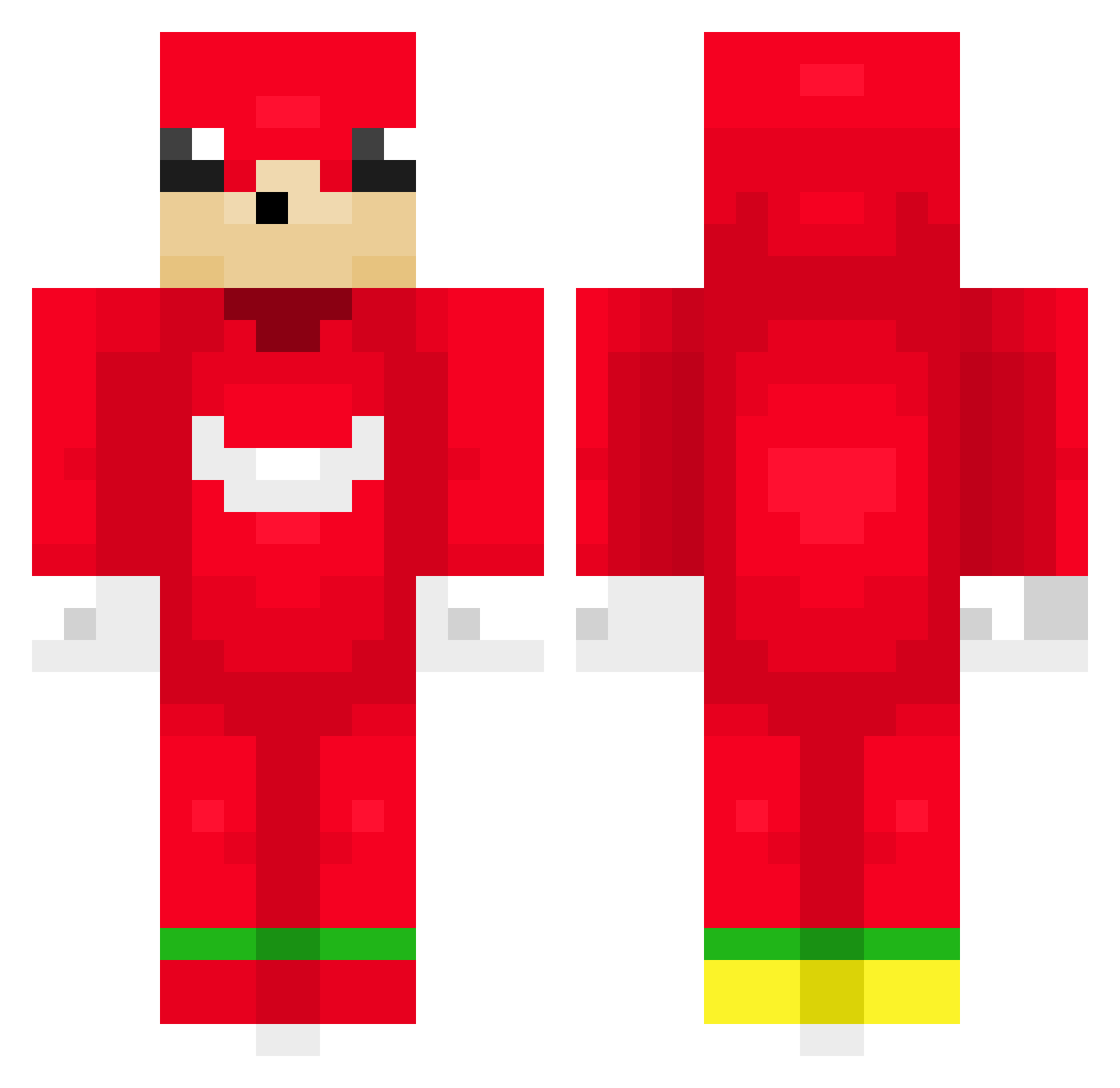
Current Minecraft skin of the player Schwarzmilan1602, loaded from the official Mojang API. Rotate the 3D model with your mouse or finger, then download the skin as a PNG file and use it in Minecraft: Bedrock Edition or Java Edition for free. When Schwarzmilan1602 changes their skin, this page updates automatically and the old skin stays in the history below.
Other players with this skin (44)
Schwarzmilan1602 was the 22nd player we have seen with this skin, first spotted on 04.09.2026. The same skin was seen on these players. Open a nickname to see their current skin and skin history.
 Lo124 Porodi
 youssef2610 leiyum Kukki_Kami Ruohonleikkuri1 eitanpro19 Nickopet NarkCC manee22 Nexiummmmmm Unwarysnow31385 kwryu2414 viltsu600 HOONIE77 FrStuCoNNoR deinekatz21 Mailil Jochem60 Luc1s23 GE3KOX Turk_knuckles GROSSE_TENDERS lolabolo dividias
 alfmol Tonton_Thutur Cicoti7 cusmuc X1c3ziinn_ MarcoBoss27 AstroOnMC Matti279576 toastedlynx GilfHunter083 Exoctic L0uis_Vuitton
 Bieelo FurryDestroyer1 _EpicMarshall_ Syphoning Mr_NuggetYT Fecz PPOtatOsking
More Knuckles Minecraft skins
How to install the Schwarzmilan1602 skin
- Press the Download button above to save the skin as a PNG file.
- Minecraft: Bedrock Edition (PE): open the Dressing Room from the main menu (or tap your character → Edit Character), go to Classic Skins → Owned, press the + (new skin) button, choose the downloaded PNG and pick the Classic (Steve) model. Works on PC and mobile; consoles cannot import custom skins.
- Minecraft: Java Edition: open the Minecraft Launcher, go to the Skins tab, click New Skin, load the PNG, pick the Classic (Steve) model and press Save & Use. You can also upload it at minecraft.net → Profile → Change Skin.
The skin does not show up after import - what should I do?
Restart Minecraft and open the Dressing Room again - imported skins sometimes appear only after a restart. Also make sure you selected the imported skin and picked the Classic (Steve) model.
Which model should I choose, Classic or Slim?
This skin is designed for the Classic (Steve) model. If you pick the wrong model, the arms of the skin will look stretched or squeezed.
Is the skin of Schwarzmilan1602 free to download?
Yes. Press Download, save the PNG file and use it in Minecraft: Bedrock Edition or Java Edition - no payment or registration needed. The skin also works on multiplayer servers and Realms.
More skins
Looking for more? Go back to all Minecraft skins and check the top skins of the week, month and all time, or find any player's skin by nickname.