
Saysen - Minecraft Skins & Skin History
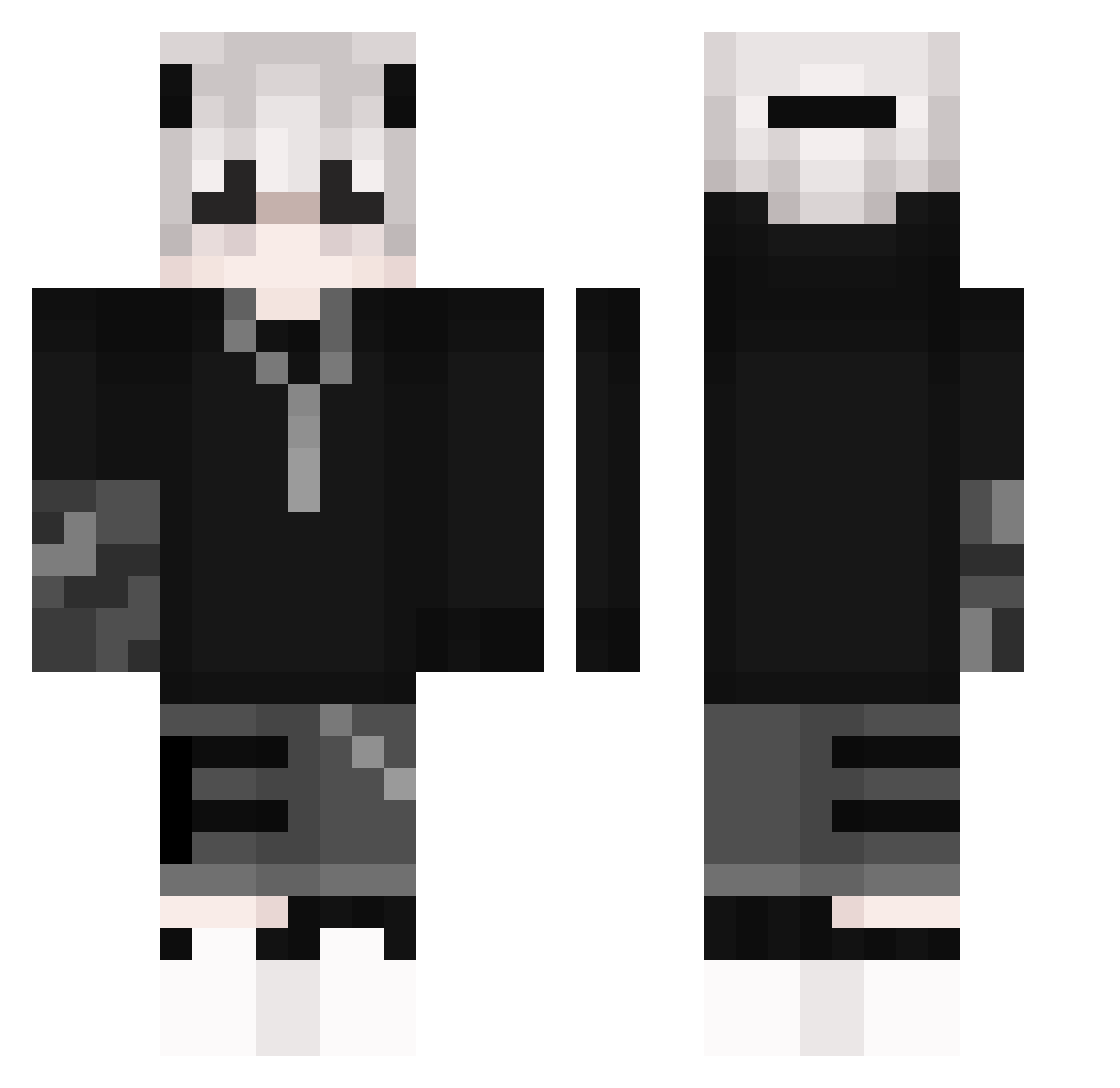
Current Minecraft skin of the player Saysen, loaded from the official Mojang API. Rotate the 3D model with your mouse or finger, then download the skin as a PNG file and use it in Minecraft: Bedrock Edition or Java Edition for free. When Saysen changes their skin, this page updates automatically and the old skin stays in the history below.
Other players with this skin (266)
Saysen was the 72nd player we have seen with this skin, first spotted on 03.09.2026. The same skin was seen on these players. Open a nickname to see their current skin and skin history.
 CannedMaotai noeytr Teemong Vadier FatherTempo NumberThree AHockeyKid sans_fan DerFlexxerr ItsMeLaser CYRILCHEN Kazuha001 Dong_yunz Zmywarka07 kathariel xiyozk MobiiiDik yezip Polarzinn32 Buredkjam0913 WhiteSheep9 leoaloi Syndax10 SpectraXGaming AidenAndCo Pemicaso Just_kill1ng Harkhos BakJeongu Fo_DreamSans EDRICK2001 GhostDarkKing KiritoGamer5 PassiR BEAKIR LinYuexue andotiphe Jokarai Golazc Lennox008 Voiddragon8061 leighness Acextu M_axens sladeeyy Christian_Evans DeXshora siwoo1024 Bunnykiller602 frozeclipcasxome OkOn16cps WesternSpark211 CoolSauce47 nicocrafter1 OquasarO berryYUN poporamaru86 forbeskin Mederyck Lych1337
More Streetwear Minecraft skins
How to install the Saysen skin
- Press the Download button above to save the skin as a PNG file.
- Minecraft: Bedrock Edition (PE): open the Dressing Room from the main menu (or tap your character → Edit Character), go to Classic Skins → Owned, press the + (new skin) button, choose the downloaded PNG and pick the Classic (Steve) model. Works on PC and mobile; consoles cannot import custom skins.
- Minecraft: Java Edition: open the Minecraft Launcher, go to the Skins tab, click New Skin, load the PNG, pick the Classic (Steve) model and press Save & Use. You can also upload it at minecraft.net → Profile → Change Skin.
The skin does not show up after import - what should I do?
Restart Minecraft and open the Dressing Room again - imported skins sometimes appear only after a restart. Also make sure you selected the imported skin and picked the Classic (Steve) model.
Which model should I choose, Classic or Slim?
This skin is designed for the Classic (Steve) model. If you pick the wrong model, the arms of the skin will look stretched or squeezed.
Is the skin of Saysen free to download?
Yes. Press Download, save the PNG file and use it in Minecraft: Bedrock Edition or Java Edition - no payment or registration needed. The skin also works on multiplayer servers and Realms.
More skins
Looking for more? Go back to all Minecraft skins and check the top skins of the week, month and all time, or find any player's skin by nickname.