
Samson10 - Minecraft Skins & Skin History
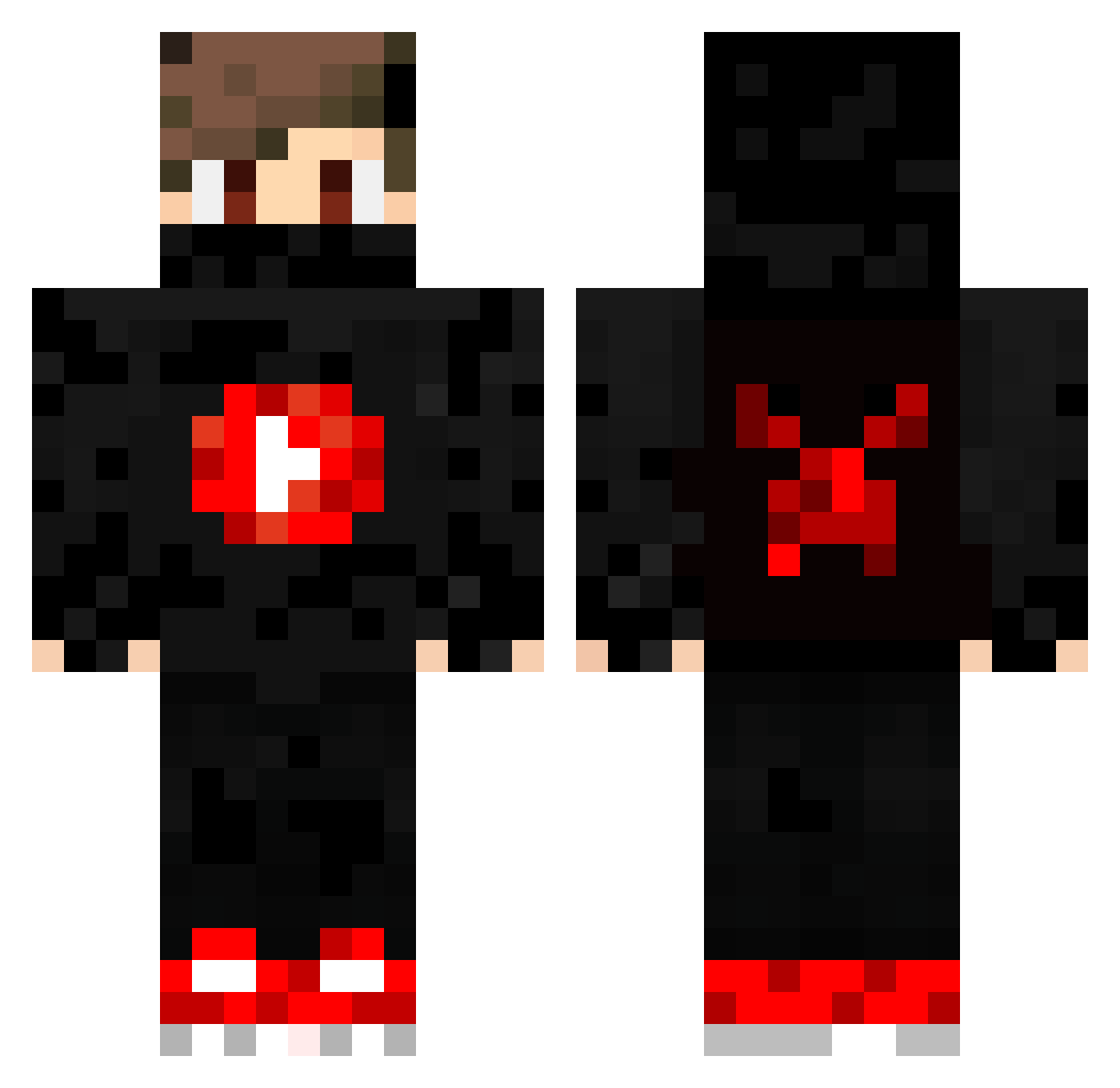
Current Minecraft skin of the player Samson10, loaded from the official Mojang API. Rotate the 3D model with your mouse or finger, then download the skin as a PNG file and use it in Minecraft: Bedrock Edition or Java Edition for free. When Samson10 changes their skin, this page updates automatically and the old skin stays in the history below.
Other players with this skin (196)
Samson10 was the 75th player we have seen with this skin, first spotted on 10.09.2026. The same skin was seen on these players. Open a nickname to see their current skin and skin history.
 ProGamingNoHax NetraL_YTB ZBlockUP ImOussama_Gamer luizbr07 Explizits VanillaBurrito Patso354 It_Kyle OyunDunyasiYTOD thegameinglandon yAlexINSANO Toytas444 PEDROHCML JmcHD SF_JMoney Szymek343t iNingaGraphics iiShadow_YT Gsilvaooo BRZK MaastyY_ _Fxlix_ ironcrasher Batuhanzecik arda6115 Ykauansb_GOD xBLaCK_ _SimoYes BioHaseYT GUMOREIRA23 fordnike JesseCombo talkabout167 dendegrod AustinDMeyer HungerB kingstone26 CubeHype Xiamer7 Joseph050 InkognitoI8 P4RK33r Turtle_Commander Davidboss04 HOBNBBBBBBBBBBB AK_gaming0411 Camping4god IanTong13 FaZeReplays JackubYT1 JFS_J0rn skyhigh3250 A_Hound TheBlackAngels SrFormiguinha ReyCZE TheAykanHKA Xhamser Theoretischhero_
More Youtuber Minecraft skins
How to install the Samson10 skin
- Press the Download button above to save the skin as a PNG file.
- Minecraft: Bedrock Edition (PE): open the Dressing Room from the main menu (or tap your character → Edit Character), go to Classic Skins → Owned, press the + (new skin) button, choose the downloaded PNG and pick the Classic (Steve) model. Works on PC and mobile; consoles cannot import custom skins.
- Minecraft: Java Edition: open the Minecraft Launcher, go to the Skins tab, click New Skin, load the PNG, pick the Classic (Steve) model and press Save & Use. You can also upload it at minecraft.net → Profile → Change Skin.
The skin does not show up after import - what should I do?
Restart Minecraft and open the Dressing Room again - imported skins sometimes appear only after a restart. Also make sure you selected the imported skin and picked the Classic (Steve) model.
Which model should I choose, Classic or Slim?
This skin is designed for the Classic (Steve) model. If you pick the wrong model, the arms of the skin will look stretched or squeezed.
Is the skin of Samson10 free to download?
Yes. Press Download, save the PNG file and use it in Minecraft: Bedrock Edition or Java Edition - no payment or registration needed. The skin also works on multiplayer servers and Realms.
More skins
Looking for more? Go back to all Minecraft skins and check the top skins of the week, month and all time, or find any player's skin by nickname.