
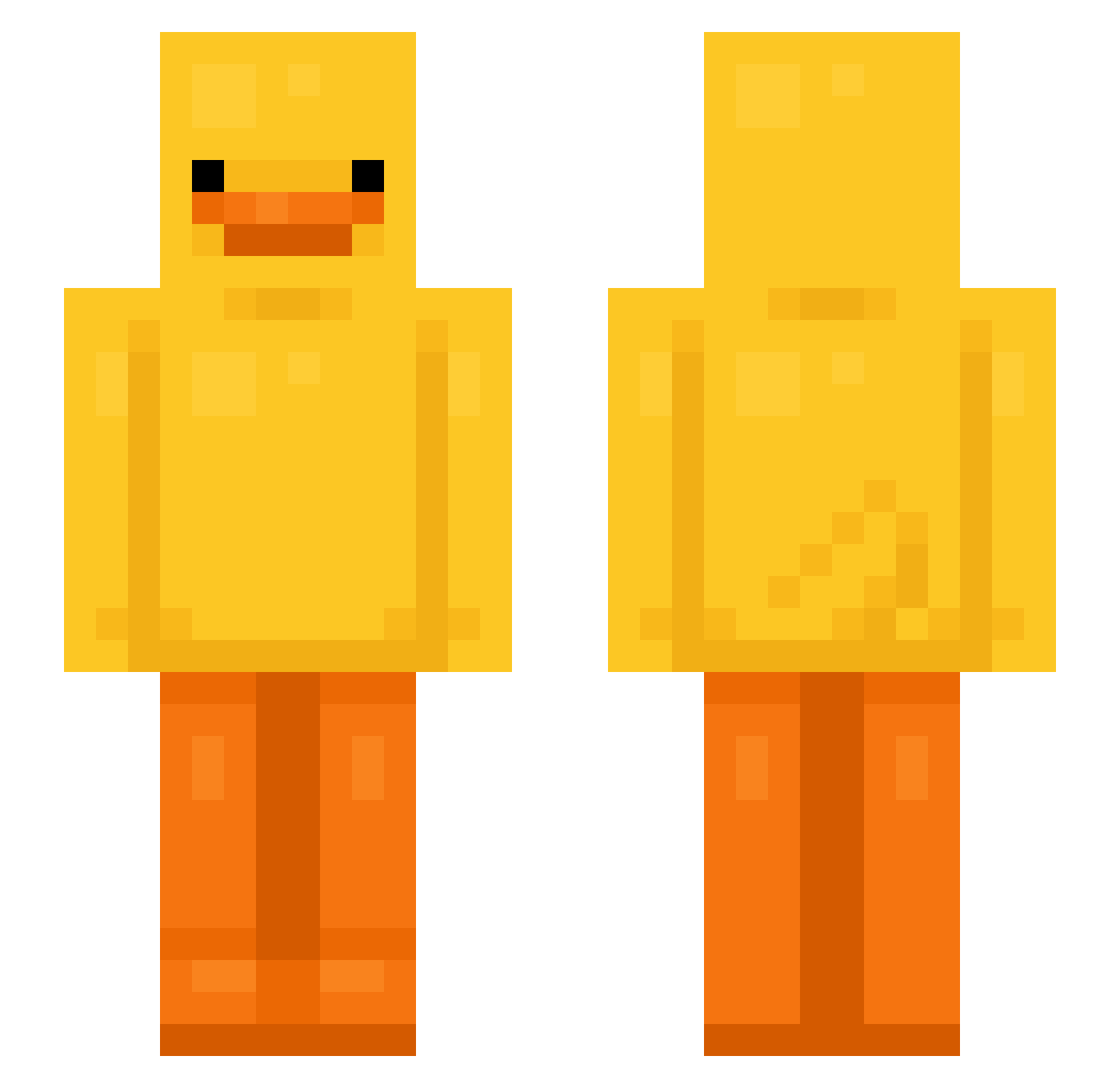
Current Minecraft skin of the player Salibasal, loaded from the official Mojang API. Rotate the 3D model with your mouse or finger, then download the skin as a PNG file and use it in Minecraft: Bedrock Edition or Java Edition for free. When Salibasal changes their skin, this page updates automatically and the old skin stays in the history below.
Other players with this skin (586)
Salibasal was the 503rd player we have seen with this skin, first spotted on 05.10.2026. The same skin was seen on these players. Open a nickname to see their current skin and skin history.
 Eollc zm5_ FUJIWARA118 Bodome_Biere Sofia574 fooJ_ dirdie04 optiiii Giux_00 Drduckyyyy Timsel2011 Zojks itsnotneko_ s2uki sgdcm NozzaGF13 Q974N dreadman78 _Kaczorek_HWDP Blazikan626 Baydolf SteelTiel MooseyFace13 Brandonks kwon012 Raisins_coffee HeiligeOrdnung taintedduck Spritely15 Darios235 HK_9464 iiAmGolden Grizzlley TungTungsaahuur Szabi1327 NonekW Collie90 withbeef bakedacake521 coral4029 LicPepo LungWoo_ KenzoElf1201 challywood rachzinha_ Ramune_510 frederikgr6 daddyblake11 ImSoEvul Corrcu Koenkiex JordyM96 Duckbot69 Flob_55 ayepricots aministrator BT8890 zhaoqianyu goldyV2 Pewww_
More Bird Minecraft skins
How to install the Salibasal skin
- Press the Download button above to save the skin as a PNG file.
- Minecraft: Bedrock Edition (PE): open the Dressing Room from the main menu (or tap your character → Edit Character), go to Classic Skins → Owned, press the + (new skin) button, choose the downloaded PNG and pick the Slim (Alex) model. Works on PC and mobile; consoles cannot import custom skins.
- Minecraft: Java Edition: open the Minecraft Launcher, go to the Skins tab, click New Skin, load the PNG, pick the Slim (Alex) model and press Save & Use. You can also upload it at minecraft.net → Profile → Change Skin.
The skin does not show up after import - what should I do?
Restart Minecraft and open the Dressing Room again - imported skins sometimes appear only after a restart. Also make sure you selected the imported skin and picked the Slim (Alex) model.
Which model should I choose, Classic or Slim?
This skin is designed for the Slim (Alex) model. If you pick the wrong model, the arms of the skin will look stretched or squeezed.
Is the skin of Salibasal free to download?
Yes. Press Download, save the PNG file and use it in Minecraft: Bedrock Edition or Java Edition - no payment or registration needed. The skin also works on multiplayer servers and Realms.
More skins
Looking for more? Go back to all Minecraft skins and check the top skins of the week, month and all time, or find any player's skin by nickname.