
SadFlow - Minecraft Skins & Skin History
Current Minecraft skin of the player SadFlow, loaded from the official Mojang API. Rotate the 3D model with your mouse or finger, then download the skin as a PNG file and use it in Minecraft: Bedrock Edition or Java Edition for free. When SadFlow changes their skin, this page updates automatically and the old skin stays in the history below.
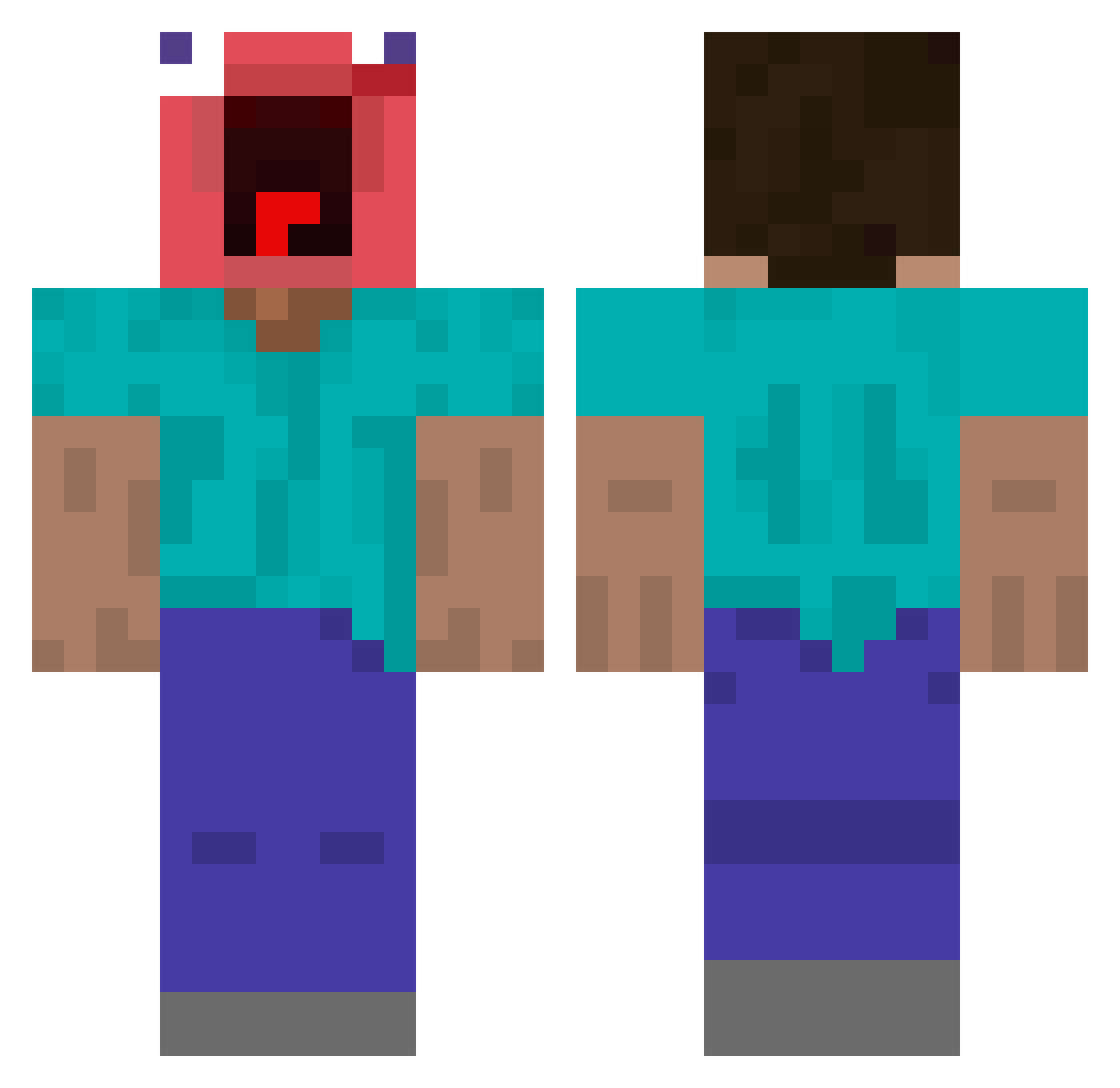
Other players with this skin (444)
SadFlow was the 39th player we have seen with this skin, first spotted on 03.08.2026. The same skin was seen on these players. Open a nickname to see their current skin and skin history.
 MrLingLing2U chohankyeong xX_Crazen_Xx Lost_Gunslinger Fr0gg196 MARCPIRA unpersoperdu Manbaaoutt ssamu081 koha0303
 IsaccMC d1oableMurky HwLBboy fakysoul DylanCabezas20 whx1ang oCqs Nai_Sile tuttish markusnorge shellyykam vhu1 idekwhatimdoing Oxoto64 Yamato8868 teslik_jr ragebaitking sumptuousBreath Tdigby30 matu10086 xXOnSkIbIdIXx NotTomka xunseo TheGmanGilbert1 Lord_Dydelf katanq nedine Ebantello Gattogamerggfail Jamesisbomb Bayon094 rooub BozeAardappel Mike_Tzx Susavei
 ESSZ_JayJay DIVZN21 YaBoiBraga SqxshySNRI victorywater biggaytao ThePvPlay ULTRAMAN731
 leqxyy iolord Yujin1010 slasher2010 sonbyungmin LagNova Broski56
More Screaming Minecraft skins
How to install the SadFlow skin
- Press the Download button above to save the skin as a PNG file.
- Minecraft: Bedrock Edition (PE): open the Dressing Room from the main menu (or tap your character → Edit Character), go to Classic Skins → Owned, press the + (new skin) button, choose the downloaded PNG and pick the Classic (Steve) model. Works on PC and mobile; consoles cannot import custom skins.
- Minecraft: Java Edition: open the Minecraft Launcher, go to the Skins tab, click New Skin, load the PNG, pick the Classic (Steve) model and press Save & Use. You can also upload it at minecraft.net → Profile → Change Skin.
The skin does not show up after import - what should I do?
Restart Minecraft and open the Dressing Room again - imported skins sometimes appear only after a restart. Also make sure you selected the imported skin and picked the Classic (Steve) model.
Which model should I choose, Classic or Slim?
This skin is designed for the Classic (Steve) model. If you pick the wrong model, the arms of the skin will look stretched or squeezed.
Is the skin of SadFlow free to download?
Yes. Press Download, save the PNG file and use it in Minecraft: Bedrock Edition or Java Edition - no payment or registration needed. The skin also works on multiplayer servers and Realms.
More skins
Looking for more? Go back to all Minecraft skins and check the top skins of the week, month and all time, or find any player's skin by nickname.