
Sacrilicous - Minecraft Skins & Skin History
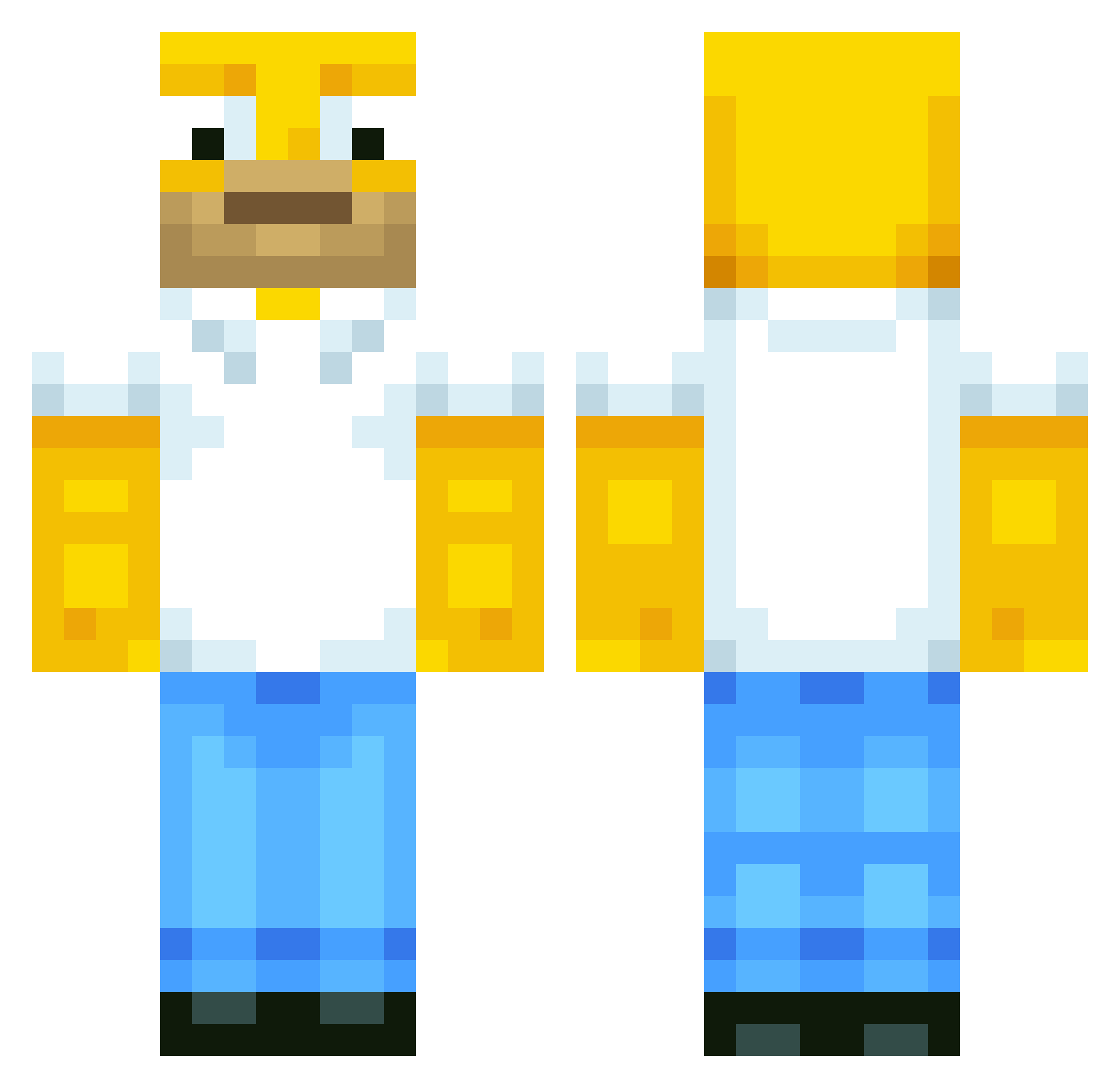
Current Minecraft skin of the player Sacrilicous, loaded from the official Mojang API. Rotate the 3D model with your mouse or finger, then download the skin as a PNG file and use it in Minecraft: Bedrock Edition or Java Edition for free. When Sacrilicous changes their skin, this page updates automatically and the old skin stays in the history below.
Other players with this skin (567)
Sacrilicous was the 179th player we have seen with this skin, first spotted on 25.08.2026. The same skin was seen on these players. Open a nickname to see their current skin and skin history.
 Adansete hoho0125 Pasch1103 underoos25 hdude265 seokkkk JayTownsFinest benj9220 Justsayain22 Jsonny12 blockbuster67357 SroKKo Punz4life klutzykaleb BumblebeeBruce77 Bootlick Weviwabo DiegoCaceres1909 Wattamelon D0NG_SIK
 HogJnr Jspllash RebelLeber7 C_Bird_63 Kingsleyip Narq69 stephenetch teaxese LandonYamada StoreSammy WizardPigeon885 DrCereal914 nugget633 PurplePigeon345 StreetJimmy22 SirTootzAlot Saeedohalawa _Emox_ Ceedoe funkyzak7 kambouz Rikx5 SuperTongtu DonCervantes Dizzzyy_ SamBamSodaCan1 XantiWD EatingBoogies Souksha carcrazer90 grap9 Liam_Mul 0DELI0 SeanWakes QU33F_URBAN GinnieHazel Redbush22 Gerozzo02 EdgarHi1990 galundir
More Homer Simpson Minecraft skins
See all 284 Homer Simpson skins
How to install the Sacrilicous skin
- Press the Download button above to save the skin as a PNG file.
- Minecraft: Bedrock Edition (PE): open the Dressing Room from the main menu (or tap your character → Edit Character), go to Classic Skins → Owned, press the + (new skin) button, choose the downloaded PNG and pick the Classic (Steve) model. Works on PC and mobile; consoles cannot import custom skins.
- Minecraft: Java Edition: open the Minecraft Launcher, go to the Skins tab, click New Skin, load the PNG, pick the Classic (Steve) model and press Save & Use. You can also upload it at minecraft.net → Profile → Change Skin.
The skin does not show up after import - what should I do?
Restart Minecraft and open the Dressing Room again - imported skins sometimes appear only after a restart. Also make sure you selected the imported skin and picked the Classic (Steve) model.
Which model should I choose, Classic or Slim?
This skin is designed for the Classic (Steve) model. If you pick the wrong model, the arms of the skin will look stretched or squeezed.
Is the skin of Sacrilicous free to download?
Yes. Press Download, save the PNG file and use it in Minecraft: Bedrock Edition or Java Edition - no payment or registration needed. The skin also works on multiplayer servers and Realms.
More skins
Looking for more? Go back to all Minecraft skins and check the top skins of the week, month and all time, or find any player's skin by nickname.