
SRx164 - Minecraft Skins & Skin History
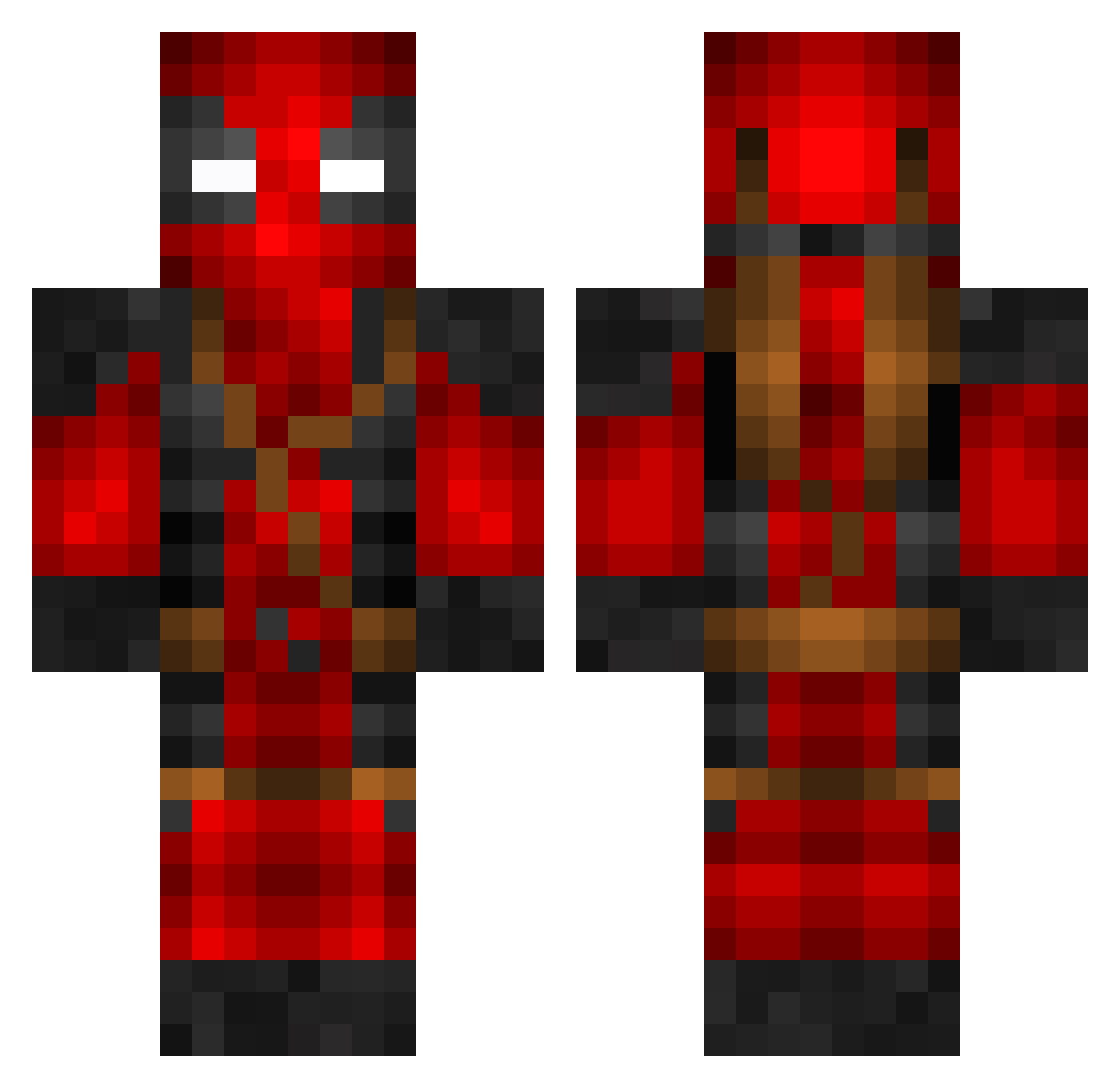
Current Minecraft skin of the player SRx164, loaded from the official Mojang API. Rotate the 3D model with your mouse or finger, then download the skin as a PNG file and use it in Minecraft: Bedrock Edition or Java Edition for free. When SRx164 changes their skin, this page updates automatically and the old skin stays in the history below.
Other players with this skin (805)
SRx164 was the 135th player we have seen with this skin, first spotted on 16.08.2026. The same skin was seen on these players. Open a nickname to see their current skin and skin history.
 KID8776 HappyPanda92 Xvortxman dt3x soulstoney420022 Truedarkness Neptin Squimg Gurkus11 ToastedNaan28 ZionxT pctechnick shrepro1234 Marbs_ Boxer1987 Syarwowo Ida181 FaZeHenry69 Am3rzz dhodgs _Rudster_ Curino17 xXSinatraXx bumpw RAGHAVBOSS2 SparkKapi Flunky76 Wanheda29 HenrysaurRex jmf_17 R4WxRENEGADE El_Chap FreshKaizer Medic239 GerberQuagmire raggyee Boredpeter23 lestric Krentos oOPummelfeeOo kingmason67 therainguy01 AESA135 Trixstar2013 FluffyDeath21 SunsetWaff WhlteJoker Chicothegoat Trill_Bear NigCrafter snapcikati IBR24 Bannanis Tony24711 Sackfaltenmacher Mdoshau AhiTeVa Southern_Rebel29 Fluffy1197 VashTyphoon94
More Deadpool Minecraft skins
How to install the SRx164 skin
- Press the Download button above to save the skin as a PNG file.
- Minecraft: Bedrock Edition (PE): open the Dressing Room from the main menu (or tap your character → Edit Character), go to Classic Skins → Owned, press the + (new skin) button, choose the downloaded PNG and pick the Classic (Steve) model. Works on PC and mobile; consoles cannot import custom skins.
- Minecraft: Java Edition: open the Minecraft Launcher, go to the Skins tab, click New Skin, load the PNG, pick the Classic (Steve) model and press Save & Use. You can also upload it at minecraft.net → Profile → Change Skin.
The skin does not show up after import - what should I do?
Restart Minecraft and open the Dressing Room again - imported skins sometimes appear only after a restart. Also make sure you selected the imported skin and picked the Classic (Steve) model.
Which model should I choose, Classic or Slim?
This skin is designed for the Classic (Steve) model. If you pick the wrong model, the arms of the skin will look stretched or squeezed.
Is the skin of SRx164 free to download?
Yes. Press Download, save the PNG file and use it in Minecraft: Bedrock Edition or Java Edition - no payment or registration needed. The skin also works on multiplayer servers and Realms.
More skins
Looking for more? Go back to all Minecraft skins and check the top skins of the week, month and all time, or find any player's skin by nickname.