
SIMP_7755 - Minecraft Skins & Skin History
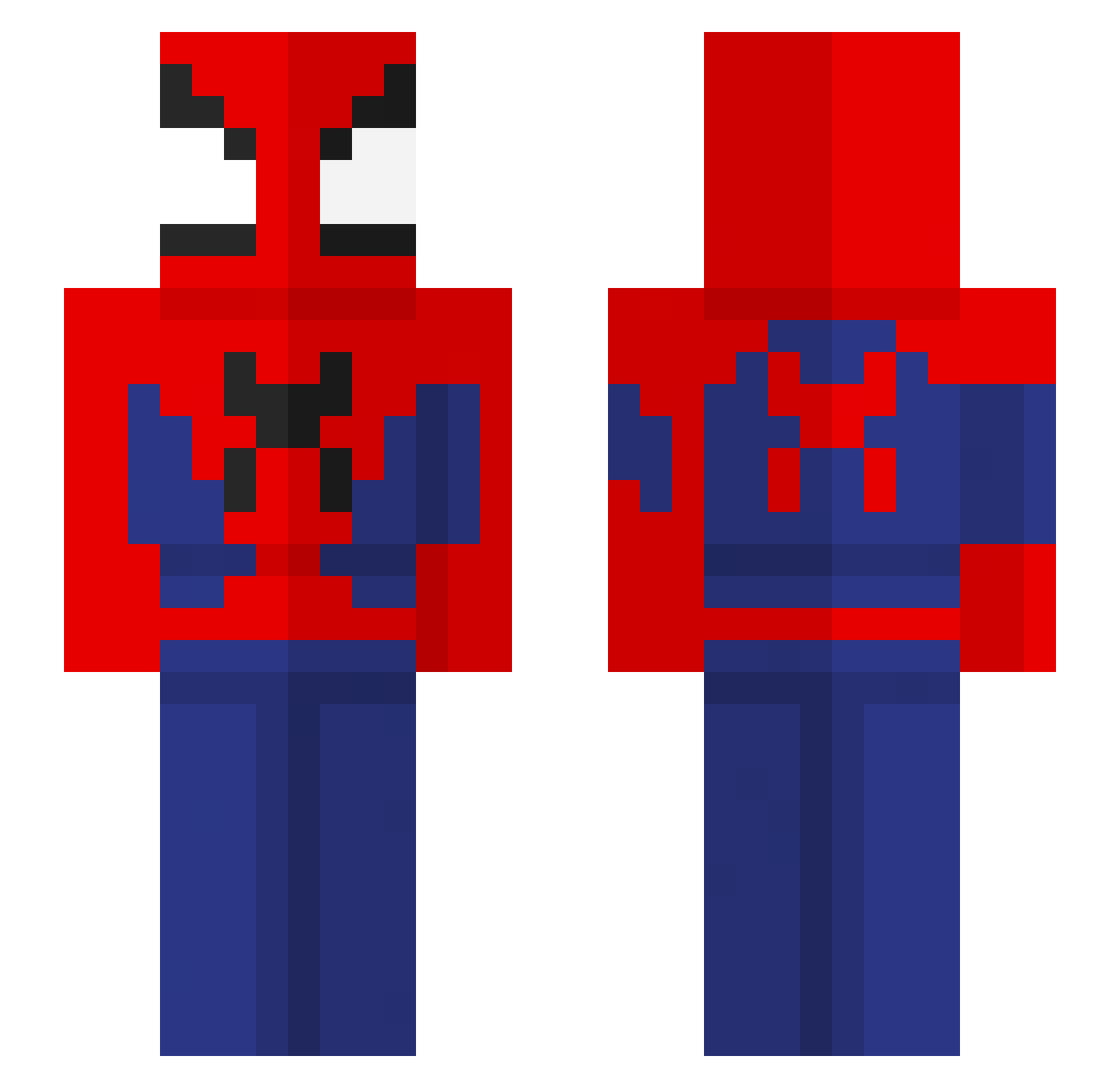
Current Minecraft skin of the player SIMP_7755, loaded from the official Mojang API. Rotate the 3D model with your mouse or finger, then download the skin as a PNG file and use it in Minecraft: Bedrock Edition or Java Edition for free. When SIMP_7755 changes their skin, this page updates automatically and the old skin stays in the history below.
Other players with this skin (66)
SIMP_7755 was the 20th player we have seen with this skin, first spotted on 22.08.2026. The same skin was seen on these players. Open a nickname to see their current skin and skin history.
 Dante__7 jbreezi lucasbravoacosta
 pvp_mannen L19W ijustplaygames67 Cocol04 didaSzera Shiba_Meh Jacuhhh676767 Skyline1612
 oweiju taro_Temura23 lisay123 Yoda393 Vampichoco_ iliaass0 FFumas ENIZORO Benkuu Prouteproute0812 jessica_carter KoroAndCrow Sejuani_ Viciom25 JeremyGuy7 Pink_Soil Jessieeeeee92 RANDOMWONS 4lbyxt ilovepstein UL7R9
 karefsland Spinola53 aBirddy Ronthedon420 casehuntsmothers yoSugarDaddy SANCHOB6 Mitriyo566 jwongisgod Maunderr armrest1337 BlueShirtKid_2 DuDu2022 Gonzalo13 mojito3241 qtmarr _MrLampa_ MiniAsain20 Jxgen21 LuidJurado embux iFreatis chocolatemuk ErikaGuzic FivStarr So_Boss13 RealPlaya915 rast99999
More Spider-Man Minecraft skins
How to install the SIMP_7755 skin
- Press the Download button above to save the skin as a PNG file.
- Minecraft: Bedrock Edition (PE): open the Dressing Room from the main menu (or tap your character → Edit Character), go to Classic Skins → Owned, press the + (new skin) button, choose the downloaded PNG and pick the Slim (Alex) model. Works on PC and mobile; consoles cannot import custom skins.
- Minecraft: Java Edition: open the Minecraft Launcher, go to the Skins tab, click New Skin, load the PNG, pick the Slim (Alex) model and press Save & Use. You can also upload it at minecraft.net → Profile → Change Skin.
The skin does not show up after import - what should I do?
Restart Minecraft and open the Dressing Room again - imported skins sometimes appear only after a restart. Also make sure you selected the imported skin and picked the Slim (Alex) model.
Which model should I choose, Classic or Slim?
This skin is designed for the Slim (Alex) model. If you pick the wrong model, the arms of the skin will look stretched or squeezed.
Is the skin of SIMP_7755 free to download?
Yes. Press Download, save the PNG file and use it in Minecraft: Bedrock Edition or Java Edition - no payment or registration needed. The skin also works on multiplayer servers and Realms.
More skins
Looking for more? Go back to all Minecraft skins and check the top skins of the week, month and all time, or find any player's skin by nickname.