
S8EN - Minecraft Skins & Skin History
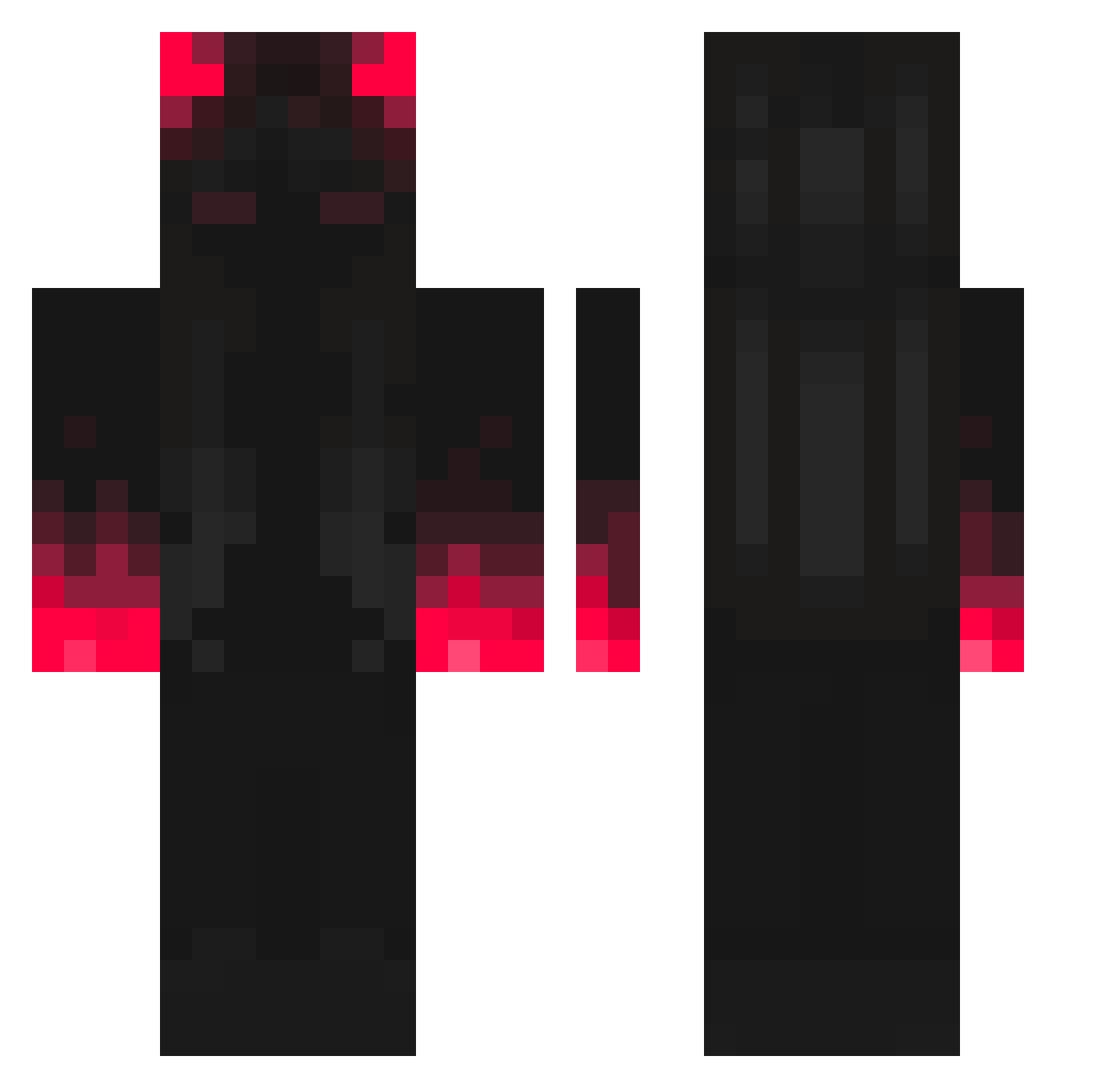
Current Minecraft skin of the player S8EN, loaded from the official Mojang API. Rotate the 3D model with your mouse or finger, then download the skin as a PNG file and use it in Minecraft: Bedrock Edition or Java Edition for free. When S8EN changes their skin, this page updates automatically and the old skin stays in the history below.
Other players with this skin (307)
S8EN was the 257th player we have seen with this skin, first spotted on 08.10.2026. The same skin was seen on these players. Open a nickname to see their current skin and skin history.
 Cigarrino GiuG04 DifferentBrain LSkydozy Seggster PowerMaks1 flashsagitario5 hebgogo Luffcio Lenihmd LittleDark15 SWATZENN JimmyFranco sweetboy34 Team_10 Xx__Legacy__xX Zedd0966 Huntrezzz UniqueTheJoke _Szymonek Tokisaki_Mike AkylaSyhoputka adnane03 Eyyup95 andrebt1290 ScythesTouch Juneuihong Peyton_Jaguar DawnX0 HKCS79 ANGXLO17 werap113 yue_Po BloodMoonLight Jaegerr12 HUGHMIDBALLS dominator1382 RIDEROP Deckx NozaRoza SygUth deafsdance Raldur1305 Erwiin_ Gepakko SethAnubio Freechoccymil TamimGH TheShadowRun PatateAlForno Jynxly2 MrLogisK franchouchou722 Martino_BC DDongee35 daragon2003 TiPos zAlinaaaa MAK2031 HappyRogue2001
More Shadow Minecraft skins
How to install the S8EN skin
- Press the Download button above to save the skin as a PNG file.
- Minecraft: Bedrock Edition (PE): open the Dressing Room from the main menu (or tap your character → Edit Character), go to Classic Skins → Owned, press the + (new skin) button, choose the downloaded PNG and pick the Classic (Steve) model. Works on PC and mobile; consoles cannot import custom skins.
- Minecraft: Java Edition: open the Minecraft Launcher, go to the Skins tab, click New Skin, load the PNG, pick the Classic (Steve) model and press Save & Use. You can also upload it at minecraft.net → Profile → Change Skin.
The skin does not show up after import - what should I do?
Restart Minecraft and open the Dressing Room again - imported skins sometimes appear only after a restart. Also make sure you selected the imported skin and picked the Classic (Steve) model.
Which model should I choose, Classic or Slim?
This skin is designed for the Classic (Steve) model. If you pick the wrong model, the arms of the skin will look stretched or squeezed.
Is the skin of S8EN free to download?
Yes. Press Download, save the PNG file and use it in Minecraft: Bedrock Edition or Java Edition - no payment or registration needed. The skin also works on multiplayer servers and Realms.
More skins
Looking for more? Go back to all Minecraft skins and check the top skins of the week, month and all time, or find any player's skin by nickname.