
RyanHeeney - Minecraft Skins & Skin History
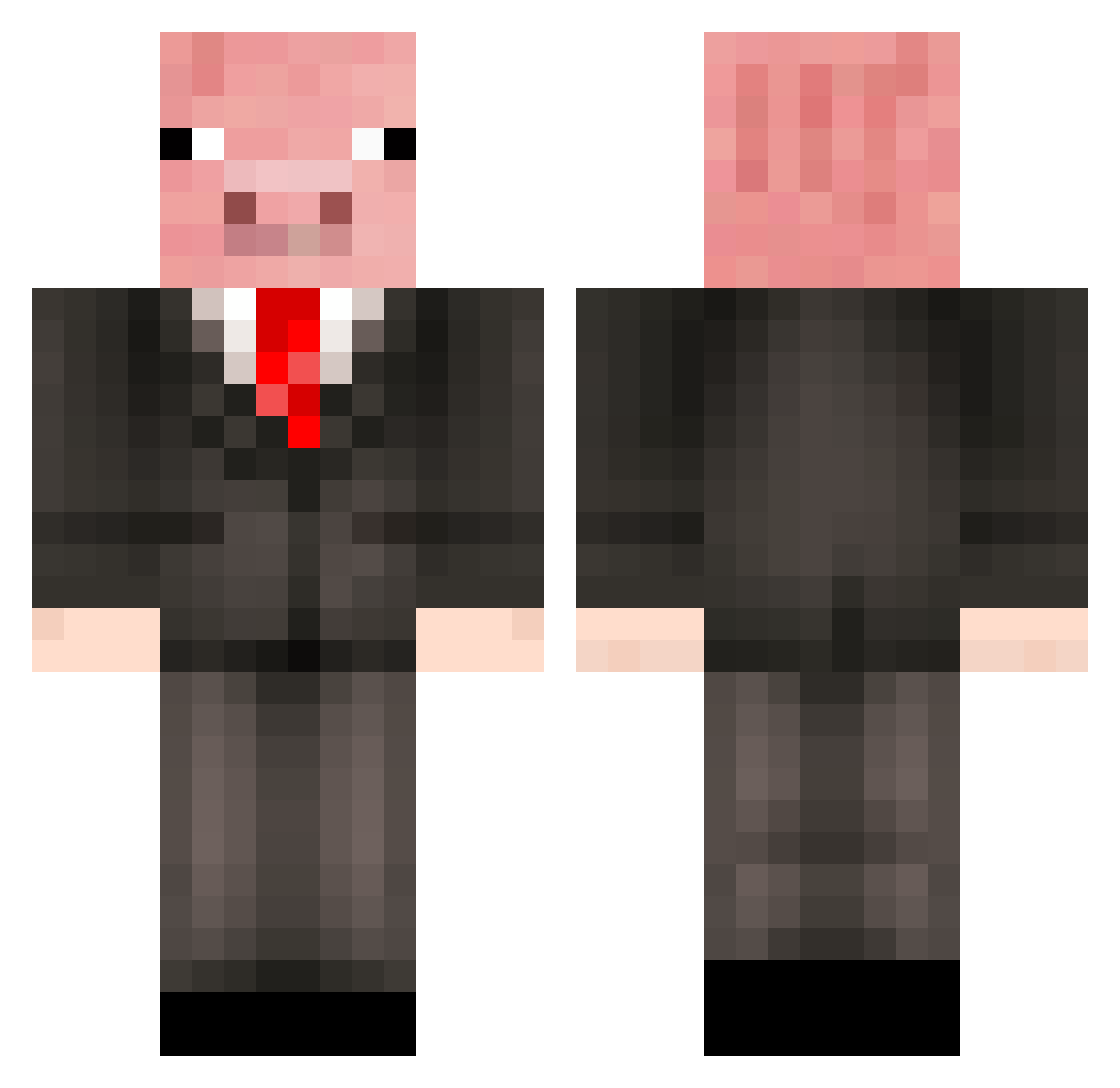
Current Minecraft skin of the player RyanHeeney, loaded from the official Mojang API. Rotate the 3D model with your mouse or finger, then download the skin as a PNG file and use it in Minecraft: Bedrock Edition or Java Edition for free. When RyanHeeney changes their skin, this page updates automatically and the old skin stays in the history below.
Other players with this skin (500)
RyanHeeney was the 41st player we have seen with this skin, first spotted on 03.08.2026. The same skin was seen on these players. Open a nickname to see their current skin and skin history.
 bcmackay Nincompoop73 Xxbannana12xX hansolo123 sebas702 Mrpiggy142 JCFreddy ChipDaNinja reteplimy ChristianErSejV2 porkroast96 vaderpig007 Anyocrafter06 Baconmann04 HahaCat gamersdapa Memelord21 Gebruikersnaam MRCHEESEY1 trebuchet195 awesomeguy21222 baconRS Enzopaard26 natethegreatmc MaxandMiles2 mindkaff Chio_Dumpling DasnClown goalgetter2 PigKing1234 spartagaming Its_Huw_ doodydog Andelite Mooshroom1820 Frrry parados02 trillet ICEE_Weiner jackgross22 shayleealissa Bro_dieman 0pJojo TillytheGrape iamfaded_ Callumhogg63 MrDeathAdder Cr33pyCr33pa pistachioo pigikun CallyWallyPig Jojo42 gabes070 johnny9948 greenlucas22 SnugDust shaggals mutt9999 Grumpypig2 Nextt
More Pig Minecraft skins
How to install the RyanHeeney skin
- Press the Download button above to save the skin as a PNG file.
- Minecraft: Bedrock Edition (PE): open the Dressing Room from the main menu (or tap your character → Edit Character), go to Classic Skins → Owned, press the + (new skin) button, choose the downloaded PNG and pick the Classic (Steve) model. Works on PC and mobile; consoles cannot import custom skins.
- Minecraft: Java Edition: open the Minecraft Launcher, go to the Skins tab, click New Skin, load the PNG, pick the Classic (Steve) model and press Save & Use. You can also upload it at minecraft.net → Profile → Change Skin.
The skin does not show up after import - what should I do?
Restart Minecraft and open the Dressing Room again - imported skins sometimes appear only after a restart. Also make sure you selected the imported skin and picked the Classic (Steve) model.
Which model should I choose, Classic or Slim?
This skin is designed for the Classic (Steve) model. If you pick the wrong model, the arms of the skin will look stretched or squeezed.
Is the skin of RyanHeeney free to download?
Yes. Press Download, save the PNG file and use it in Minecraft: Bedrock Edition or Java Edition - no payment or registration needed. The skin also works on multiplayer servers and Realms.
More skins
Looking for more? Go back to all Minecraft skins and check the top skins of the week, month and all time, or find any player's skin by nickname.