
RyaA96 - Minecraft Skins & Skin History
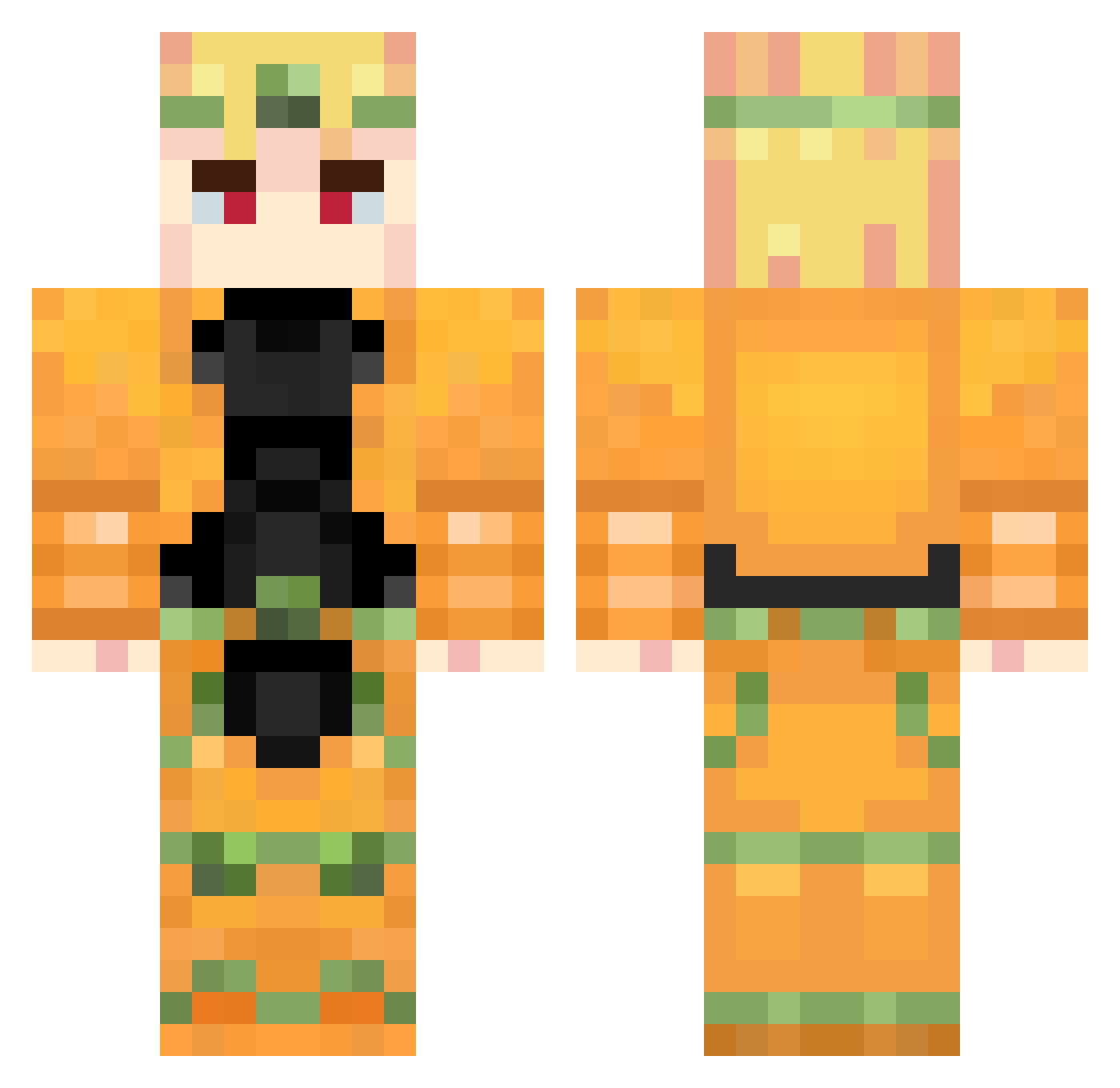
Current Minecraft skin of the player RyaA96, loaded from the official Mojang API. Rotate the 3D model with your mouse or finger, then download the skin as a PNG file and use it in Minecraft: Bedrock Edition or Java Edition for free. When RyaA96 changes their skin, this page updates automatically and the old skin stays in the history below.
Other players with this skin (862)
RyaA96 was the 557th player we have seen with this skin, first spotted on 01.10.2026. The same skin was seen on these players. Open a nickname to see their current skin and skin history.
 Lolmato_o ThisGuY_n Papi_Churroo ateistsiken fab666zz ilyz_03 zipzipman RH44ST aace233 JReaL78 khanjyn RoseToy andyk1264 DoraDoraDora4444 Henmer BackroomGuy HOLY2049 OsimisO BroZ Willy_G123 BakedRat Riesh_N Ruixz217 Areed2010 joeycobrakill09 ZaynXT FlavxT69 ilcocomero98 wincesteris Zygus_ Tc_dada ELBOW_jp dorodoge hilt ghost90744 nadanything maksimshedov lee44243 bok_ross mabo10969 AMenacingDio FSB_EXPERT MechaBlade Armagedon410 KINGSKAL dowoon0615 0Detto0 Etosan_0 Mangeurdecreeper sumecakes Maru102 AllonszY LeSpleenThief LadaGYJ TheMissingLynx5 PalmiSaS_03 _Rouxcool_ lxrdsid3 ScorpZ_Hz Taparnik
More Dio Brando Minecraft skins
How to install the RyaA96 skin
- Press the Download button above to save the skin as a PNG file.
- Minecraft: Bedrock Edition (PE): open the Dressing Room from the main menu (or tap your character → Edit Character), go to Classic Skins → Owned, press the + (new skin) button, choose the downloaded PNG and pick the Classic (Steve) model. Works on PC and mobile; consoles cannot import custom skins.
- Minecraft: Java Edition: open the Minecraft Launcher, go to the Skins tab, click New Skin, load the PNG, pick the Classic (Steve) model and press Save & Use. You can also upload it at minecraft.net → Profile → Change Skin.
The skin does not show up after import - what should I do?
Restart Minecraft and open the Dressing Room again - imported skins sometimes appear only after a restart. Also make sure you selected the imported skin and picked the Classic (Steve) model.
Which model should I choose, Classic or Slim?
This skin is designed for the Classic (Steve) model. If you pick the wrong model, the arms of the skin will look stretched or squeezed.
Is the skin of RyaA96 free to download?
Yes. Press Download, save the PNG file and use it in Minecraft: Bedrock Edition or Java Edition - no payment or registration needed. The skin also works on multiplayer servers and Realms.
More skins
Looking for more? Go back to all Minecraft skins and check the top skins of the week, month and all time, or find any player's skin by nickname.