
Rorader - Minecraft Skins & Skin History
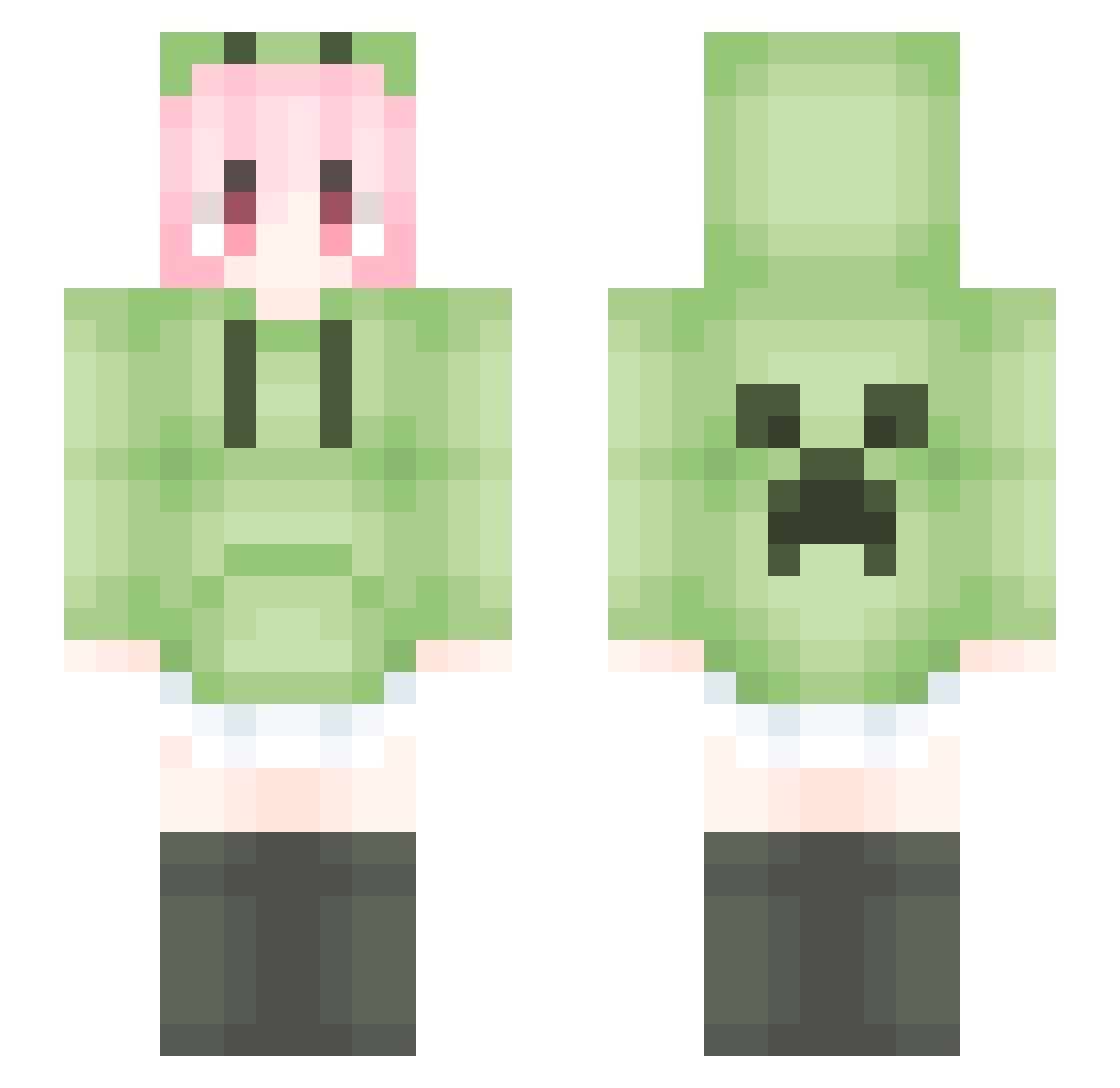
Current Minecraft skin of the player Rorader, loaded from the official Mojang API. Rotate the 3D model with your mouse or finger, then download the skin as a PNG file and use it in Minecraft: Bedrock Edition or Java Edition for free. When Rorader changes their skin, this page updates automatically and the old skin stays in the history below.
Other players with this skin (1714)
Rorader was the 1234th player we have seen with this skin, first spotted on 10.10.2026. The same skin was seen on these players. Open a nickname to see their current skin and skin history.
 caohankai RiverDaisy3 Swimers ImBeatingYou zaishiyi Liuang Yanwer233 yuki_128 0_hollow cannianol songweiliang dara1024 tylu_ dajan09 Rongxin1998 GjiaU Larryqing nansi662 Around1975 MilkFinalizer LiMengFei_Love faon123 cisneailiya CakeSL733 PlusSPeed_1 MELeiLe luyinxi deng80 LiquidBounceB131 beastar616 MOO_OM SHANZHATIAO wq888 NeverLos_ Clayville_ TimerDisable haozirat lmqc_ wanggggggggg Backelor AeonEcho chelccccc yyskk JINI1045 lllhhhhh benxiaohai123 Huwenxuan2b JAY_0303 Repiz FroststarNight caizi888 warman192925 FeiYu0721 xiaoshengalex tomorrow789 lukasir CreeCat mengsun1 Joinmh xiaowuzvz
More Anime Girl Minecraft skins
See all 13262 Anime Girl skins
How to install the Rorader skin
- Press the Download button above to save the skin as a PNG file.
- Minecraft: Bedrock Edition (PE): open the Dressing Room from the main menu (or tap your character → Edit Character), go to Classic Skins → Owned, press the + (new skin) button, choose the downloaded PNG and pick the Slim (Alex) model. Works on PC and mobile; consoles cannot import custom skins.
- Minecraft: Java Edition: open the Minecraft Launcher, go to the Skins tab, click New Skin, load the PNG, pick the Slim (Alex) model and press Save & Use. You can also upload it at minecraft.net → Profile → Change Skin.
The skin does not show up after import - what should I do?
Restart Minecraft and open the Dressing Room again - imported skins sometimes appear only after a restart. Also make sure you selected the imported skin and picked the Slim (Alex) model.
Which model should I choose, Classic or Slim?
This skin is designed for the Slim (Alex) model. If you pick the wrong model, the arms of the skin will look stretched or squeezed.
Is the skin of Rorader free to download?
Yes. Press Download, save the PNG file and use it in Minecraft: Bedrock Edition or Java Edition - no payment or registration needed. The skin also works on multiplayer servers and Realms.
More skins
Looking for more? Go back to all Minecraft skins and check the top skins of the week, month and all time, or find any player's skin by nickname.