
RodgerN - Minecraft Skins & Skin History
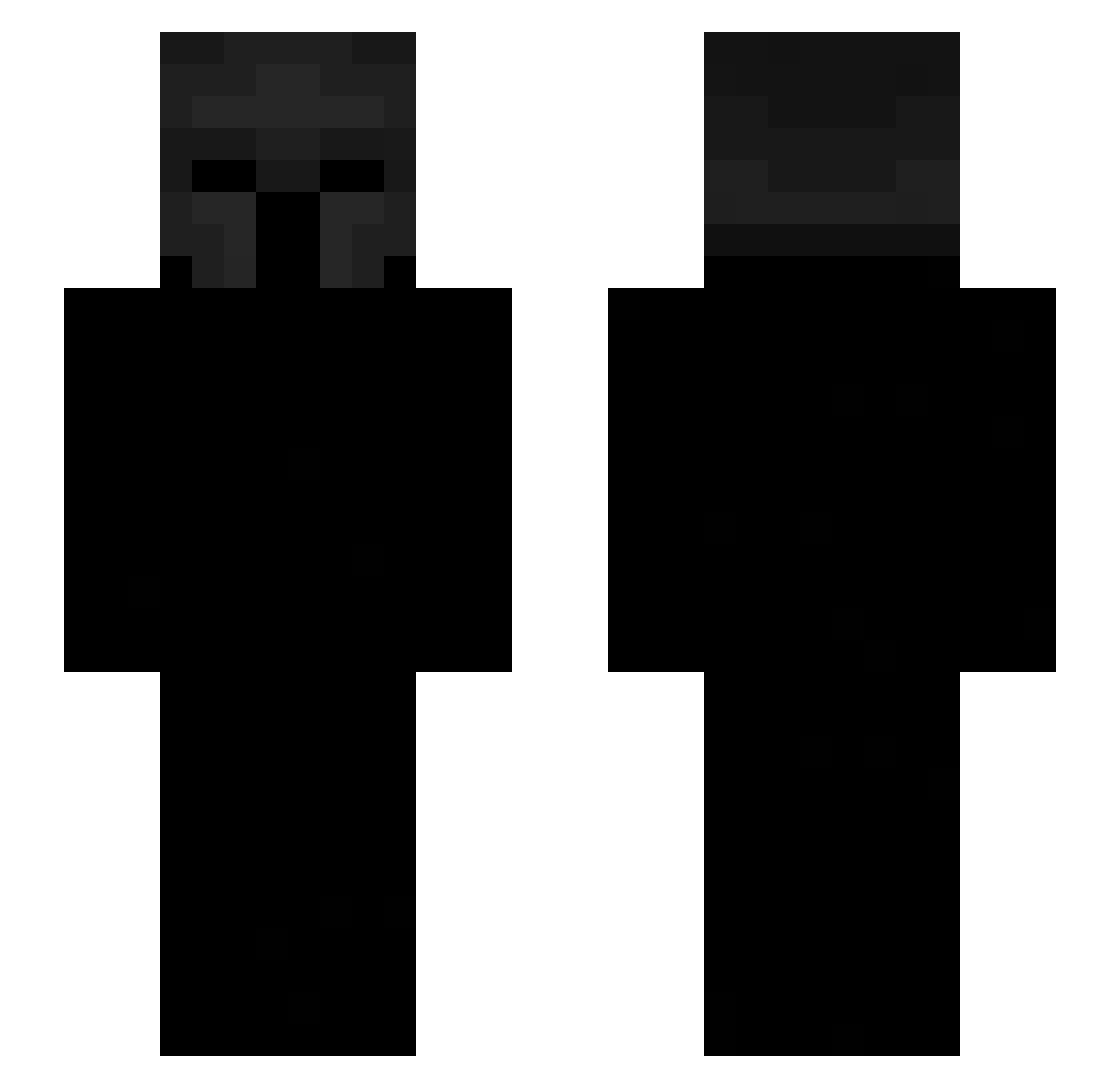
Current Minecraft skin of the player RodgerN, loaded from the official Mojang API. Rotate the 3D model with your mouse or finger, then download the skin as a PNG file and use it in Minecraft: Bedrock Edition or Java Edition for free. When RodgerN changes their skin, this page updates automatically and the old skin stays in the history below.
Other players with this skin (650)
RodgerN was the 530th player we have seen with this skin, first spotted on 31.10.2026. The same skin was seen on these players. Open a nickname to see their current skin and skin history.
 DogeS4ns FwSxntry MAYURRRRR semeln captainboomboom CoolDons neHazbin asenjooo90 Knnzy_ PrlLoucas EmperorOfPain physi onlyoleozin AverageRichard xvfccsxvfggdfs hymski Solorza27 Pabloh xXelCapibara59Xx YoFoan itzzXylo zeko356 _santino_arce_ nieignacy NOT_4DX GAMEOVER2407 Raestoss ColorNovaa SecretMikus Gal111 TSR_Loop Hor1mya Asderti ItsNoobo 1MX1M SilverReaperDS Snowy_John MysteriionM Rex5679 NSBX1 Fredbarbarosa Mazapancitooo charlyqeu Scales07 Loofy101 Tazatko LEEJZI ItzKlyzee pongsapat028 rootegg Rauldelas LAME555 Phsyics zephyreign Wondrq krzysiumorderc4 Avelina2015 SaMidia RynxxMC TempVic
More Spartan Minecraft skins
How to install the RodgerN skin
- Press the Download button above to save the skin as a PNG file.
- Minecraft: Bedrock Edition (PE): open the Dressing Room from the main menu (or tap your character → Edit Character), go to Classic Skins → Owned, press the + (new skin) button, choose the downloaded PNG and pick the Slim (Alex) model. Works on PC and mobile; consoles cannot import custom skins.
- Minecraft: Java Edition: open the Minecraft Launcher, go to the Skins tab, click New Skin, load the PNG, pick the Slim (Alex) model and press Save & Use. You can also upload it at minecraft.net → Profile → Change Skin.
The skin does not show up after import - what should I do?
Restart Minecraft and open the Dressing Room again - imported skins sometimes appear only after a restart. Also make sure you selected the imported skin and picked the Slim (Alex) model.
Which model should I choose, Classic or Slim?
This skin is designed for the Slim (Alex) model. If you pick the wrong model, the arms of the skin will look stretched or squeezed.
Is the skin of RodgerN free to download?
Yes. Press Download, save the PNG file and use it in Minecraft: Bedrock Edition or Java Edition - no payment or registration needed. The skin also works on multiplayer servers and Realms.
More skins
Looking for more? Go back to all Minecraft skins and check the top skins of the week, month and all time, or find any player's skin by nickname.