
Ringo0277 - Minecraft Skins & Skin History
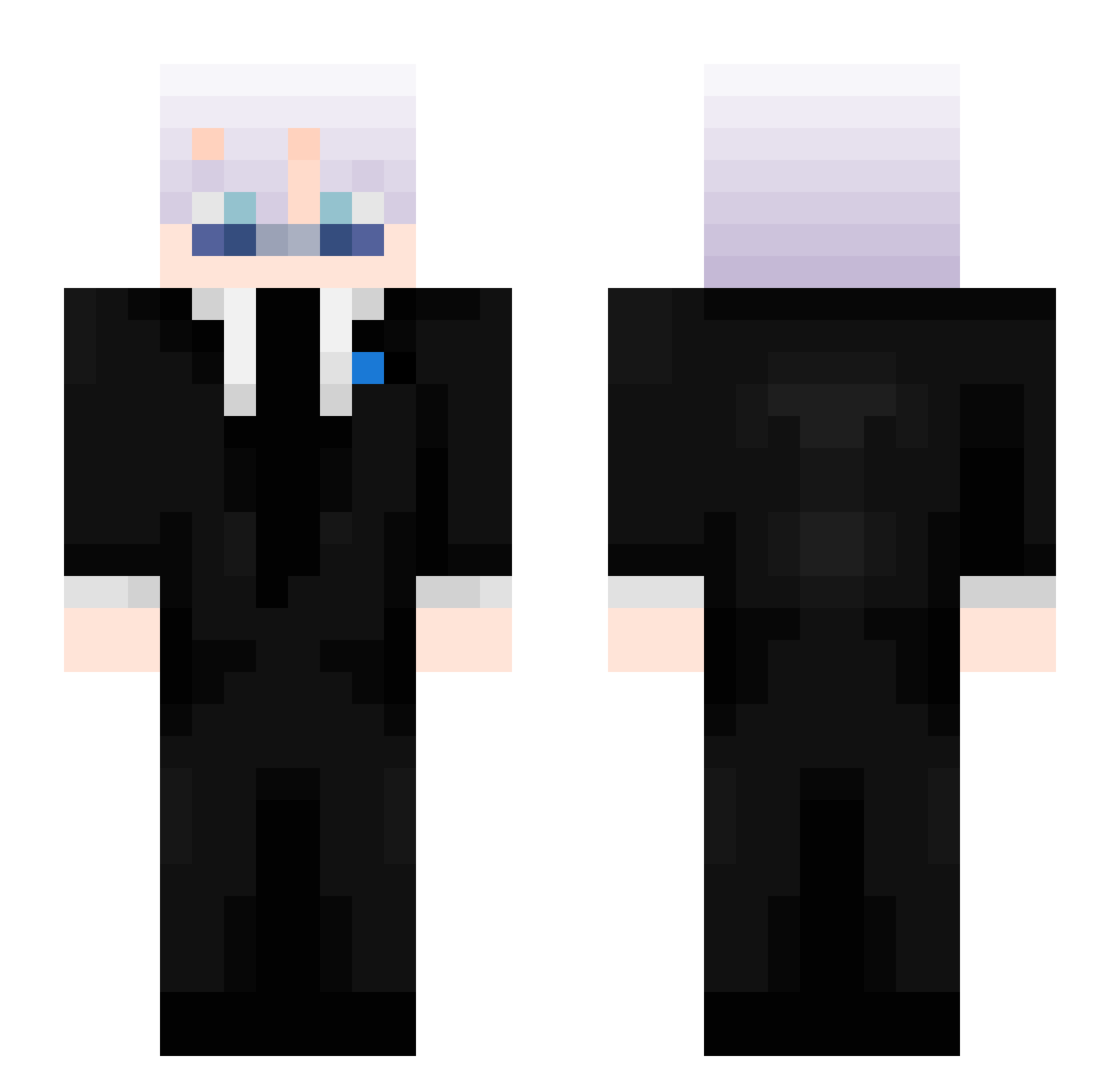
Current Minecraft skin of the player Ringo0277, loaded from the official Mojang API. Rotate the 3D model with your mouse or finger, then download the skin as a PNG file and use it in Minecraft: Bedrock Edition or Java Edition for free. When Ringo0277 changes their skin, this page updates automatically and the old skin stays in the history below.
Other players with this skin (479)
Ringo0277 was the 268th player we have seen with this skin, first spotted on 24.09.2026. The same skin was seen on these players. Open a nickname to see their current skin and skin history.
 YT2ER0 Eairy1 VoidDmg Itz_sweeping Fluwtives Maurinimo21 NeOxDaGGeR ThisRealMe Didine30300 YBodur kemitis Hypno878 Khaled3051 zgfzdgzgzgzgz ScawyMK Isolde_Blocken Donuts4menow vIG4Ever Wertyssg_revage Loocsiimar mOcnysztosxd Diggingjoshua xwisz HrashoZrazho VildeOn MrErlend Snigdho_02 _exd__ Strafqd R3DST0N3K1LL3R gimme_Jimmy67 CLXSU Mr_Swight Nektar999 Pobik1337 EXXTAZZY_JO iTssMaster_ 916tsunami vector2922 NoxRocks13 Monkey_God21 GoonenWirHeute NuckIan Itz_Aspec blueeyeddummy bonnieblack07 Shur_O2 mertha_ SON_GOKU_4321 tha_viper MedixLorian DawatAlRawafidh The_Wolf22 Poypoy24 ImCocopuffs Casper5031 druggdealerrr Adam37337 lose0429 YoyoTheRobot
More Satoru Gojo Minecraft skins
See all 1365 Satoru Gojo skins
How to install the Ringo0277 skin
- Press the Download button above to save the skin as a PNG file.
- Minecraft: Bedrock Edition (PE): open the Dressing Room from the main menu (or tap your character → Edit Character), go to Classic Skins → Owned, press the + (new skin) button, choose the downloaded PNG and pick the Slim (Alex) model. Works on PC and mobile; consoles cannot import custom skins.
- Minecraft: Java Edition: open the Minecraft Launcher, go to the Skins tab, click New Skin, load the PNG, pick the Slim (Alex) model and press Save & Use. You can also upload it at minecraft.net → Profile → Change Skin.
The skin does not show up after import - what should I do?
Restart Minecraft and open the Dressing Room again - imported skins sometimes appear only after a restart. Also make sure you selected the imported skin and picked the Slim (Alex) model.
Which model should I choose, Classic or Slim?
This skin is designed for the Slim (Alex) model. If you pick the wrong model, the arms of the skin will look stretched or squeezed.
Is the skin of Ringo0277 free to download?
Yes. Press Download, save the PNG file and use it in Minecraft: Bedrock Edition or Java Edition - no payment or registration needed. The skin also works on multiplayer servers and Realms.
More skins
Looking for more? Go back to all Minecraft skins and check the top skins of the week, month and all time, or find any player's skin by nickname.