
Poypoy24 - Minecraft Skins & Skin History
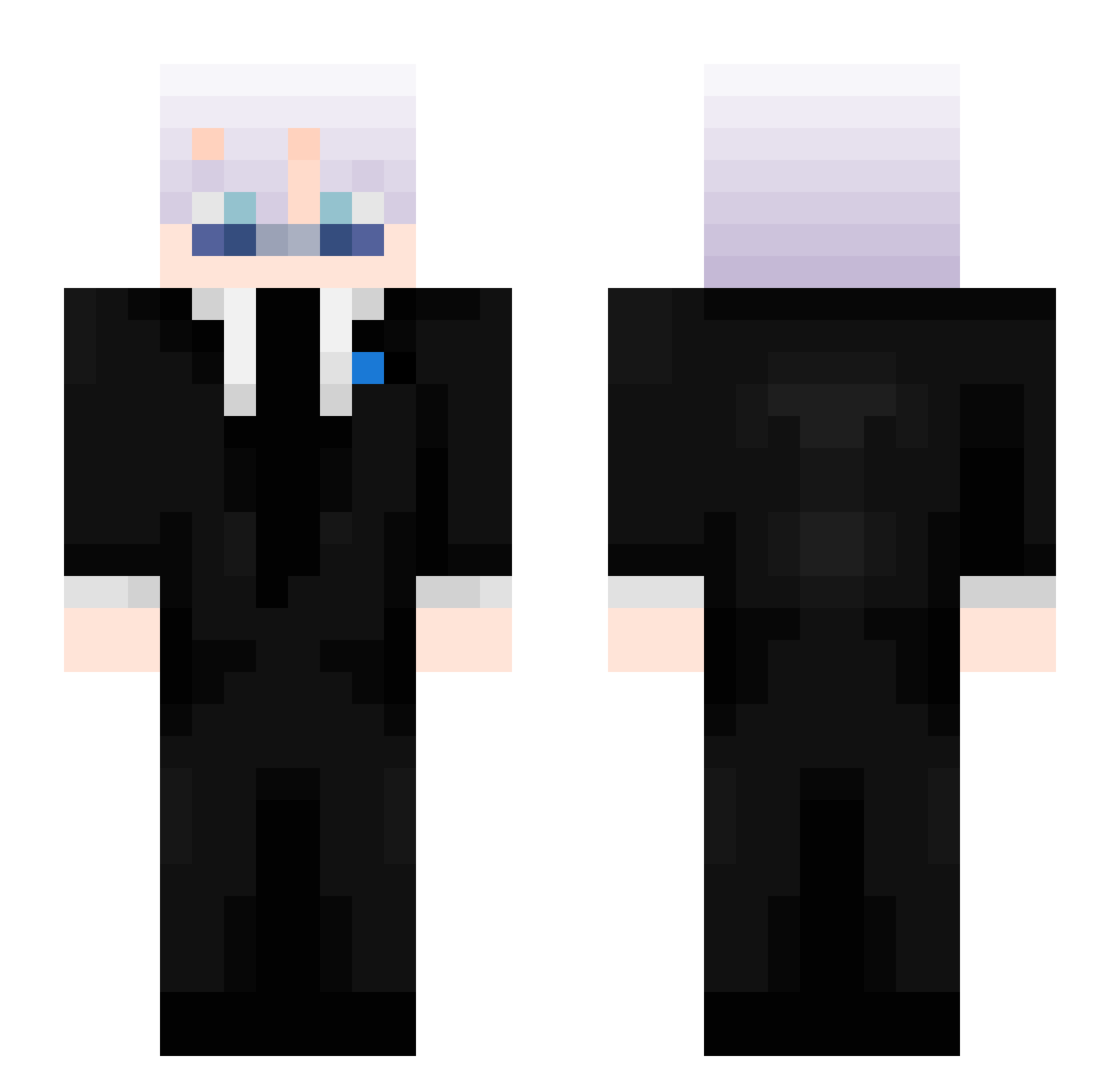
Current Minecraft skin of the player Poypoy24, loaded from the official Mojang API. Rotate the 3D model with your mouse or finger, then download the skin as a PNG file and use it in Minecraft: Bedrock Edition or Java Edition for free. When Poypoy24 changes their skin, this page updates automatically and the old skin stays in the history below.
Other players with this skin (404)
Poypoy24 was the 292nd player we have seen with this skin, first spotted on 29.09.2026. The same skin was seen on these players. Open a nickname to see their current skin and skin history.
 The_Wolf22 Casper5031 druggdealerrr Adam37337 tha_viper lose0429 raveUUUUUUUU bonnieblack07 FoosaLucario Itz_Aspec Cl0udyMC NuckIan GoonenWirHeute Monkey_God21 vector2922 Twinkiwinki DarkKrate iTssMaster_ EXXTAZZY_JO ShadowTurtle91 Pobik1337 Nektar999 gimme_Jimmy67 Snigdho_02 MrErlend VildeOn janiik13 An0nymous_ TTp0TuBHuk MinusINSIR8 HrashoZrazho SN1PER15 FINOOBIK waf5 ItzAdemMC Wertyssg_revage isasuya ScawyMK zgfzdgzgzgzgz stfdt fablemoon Wonderos kemitis RyanWebBlast YBodur Didine30300 AimAbuser Levetor11 IcePhantom_ 74B_ slimeplayz2010 RicoIV2 Ringo0277 YT2ER0 Eairy1 VoidDmg Itz_sweeping Fluwtives Maurinimo21 NeOxDaGGeR
More Satoru Gojo Minecraft skins
See all 1203 Satoru Gojo skins
How to install the Poypoy24 skin
- Press the Download button above to save the skin as a PNG file.
- Minecraft: Bedrock Edition (PE): open the Dressing Room from the main menu (or tap your character → Edit Character), go to Classic Skins → Owned, press the + (new skin) button, choose the downloaded PNG and pick the Slim (Alex) model. Works on PC and mobile; consoles cannot import custom skins.
- Minecraft: Java Edition: open the Minecraft Launcher, go to the Skins tab, click New Skin, load the PNG, pick the Slim (Alex) model and press Save & Use. You can also upload it at minecraft.net → Profile → Change Skin.
The skin does not show up after import - what should I do?
Restart Minecraft and open the Dressing Room again - imported skins sometimes appear only after a restart. Also make sure you selected the imported skin and picked the Slim (Alex) model.
Which model should I choose, Classic or Slim?
This skin is designed for the Slim (Alex) model. If you pick the wrong model, the arms of the skin will look stretched or squeezed.
Is the skin of Poypoy24 free to download?
Yes. Press Download, save the PNG file and use it in Minecraft: Bedrock Edition or Java Edition - no payment or registration needed. The skin also works on multiplayer servers and Realms.
More skins
Looking for more? Go back to all Minecraft skins and check the top skins of the week, month and all time, or find any player's skin by nickname.