
Raptor_night - Minecraft Skins & Skin History
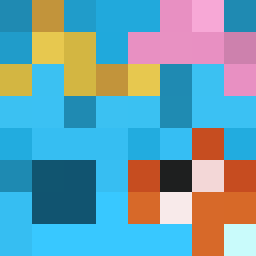
Current Minecraft skin of the player Raptor_night, loaded from the official Mojang API. Rotate the 3D model with your mouse or finger, then download the skin as a PNG file and use it in Minecraft: Bedrock Edition or Java Edition for free. When Raptor_night changes their skin, this page updates automatically and the old skin stays in the history below.

Other players with this skin (4124)
Raptor_night was the 1033rd player we have seen with this skin, first spotted on 18.08.2026. The same skin was seen on these players. Open a nickname to see their current skin and skin history.
 Logie WalkerF21 ItzRealnne DBsam IAmDav1 Quavalin ElementCube Havoc_H LeoDiabetico Baluchistan Theriac Familiarly jtran15570 maariuss JoezIsHere Mcarcan0 DaddyChias Iliketriggerbot wDawn uptrend ANTONIUSZ78 Kenzy_wrld Postmaster BaileyC critangel sluggcascade ECollins Shoko_130 BanginCrip34 Erylo Craidos Transparent13 PEPE_sir FlameFury13 K3V_PRIME Alorth n7JulianS
 Smurky_ qmxthyst Cheesecaykes uiopopbob lnging2 Rasm8578 WINF_2 Kierand100 Johhhn LookMyOGFischi Plarget HipTize xl106 derekisntcool Warstle Adnate GeraldField
 Glowin9 g4uyjhuyhjn 3mo_Dilva william_2024 how2drogas newsgroup
How to install the Raptor_night skin
- Press the Download button above to save the skin as a PNG file.
- Minecraft: Bedrock Edition (PE): open the Dressing Room from the main menu (or tap your character → Edit Character), go to Classic Skins → Owned, press the + (new skin) button, choose the downloaded PNG and pick the Classic (Steve) model. Works on PC and mobile; consoles cannot import custom skins.
- Minecraft: Java Edition: open the Minecraft Launcher, go to the Skins tab, click New Skin, load the PNG, pick the Classic (Steve) model and press Save & Use. You can also upload it at minecraft.net → Profile → Change Skin.
The skin does not show up after import - what should I do?
Restart Minecraft and open the Dressing Room again - imported skins sometimes appear only after a restart. Also make sure you selected the imported skin and picked the Classic (Steve) model.
Which model should I choose, Classic or Slim?
This skin is designed for the Classic (Steve) model. If you pick the wrong model, the arms of the skin will look stretched or squeezed.
Is the skin of Raptor_night free to download?
Yes. Press Download, save the PNG file and use it in Minecraft: Bedrock Edition or Java Edition - no payment or registration needed. The skin also works on multiplayer servers and Realms.
More skins
Looking for more? Go back to all Minecraft skins and check the top skins of the week, month and all time, or find any player's skin by nickname.