
RainOClock - Minecraft Skins & Skin History
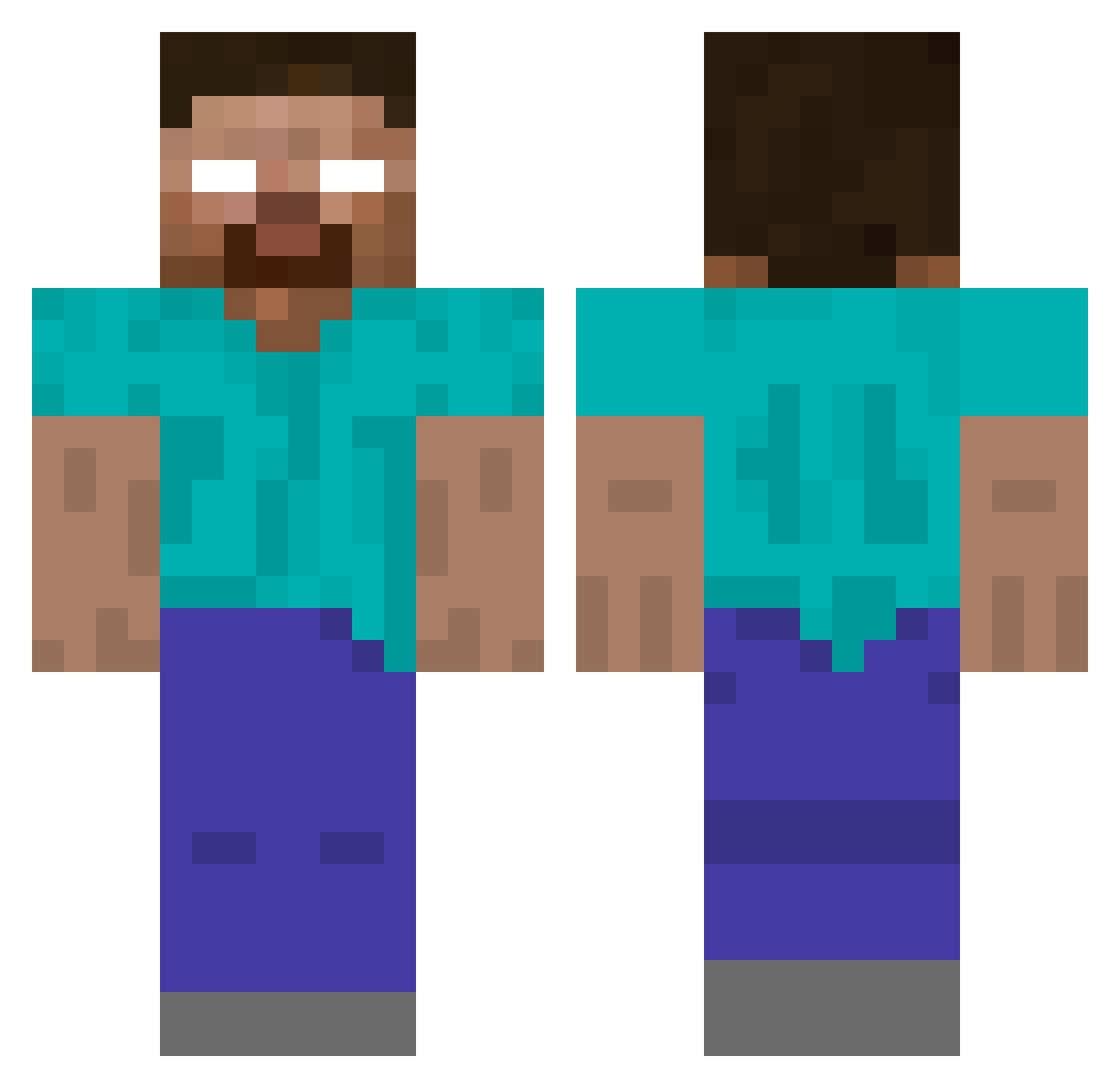
Current Minecraft skin of the player RainOClock, loaded from the official Mojang API. Rotate the 3D model with your mouse or finger, then download the skin as a PNG file and use it in Minecraft: Bedrock Edition or Java Edition for free. When RainOClock changes their skin, this page updates automatically and the old skin stays in the history below.
Other players with this skin (130)
RainOClock was the 45th player we have seen with this skin, first spotted on 02.09.2026. The same skin was seen on these players. Open a nickname to see their current skin and skin history.
 WinstonLite DannyBoy552 CHIGGee Jerry26958 MiniL13
 Riichman thepharaoh69 PeelyBoi23
 larpQued wawa191
 Trexmilk TheBerkew Wolfoxxy bober007 XRongo_ ChaosZwerg44 xeroxteez Ay4ne mhgamer111 keii_mnk Fire_Master1 ItsPerry_ Jurli GustavoLacerda ditmegame FixTaL Oreosniper420 davdi13 Waste0fAce Zarphire Scoobby Undeadgamer2019 xxxlermontov kylomen1 NickSama05 wissiex oudl Alegy Wlozyy micky22042007 leucobryum ArtFN S_CJ SHADOWFIEND228 AduraRudra ImHerobrineMC ToastMyButter89 heroptix_bleu Resourceres piro2024 LionHeart1234 OverShotButton fanimir UnknownJr SrDollyy SetiroTuchora frsh_1fps raifuku GKHND Barra_Baja
More Herobrine Minecraft skins
How to install the RainOClock skin
- Press the Download button above to save the skin as a PNG file.
- Minecraft: Bedrock Edition (PE): open the Dressing Room from the main menu (or tap your character → Edit Character), go to Classic Skins → Owned, press the + (new skin) button, choose the downloaded PNG and pick the Classic (Steve) model. Works on PC and mobile; consoles cannot import custom skins.
- Minecraft: Java Edition: open the Minecraft Launcher, go to the Skins tab, click New Skin, load the PNG, pick the Classic (Steve) model and press Save & Use. You can also upload it at minecraft.net → Profile → Change Skin.
The skin does not show up after import - what should I do?
Restart Minecraft and open the Dressing Room again - imported skins sometimes appear only after a restart. Also make sure you selected the imported skin and picked the Classic (Steve) model.
Which model should I choose, Classic or Slim?
This skin is designed for the Classic (Steve) model. If you pick the wrong model, the arms of the skin will look stretched or squeezed.
Is the skin of RainOClock free to download?
Yes. Press Download, save the PNG file and use it in Minecraft: Bedrock Edition or Java Edition - no payment or registration needed. The skin also works on multiplayer servers and Realms.
More skins
Looking for more? Go back to all Minecraft skins and check the top skins of the week, month and all time, or find any player's skin by nickname.