
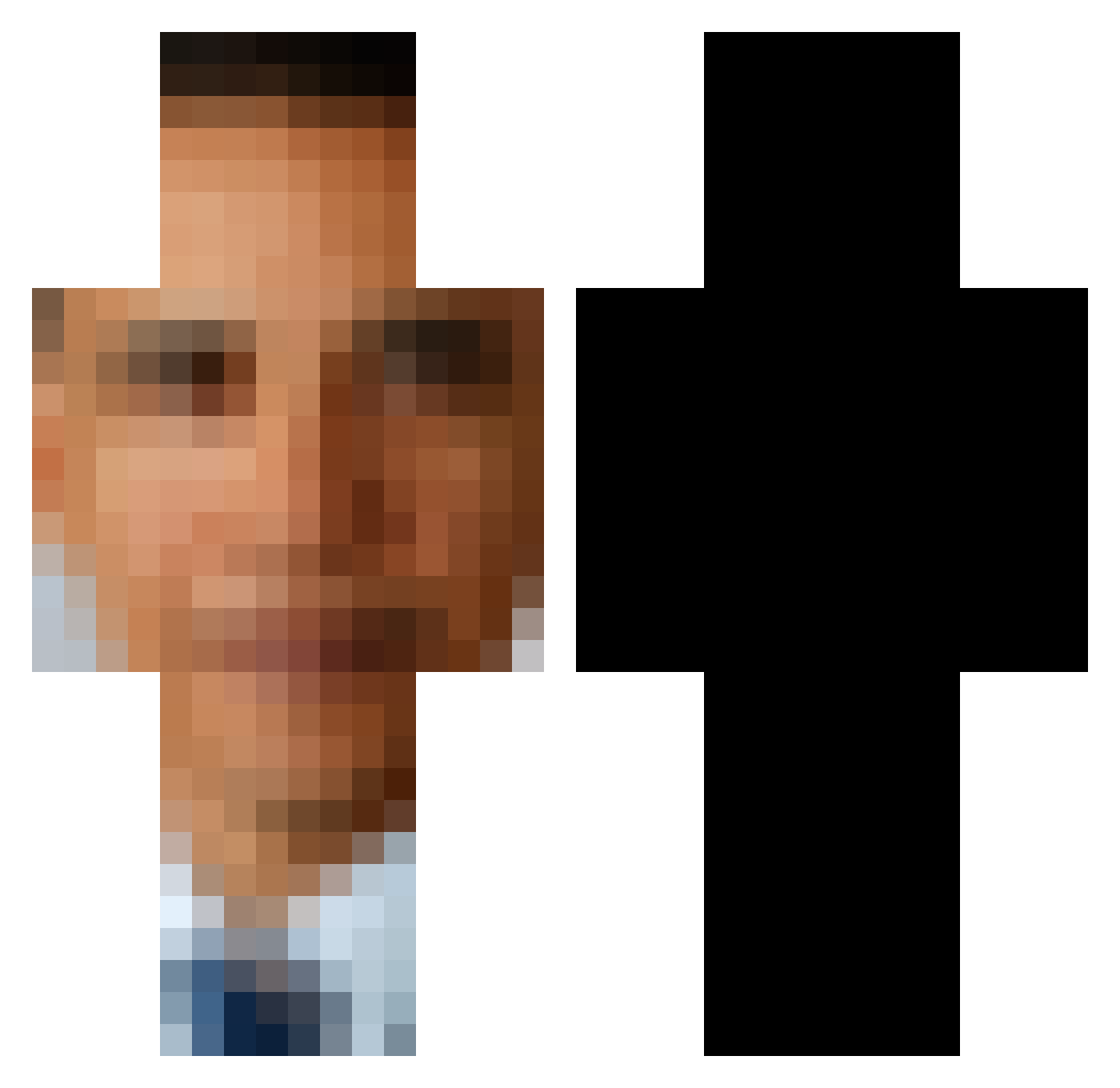
Current Minecraft skin of the player RagsMaroon, loaded from the official Mojang API. Rotate the 3D model with your mouse or finger, then download the skin as a PNG file and use it in Minecraft: Bedrock Edition or Java Edition for free. When RagsMaroon changes their skin, this page updates automatically and the old skin stays in the history below.
Other players with this skin (477)
RagsMaroon was the 357th player we have seen with this skin, first spotted on 27.09.2026. The same skin was seen on these players. Open a nickname to see their current skin and skin history.
 qmsJagwer Daddy3qr ederbine 3_inches_53 Kittqn bigspencah GhostRoboWare SmilingFace_ Rayjamer Miaaaaa06 Raakka Baller9669 tikkaprika lil_NeM lazybones263_ Taptapter Shickenman MoonDropsPH iidx32pinkycrush TheNoName8 APRISMIX raidennn11 VictuhWin Floffyqt AlexaaX_ Toe_Collector__ bigoof531 omatato IrxvrbI DaMoobie lnclw Rizelilerinas Spinomatt1 Obama_NoodleBar cole20088 IamVery Jesus_Clinton420 ItsaSpicyNugget KileBillyV smas RedSwaggys MadamRexie FEMBOYFAN420 Titanjan12 ____Monica____ DontNarcanMe Potatosalad100 Naki_SameeBTW Jamal_games MrEdy Sqyidy22 Mylke_Wey_Galxy QuantumCookie23 GRYYYYY _ElPotato_ Hausa_ StrikeEagle397 Eggwardio OsmanGuy123 PIMPLIVESMATTER8
More Barack Obama Minecraft skins
See all 223 Barack Obama skins
How to install the RagsMaroon skin
- Press the Download button above to save the skin as a PNG file.
- Minecraft: Bedrock Edition (PE): open the Dressing Room from the main menu (or tap your character → Edit Character), go to Classic Skins → Owned, press the + (new skin) button, choose the downloaded PNG and pick the Classic (Steve) model. Works on PC and mobile; consoles cannot import custom skins.
- Minecraft: Java Edition: open the Minecraft Launcher, go to the Skins tab, click New Skin, load the PNG, pick the Classic (Steve) model and press Save & Use. You can also upload it at minecraft.net → Profile → Change Skin.
The skin does not show up after import - what should I do?
Restart Minecraft and open the Dressing Room again - imported skins sometimes appear only after a restart. Also make sure you selected the imported skin and picked the Classic (Steve) model.
Which model should I choose, Classic or Slim?
This skin is designed for the Classic (Steve) model. If you pick the wrong model, the arms of the skin will look stretched or squeezed.
Is the skin of RagsMaroon free to download?
Yes. Press Download, save the PNG file and use it in Minecraft: Bedrock Edition or Java Edition - no payment or registration needed. The skin also works on multiplayer servers and Realms.
More skins
Looking for more? Go back to all Minecraft skins and check the top skins of the week, month and all time, or find any player's skin by nickname.