
Raffel - Minecraft Skins & Skin History
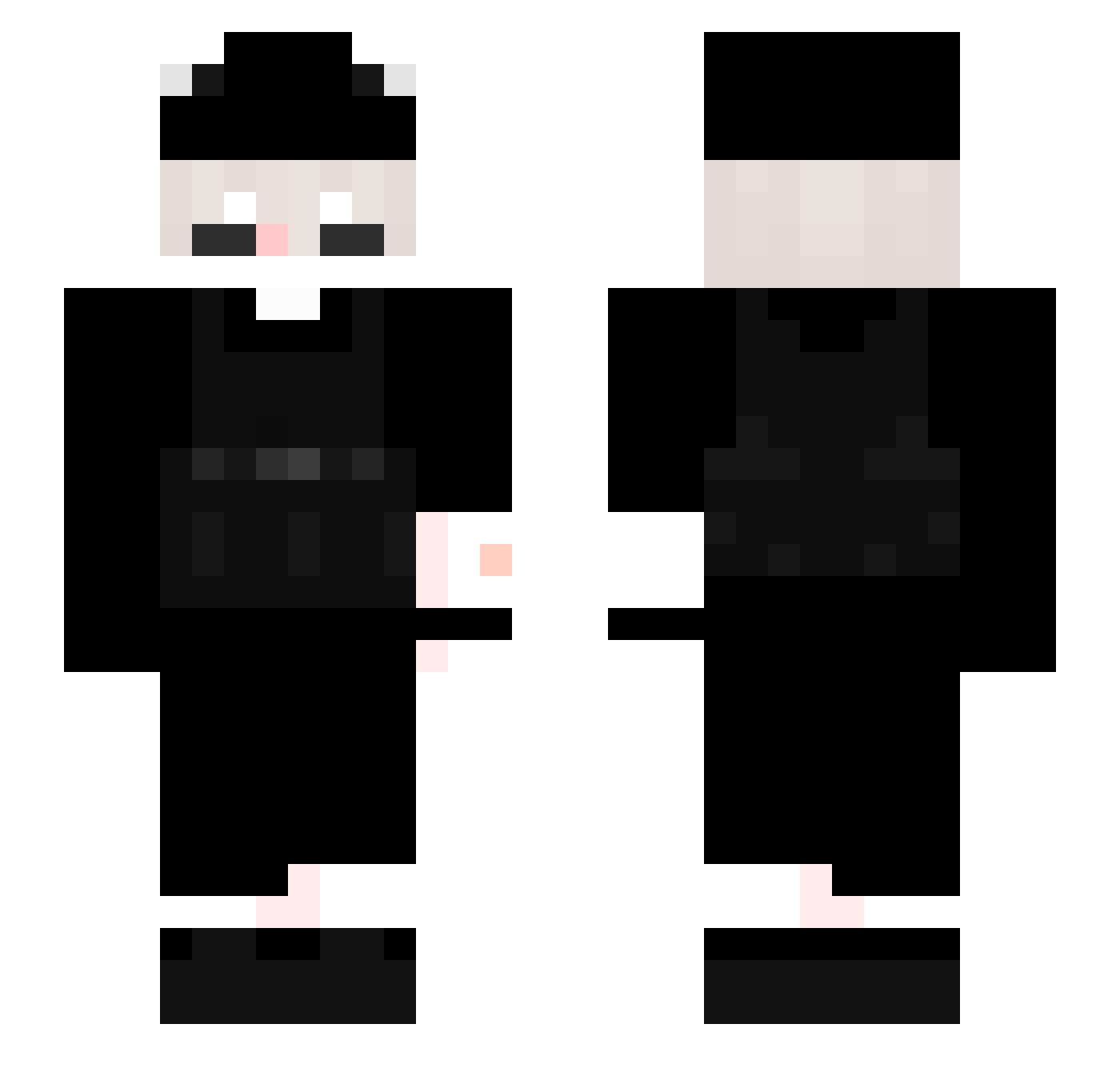
Current Minecraft skin of the player Raffel, loaded from the official Mojang API. Rotate the 3D model with your mouse or finger, then download the skin as a PNG file and use it in Minecraft: Bedrock Edition or Java Edition for free. When Raffel changes their skin, this page updates automatically and the old skin stays in the history below.
Other players with this skin (337)
Raffel was the 119th player we have seen with this skin, first spotted on 04.09.2026. The same skin was seen on these players. Open a nickname to see their current skin and skin history.
 dontwhyyy
 thugshaker8000 G_Tl XawCiu Foxy_Alpha_ Jed3r BBY_BOO botMITbed N1cooshi Good_pg CurveBall07 kalpol_introl0 guyslex smivyy Pokhaha emmysquirtwh0re Lucifers___ sudd3 axceo2115 EncryptedFunds Katjusa_BM31 Akaryx cattovii Vasar05 Exclips3 SaideraTT nowahW zedrox65 Siz0 MI_NI14 Whit3Mint ShaneeXD IndoYTB Zeelf_kkj AxerTwo fluroek Tankks _18ksj_ Avanti124 yrie2212 Nahuuu21 zerotwo_hk samCACHORRO Creeper_613 Beastofwild123 GokuPonch1 Amirasdaddy Accelerater01a IGluen RNJosh305 ToyotaXxx Ksieciunio881 OE_B1 st4rb0ii CammyH4 Lets_Keul Nevermore_5ymph peud NcAny strikertw2
How to install the Raffel skin
- Press the Download button above to save the skin as a PNG file.
- Minecraft: Bedrock Edition (PE): open the Dressing Room from the main menu (or tap your character → Edit Character), go to Classic Skins → Owned, press the + (new skin) button, choose the downloaded PNG and pick the Slim (Alex) model. Works on PC and mobile; consoles cannot import custom skins.
- Minecraft: Java Edition: open the Minecraft Launcher, go to the Skins tab, click New Skin, load the PNG, pick the Slim (Alex) model and press Save & Use. You can also upload it at minecraft.net → Profile → Change Skin.
The skin does not show up after import - what should I do?
Restart Minecraft and open the Dressing Room again - imported skins sometimes appear only after a restart. Also make sure you selected the imported skin and picked the Slim (Alex) model.
Which model should I choose, Classic or Slim?
This skin is designed for the Slim (Alex) model. If you pick the wrong model, the arms of the skin will look stretched or squeezed.
Is the skin of Raffel free to download?
Yes. Press Download, save the PNG file and use it in Minecraft: Bedrock Edition or Java Edition - no payment or registration needed. The skin also works on multiplayer servers and Realms.
More skins
Looking for more? Go back to all Minecraft skins and check the top skins of the week, month and all time, or find any player's skin by nickname.