
Radokh - Minecraft Skins & Skin History
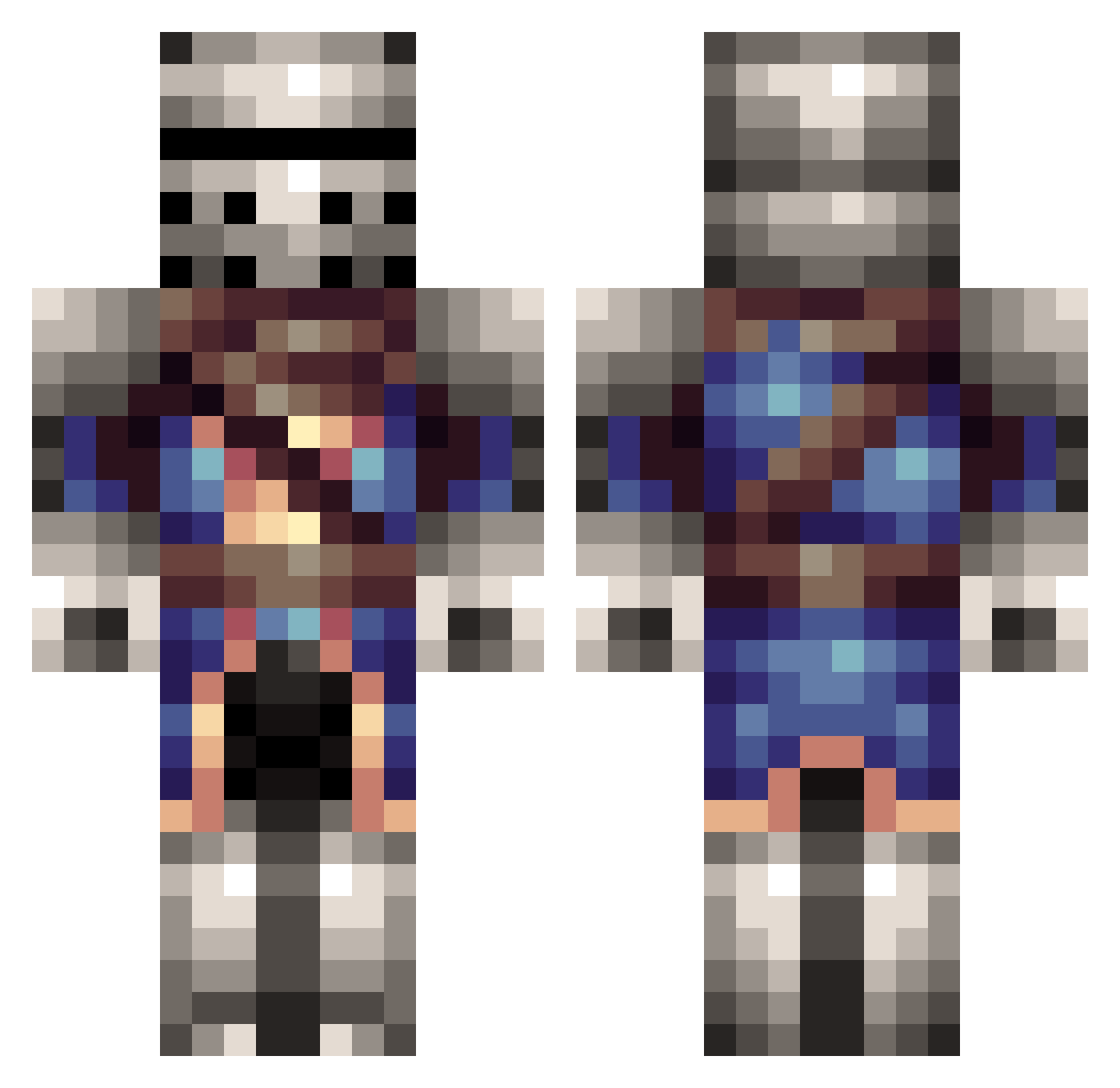
Current Minecraft skin of the player Radokh, loaded from the official Mojang API. Rotate the 3D model with your mouse or finger, then download the skin as a PNG file and use it in Minecraft: Bedrock Edition or Java Edition for free. When Radokh changes their skin, this page updates automatically and the old skin stays in the history below.
Other players with this skin (314)
Radokh was the 200th player we have seen with this skin, first spotted on 07.10.2026. The same skin was seen on these players. Open a nickname to see their current skin and skin history.
 Mithralex ChakanForever BBoyTide Marlon_Sledge DanBurley xXNeon_HydraXx _UnusedAccount stutpid hitman4ever goblin_dog archwolf1569 Zenithyx Jontee jjdode1 finglar d1monshadow LucaseKane Dwayna British_Biscuits dingoxiiiii American_Pride Noobster7991 PvtMartin theDarknight445 The__Explorer burntglass sycowart Road_House899 Lord_Poseidon ferrarobeef willmannen123 toxicwarrior1 Exovoid Gocky503 WombCombo MaxIsBad Mine_Wix ADKnights12 RCJedi CrummyWheel TheFlashdr1ve briansypolt ilD25 General_Solar 1cmanv lucastrentim DrScoundrel Jota07 kingsleddog Dopeywon Al_tuna David24601 studiousmean 00FISK Superhappygrunt SnowVespa ChaseCrawford95 Guardian4567 Kitaru64 efebaykal
More Medieval Minecraft skins
How to install the Radokh skin
- Press the Download button above to save the skin as a PNG file.
- Minecraft: Bedrock Edition (PE): open the Dressing Room from the main menu (or tap your character → Edit Character), go to Classic Skins → Owned, press the + (new skin) button, choose the downloaded PNG and pick the Classic (Steve) model. Works on PC and mobile; consoles cannot import custom skins.
- Minecraft: Java Edition: open the Minecraft Launcher, go to the Skins tab, click New Skin, load the PNG, pick the Classic (Steve) model and press Save & Use. You can also upload it at minecraft.net → Profile → Change Skin.
The skin does not show up after import - what should I do?
Restart Minecraft and open the Dressing Room again - imported skins sometimes appear only after a restart. Also make sure you selected the imported skin and picked the Classic (Steve) model.
Which model should I choose, Classic or Slim?
This skin is designed for the Classic (Steve) model. If you pick the wrong model, the arms of the skin will look stretched or squeezed.
Is the skin of Radokh free to download?
Yes. Press Download, save the PNG file and use it in Minecraft: Bedrock Edition or Java Edition - no payment or registration needed. The skin also works on multiplayer servers and Realms.
More skins
Looking for more? Go back to all Minecraft skins and check the top skins of the week, month and all time, or find any player's skin by nickname.