
R3dZ3r0711 - Minecraft Skins & Skin History
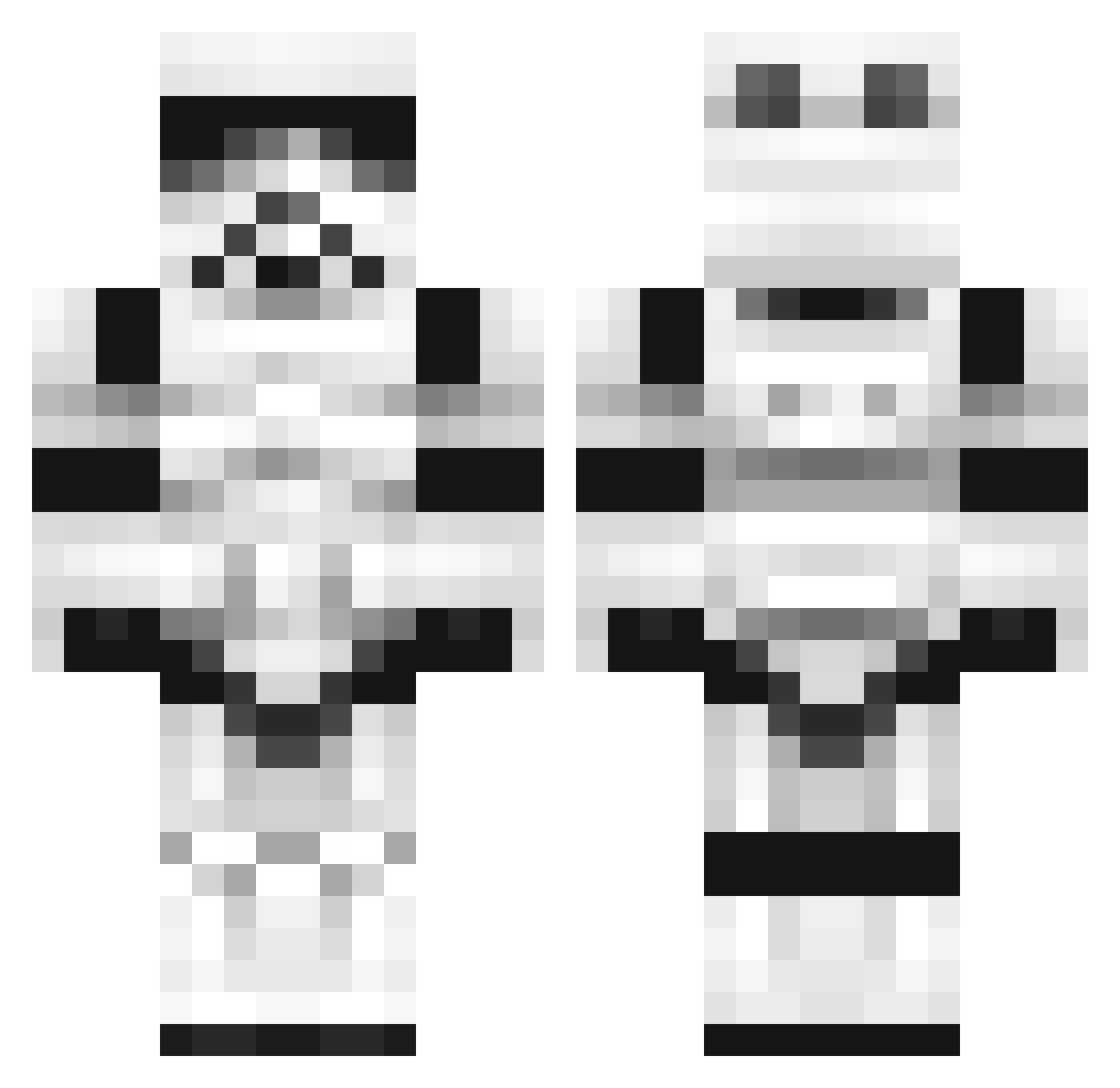
Current Minecraft skin of the player R3dZ3r0711, loaded from the official Mojang API. Rotate the 3D model with your mouse or finger, then download the skin as a PNG file and use it in Minecraft: Bedrock Edition or Java Edition for free. When R3dZ3r0711 changes their skin, this page updates automatically and the old skin stays in the history below.
Other players with this skin (1100)
R3dZ3r0711 was the 895th player we have seen with this skin, first spotted on 17.10.2026. The same skin was seen on these players. Open a nickname to see their current skin and skin history.
 jjmcrowell xLeFiX TheArmageddon700 banfasha Brass8 Joe_Cronin blackskull529 1_RaBbit_1 ohwydna jujudek jedinoah1 joshi909 Joh619 Mufasa_o_rei Cloudy_02 maxxhendriks YoungGodJeff KXRACER785 ladeane2 Cruzential DitisnietHaley Blackstone7 therealsander 141Spy Zobtech Jiraiya_Sage MutantBrush Nytsei1210 SladeHN Samsnog theninjabean thesenate19 wuku23 boxcar11 BionicSquirrel SealSlayer strikebabas trash3000 LosTacos jeff69d CptnDow Speedydmc loempiax alvigreen oskar_ar_bast tittysmacks Raven2752 Triton86 Turkeylover108 Colganderos UserZach99 tesla_paradox kob_craft Ahntunnes ForByFor _KingGarrett kissfanzakk Tomahawk86 Ilnvasil Krystaline89
More Trooper Minecraft skins
How to install the R3dZ3r0711 skin
- Press the Download button above to save the skin as a PNG file.
- Minecraft: Bedrock Edition (PE): open the Dressing Room from the main menu (or tap your character → Edit Character), go to Classic Skins → Owned, press the + (new skin) button, choose the downloaded PNG and pick the Classic (Steve) model. Works on PC and mobile; consoles cannot import custom skins.
- Minecraft: Java Edition: open the Minecraft Launcher, go to the Skins tab, click New Skin, load the PNG, pick the Classic (Steve) model and press Save & Use. You can also upload it at minecraft.net → Profile → Change Skin.
The skin does not show up after import - what should I do?
Restart Minecraft and open the Dressing Room again - imported skins sometimes appear only after a restart. Also make sure you selected the imported skin and picked the Classic (Steve) model.
Which model should I choose, Classic or Slim?
This skin is designed for the Classic (Steve) model. If you pick the wrong model, the arms of the skin will look stretched or squeezed.
Is the skin of R3dZ3r0711 free to download?
Yes. Press Download, save the PNG file and use it in Minecraft: Bedrock Edition or Java Edition - no payment or registration needed. The skin also works on multiplayer servers and Realms.
More skins
Looking for more? Go back to all Minecraft skins and check the top skins of the week, month and all time, or find any player's skin by nickname.