
R3ZEWR - Minecraft Skins & Skin History
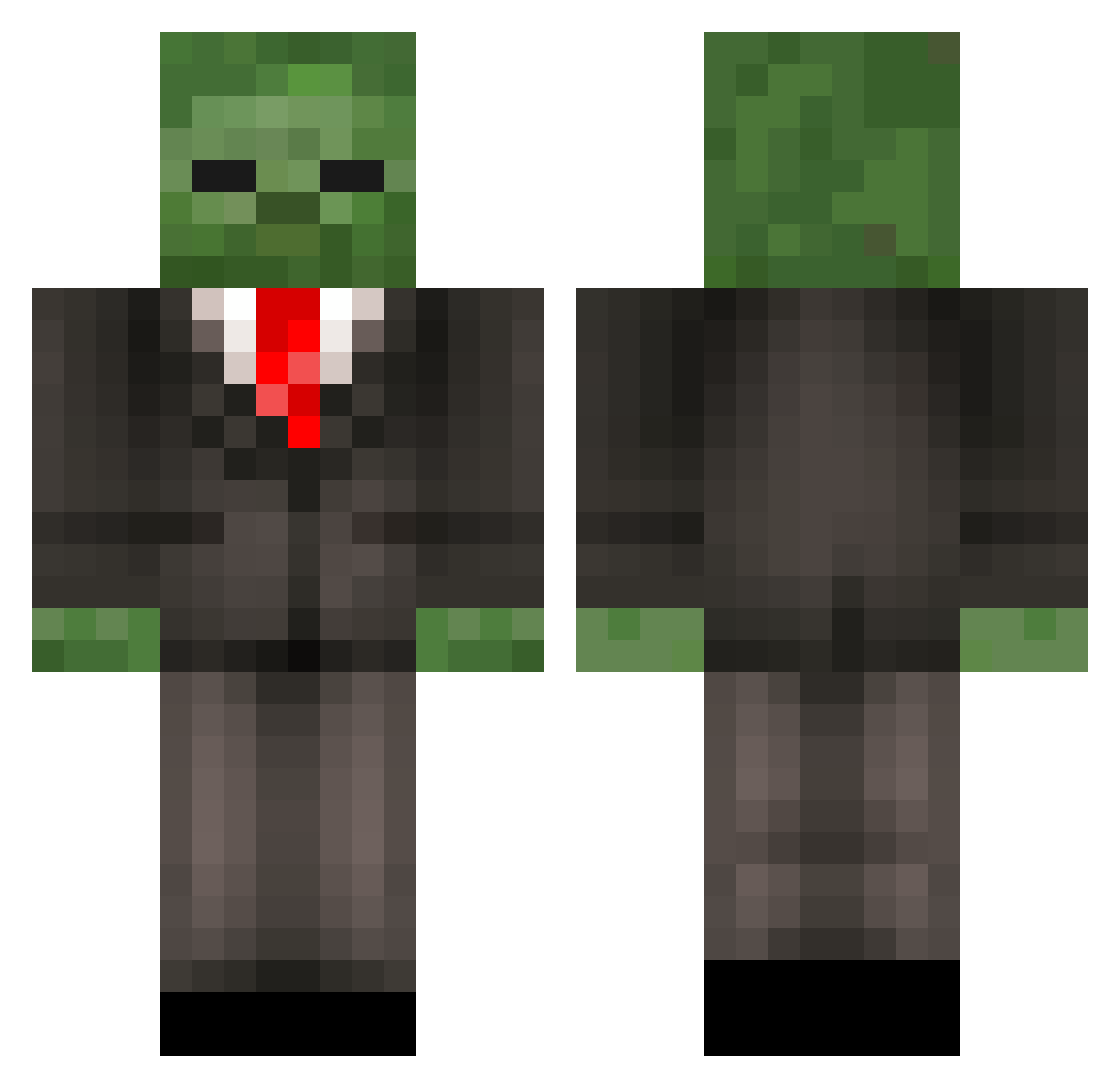
Current Minecraft skin of the player R3ZEWR, loaded from the official Mojang API. Rotate the 3D model with your mouse or finger, then download the skin as a PNG file and use it in Minecraft: Bedrock Edition or Java Edition for free. When R3ZEWR changes their skin, this page updates automatically and the old skin stays in the history below.
Other players with this skin (452)
R3ZEWR was the 140th player we have seen with this skin, first spotted on 31.08.2026. The same skin was seen on these players. Open a nickname to see their current skin and skin history.
 mastermoo629 callum12357 TheFlox1oo Knightwing3009 hyperchaz123 Darkmohr WWeasel1996 lolo_boss DirtCombos JNau07 tigernet13 iFrankCindy7984 gregorybangor fieryface thaiboomerang ajkcolts429 1dound1 Undead_X pwh01 SadBegger BuLLeX greenlineman fabian16_ herder18 SarhanRobi jonathan999411 irelandboy sph3698 BxxGHOSTRIDERxxB BusterHall 00na_gh pluralgarths wgwilko libelo XsundaiX ZombieBoy100 Morto_3 blur_mango MrCrashz DontEnter TheRedstoneGeek maxamilion75 Big_Moves thatcoolguy29 rachelrainbow11 wmsebi KingMace13 Zombieklotz killer_llama1997 bajsnisse12 MilanSchovanek LeSosa Tevintheman Mr_Whoopee Spencer_199 Hoodeanie3 Mammon666 levilatham1 RjPlayz lightnex15
More Zombie Minecraft skins
How to install the R3ZEWR skin
- Press the Download button above to save the skin as a PNG file.
- Minecraft: Bedrock Edition (PE): open the Dressing Room from the main menu (or tap your character → Edit Character), go to Classic Skins → Owned, press the + (new skin) button, choose the downloaded PNG and pick the Classic (Steve) model. Works on PC and mobile; consoles cannot import custom skins.
- Minecraft: Java Edition: open the Minecraft Launcher, go to the Skins tab, click New Skin, load the PNG, pick the Classic (Steve) model and press Save & Use. You can also upload it at minecraft.net → Profile → Change Skin.
The skin does not show up after import - what should I do?
Restart Minecraft and open the Dressing Room again - imported skins sometimes appear only after a restart. Also make sure you selected the imported skin and picked the Classic (Steve) model.
Which model should I choose, Classic or Slim?
This skin is designed for the Classic (Steve) model. If you pick the wrong model, the arms of the skin will look stretched or squeezed.
Is the skin of R3ZEWR free to download?
Yes. Press Download, save the PNG file and use it in Minecraft: Bedrock Edition or Java Edition - no payment or registration needed. The skin also works on multiplayer servers and Realms.
More skins
Looking for more? Go back to all Minecraft skins and check the top skins of the week, month and all time, or find any player's skin by nickname.