
Qwh481 - Minecraft Skins & Skin History
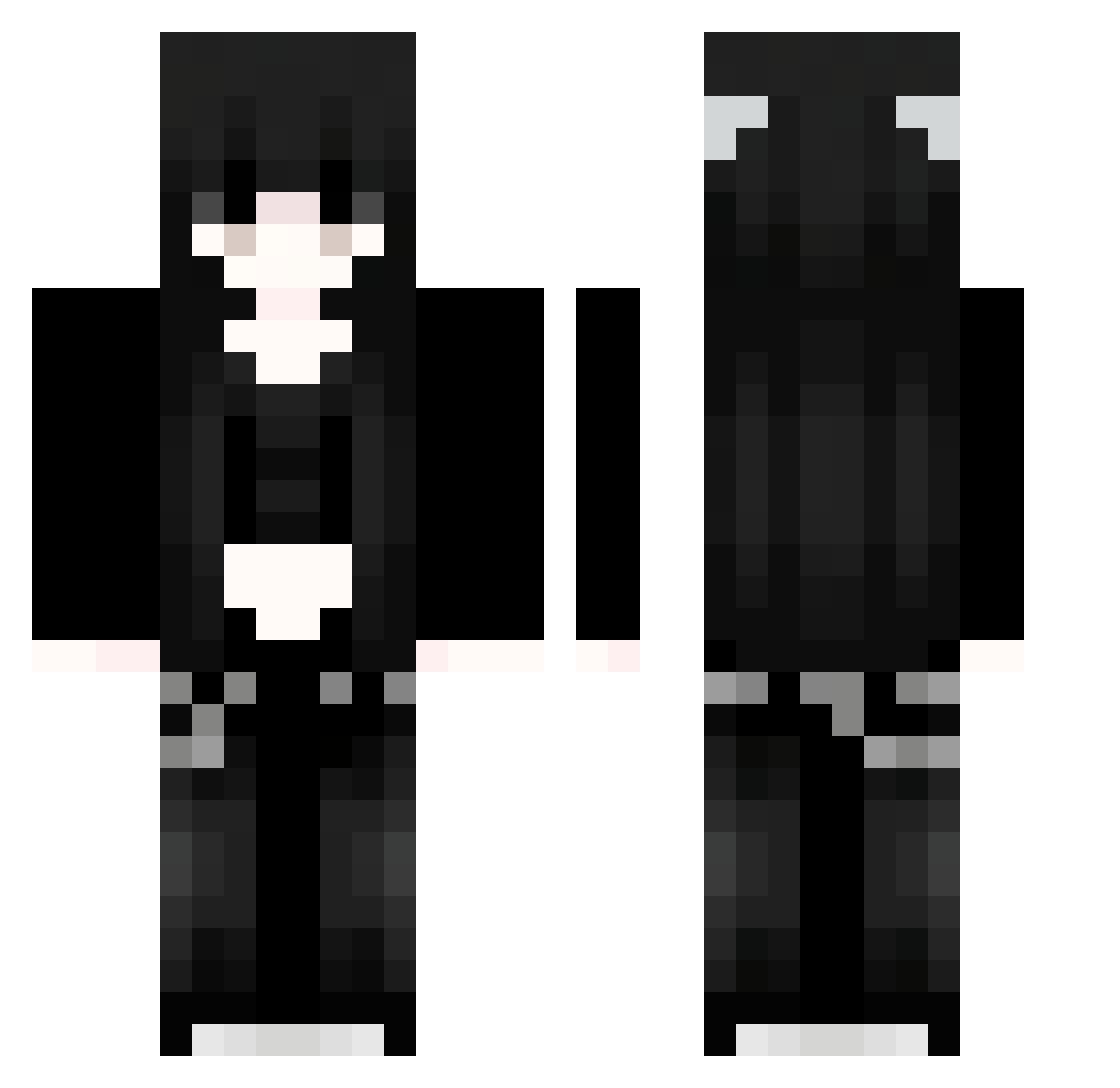
Current Minecraft skin of the player Qwh481, loaded from the official Mojang API. Rotate the 3D model with your mouse or finger, then download the skin as a PNG file and use it in Minecraft: Bedrock Edition or Java Edition for free. When Qwh481 changes their skin, this page updates automatically and the old skin stays in the history below.
Other players with this skin (1126)
Qwh481 was the 208th player we have seen with this skin, first spotted on 18.08.2026. The same skin was seen on these players. Open a nickname to see their current skin and skin history.
 Sakura_ADXlwB542 HOK751 iBC749 gPk482 hopefully233 niczka Xuo748 gxf394 ocO162 putrescit zjA584 KSy215 yHH649 JLG916 jhE642 SEEGytCkKgKHO319 Tvz171 WKQ194 Sakura_QTOjfL911 xZt861 BvZ846 eGp741 Sakura_FgqgFD899 Sakura_xscUIM514 wryp Tci963 hhhagley vmY347 wyW450 shahdAB PTk776 ckp724 hyi524 91_HcSWazLAmQ602 KqQ73 91_pBwBTlkMSm430 io_oi8 DDZ812 Sakura_FGTadH799 UYs789 THA37 yYG166 Augsua UsN556 Sakura_bMXaTh145 91_UfPrPCqtoP438 cfD810 Sakura_XPAsuq292 tzk360 aress313 WPs671 kEs190 rEF390 PMB499 frvityghost qfG565 Sakura_jcnnko801 ChilliCatx ohshizzy devilsgirlzX
More Emo Minecraft skins
How to install the Qwh481 skin
- Press the Download button above to save the skin as a PNG file.
- Minecraft: Bedrock Edition (PE): open the Dressing Room from the main menu (or tap your character → Edit Character), go to Classic Skins → Owned, press the + (new skin) button, choose the downloaded PNG and pick the Classic (Steve) model. Works on PC and mobile; consoles cannot import custom skins.
- Minecraft: Java Edition: open the Minecraft Launcher, go to the Skins tab, click New Skin, load the PNG, pick the Classic (Steve) model and press Save & Use. You can also upload it at minecraft.net → Profile → Change Skin.
The skin does not show up after import - what should I do?
Restart Minecraft and open the Dressing Room again - imported skins sometimes appear only after a restart. Also make sure you selected the imported skin and picked the Classic (Steve) model.
Which model should I choose, Classic or Slim?
This skin is designed for the Classic (Steve) model. If you pick the wrong model, the arms of the skin will look stretched or squeezed.
Is the skin of Qwh481 free to download?
Yes. Press Download, save the PNG file and use it in Minecraft: Bedrock Edition or Java Edition - no payment or registration needed. The skin also works on multiplayer servers and Realms.
More skins
Looking for more? Go back to all Minecraft skins and check the top skins of the week, month and all time, or find any player's skin by nickname.