
QANTUM7 - Minecraft Skins & Skin History
Current Minecraft skin of the player QANTUM7, loaded from the official Mojang API. Rotate the 3D model with your mouse or finger, then download the skin as a PNG file and use it in Minecraft: Bedrock Edition or Java Edition for free. When QANTUM7 changes their skin, this page updates automatically and the old skin stays in the history below.
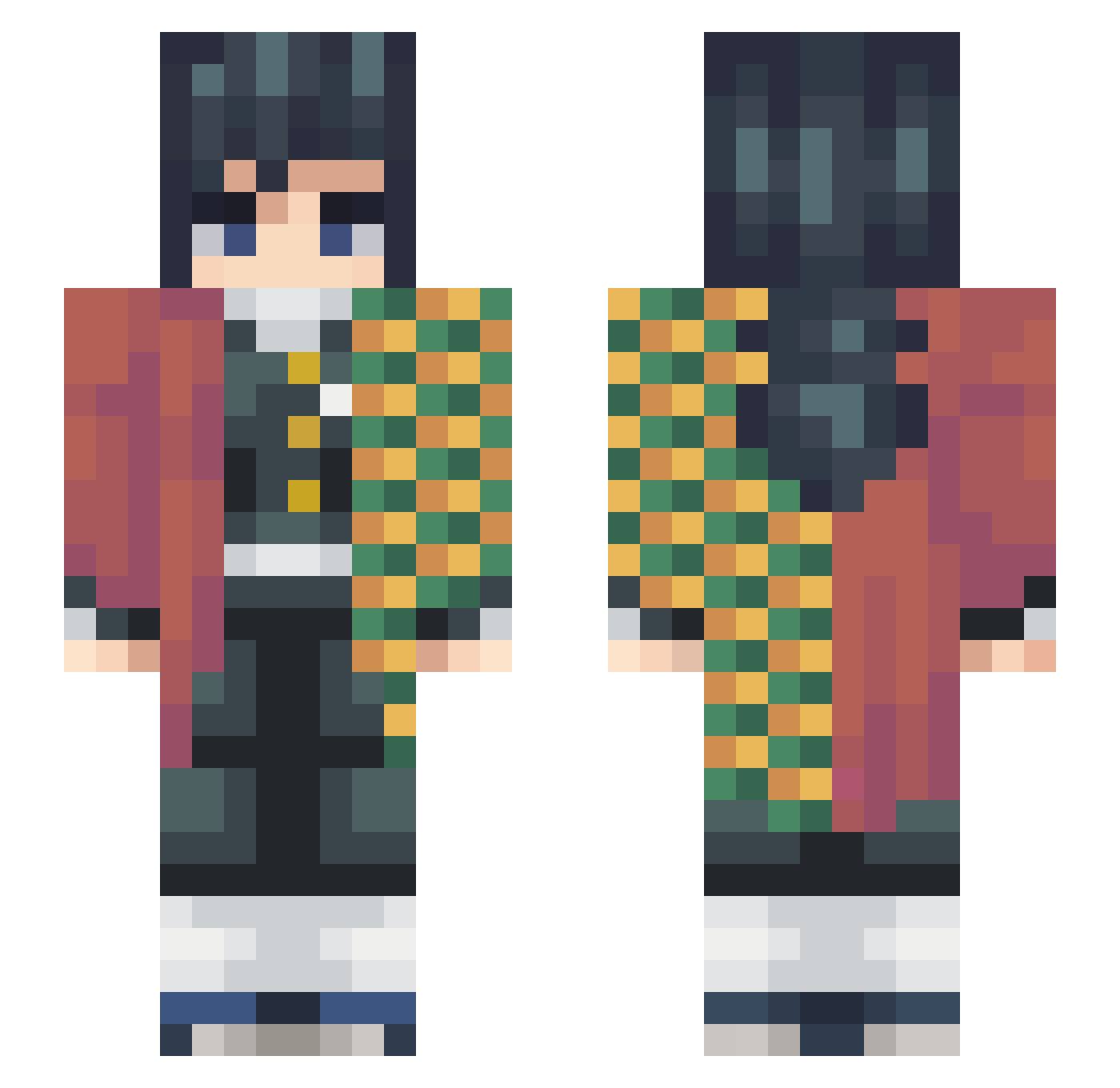
Other players with this skin (248)
QANTUM7 was the 37th player we have seen with this skin, first spotted on 09.08.2026. The same skin was seen on these players. Open a nickname to see their current skin and skin history.
 THEWH1tERABB1T__ VitoFlow Zaehenin neverfadeaway Monolito20 Baluo Dynro_ Math8387 Kias22 Koala_Serto Yamioka GATAXcz Preto_Kebabs BrickBreaker191 joshmc1994 Zernexa SpeakingLynx60 migbilly pxav10 kingdead123434 Nibounzzzz
 Denaire DevilishEngineer Mizzu010 formulex Takazikaschi_ mitutome BradyPF keyroz3 karsiact Toast_VR Brxn19 Xenaas_ Adexux96 vvs_pole KingPatz21 TheRandomPlay VaporyLeaf CGeee AnsonOY golder101 Bin_Chicken Hatori_Hatashi Xander_1337 Eyevuhn Sqyo TokitoYuichiroXD Im_Foxy123 Thog04 Antst02 Germanons BilliIllishboob Zhefa Benchantie Noahsarcadia TotallyNotYuri rikkun2 alkash ElifCK MasonicEmu85296
More Giyu Tomioka Minecraft skins
See all 187 Giyu Tomioka skins
How to install the QANTUM7 skin
- Press the Download button above to save the skin as a PNG file.
- Minecraft: Bedrock Edition (PE): open the Dressing Room from the main menu (or tap your character → Edit Character), go to Classic Skins → Owned, press the + (new skin) button, choose the downloaded PNG and pick the Slim (Alex) model. Works on PC and mobile; consoles cannot import custom skins.
- Minecraft: Java Edition: open the Minecraft Launcher, go to the Skins tab, click New Skin, load the PNG, pick the Slim (Alex) model and press Save & Use. You can also upload it at minecraft.net → Profile → Change Skin.
The skin does not show up after import - what should I do?
Restart Minecraft and open the Dressing Room again - imported skins sometimes appear only after a restart. Also make sure you selected the imported skin and picked the Slim (Alex) model.
Which model should I choose, Classic or Slim?
This skin is designed for the Slim (Alex) model. If you pick the wrong model, the arms of the skin will look stretched or squeezed.
Is the skin of QANTUM7 free to download?
Yes. Press Download, save the PNG file and use it in Minecraft: Bedrock Edition or Java Edition - no payment or registration needed. The skin also works on multiplayer servers and Realms.
More skins
Looking for more? Go back to all Minecraft skins and check the top skins of the week, month and all time, or find any player's skin by nickname.