
 GiyuuTjr YourNextEx DarkPredatores I_Zeki_I Leoziz CleverBongo Xnesty__ Smachy MYOTSUBO ctv_rrs davilv si404 TJaERaT TheOnlyMojolo EldiganLionheart syrupi riccnary223 Ratlover999 XDivers HGGott ChristyanNXR Pietrawoolf Tanjiro_77kkkj d1llong123 jujuwars60 Skilllman Yagyo leo100699 RuyBrandao Challosss ThX2210 RadinXXI LALA_123 __DeadCalm Geuns Mr_Paper_ hiHenry MashimaHERO _Giyuu yeet_NigelYT Arn_off pascotto Jacoiv Riyukaks daevlio DudsNePAE hanzz___ saltychina ContiitnoC neirdales xxVinegar koxyyyy Ricky_m3 VitorMN Cybermaniac_42 goombaroom Sormovskiy Ezausto Rennan1212 HellFrozen
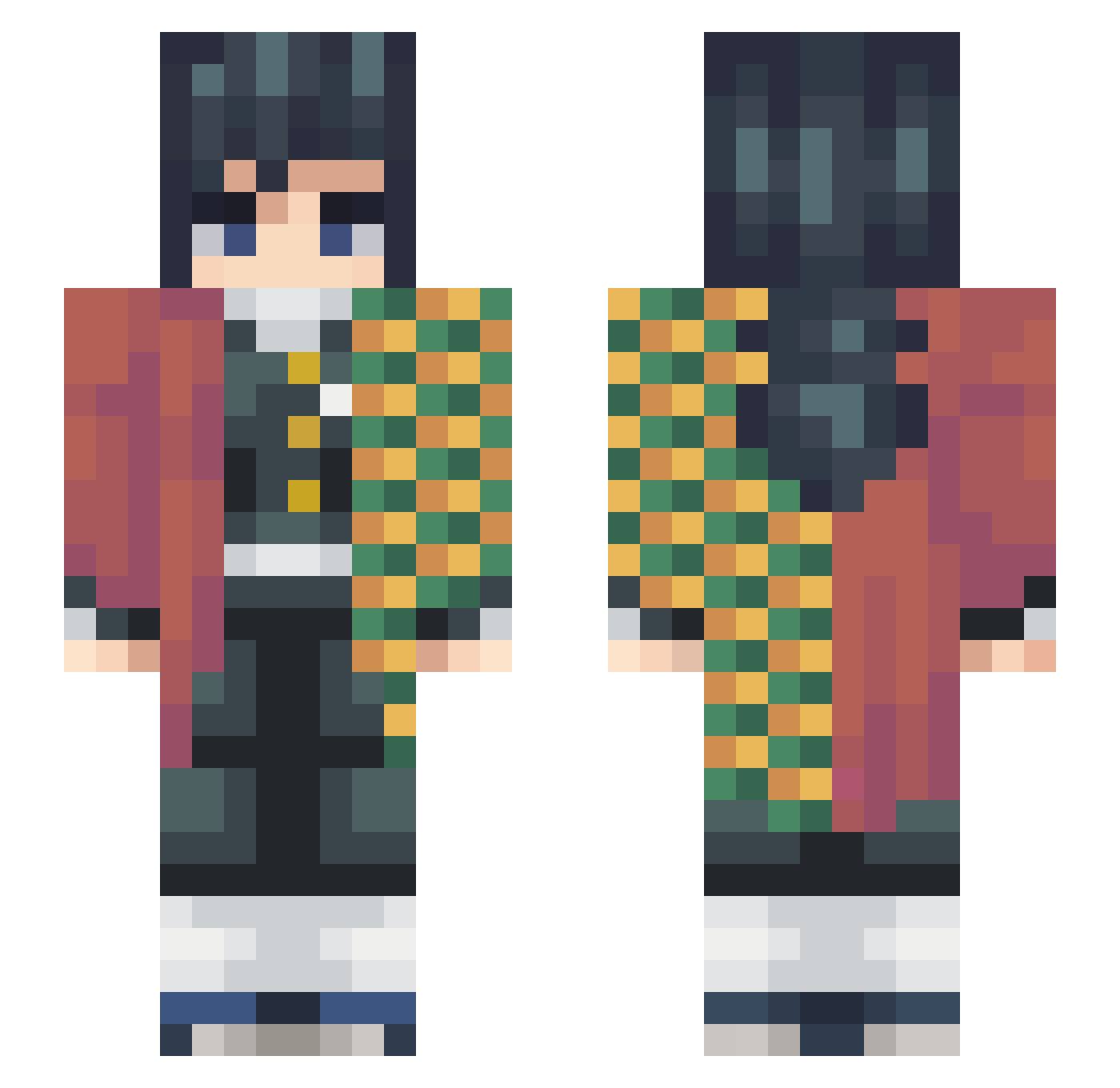
Minecraft skin of kaitoukid0828. Rotate the 3D model with your mouse or finger to view the skin from every angle, then download it as a PNG file and use it in Minecraft: Bedrock Edition or Java Edition for free. Rate the skin with stars to help other players find the best skins in our collection.
How to install the kaitoukid0828 skin
- Press the Download button above to save the skin as a PNG file.
- Minecraft: Bedrock Edition (PE): open the Dressing Room from the main menu (or tap your character → Edit Character), go to Classic Skins → Owned, press the + (new skin) button, choose the downloaded PNG and pick the Slim (Alex) model. Works on PC and mobile; consoles cannot import custom skins.
- Minecraft: Java Edition: open the Minecraft Launcher, go to the Skins tab, click New Skin, load the PNG, pick the Slim (Alex) model and press Save & Use. You can also upload it at minecraft.net → Profile → Change Skin.
The skin does not show up after import - what should I do?
Restart Minecraft and open the Dressing Room again - imported skins sometimes appear only after a restart. Also make sure you selected the imported skin and picked the Slim (Alex) model.
Which model should I choose, Classic or Slim?
This skin is designed for the Slim (Alex) model. If you pick the wrong model, the arms of the skin will look stretched or squeezed.
Is this skin free to use?
Yes. Press Download, save the PNG file and use it in Minecraft: Bedrock Edition or Java Edition - no payment or registration needed. The skin also works on multiplayer servers and Realms.
More Giyu Tomioka Minecraft skins
See all 187 Giyu Tomioka skins
More skins
Looking for more? Go back to all Minecraft skins and check the top skins of the week, month and all time, or find any player's skin by nickname.