
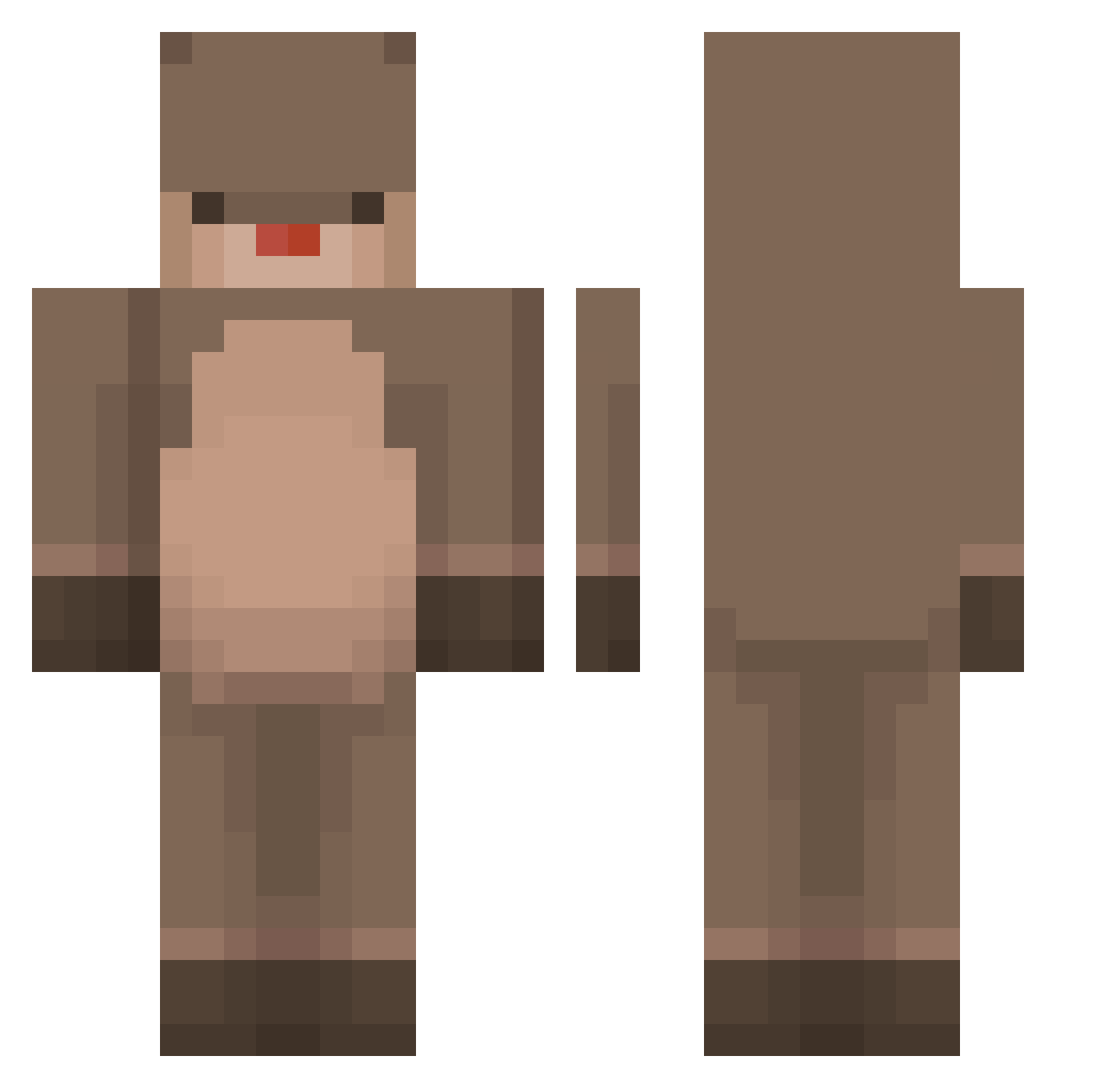
Current Minecraft skin of the player PyangE2, loaded from the official Mojang API. Rotate the 3D model with your mouse or finger, then download the skin as a PNG file and use it in Minecraft: Bedrock Edition or Java Edition for free. When PyangE2 changes their skin, this page updates automatically and the old skin stays in the history below.
Other players with this skin (163)
PyangE2 was the 119th player we have seen with this skin, first spotted on 28.09.2026. The same skin was seen on these players. Open a nickname to see their current skin and skin history.
 0lminz DenRigtigeHauge Nyanyanew anG__GIMORING Eastings Colmillos1808 owud EmmaWish2000 Longs_78 Pelsan1204 tumnuskox Xvideo1117 ooo312 Sapy_slapy_slo PorteLezard2406 Cartank96 danny_726 JH123456789 ColtonShkuratoff Play2Time GrubiFR TEL_UE Aestroid kikin_J1nQN_1214 neonesh12 Boogie_2 ultraminhyeok CatClass Henifer5000 holioliva joselovesyou JayTak02 Klogt ofekv2005 k2k4040 logogryf Pancake_Daddy ShiIiKaa TacoDog337 RentierJonas kkim69 Phaj Heon618 moomine_ Pawarin RealDeer cathyturtle H_04 iiusausa Aloha_d maggiewright melissinhA1 _Uchiha__Madara_ GREENCHAN1021 Mai_25 aufdra naeum418 h4n1w4 BolleGoudVis SimNingg
More Otter Minecraft skins
How to install the PyangE2 skin
- Press the Download button above to save the skin as a PNG file.
- Minecraft: Bedrock Edition (PE): open the Dressing Room from the main menu (or tap your character → Edit Character), go to Classic Skins → Owned, press the + (new skin) button, choose the downloaded PNG and pick the Classic (Steve) model. Works on PC and mobile; consoles cannot import custom skins.
- Minecraft: Java Edition: open the Minecraft Launcher, go to the Skins tab, click New Skin, load the PNG, pick the Classic (Steve) model and press Save & Use. You can also upload it at minecraft.net → Profile → Change Skin.
The skin does not show up after import - what should I do?
Restart Minecraft and open the Dressing Room again - imported skins sometimes appear only after a restart. Also make sure you selected the imported skin and picked the Classic (Steve) model.
Which model should I choose, Classic or Slim?
This skin is designed for the Classic (Steve) model. If you pick the wrong model, the arms of the skin will look stretched or squeezed.
Is the skin of PyangE2 free to download?
Yes. Press Download, save the PNG file and use it in Minecraft: Bedrock Edition or Java Edition - no payment or registration needed. The skin also works on multiplayer servers and Realms.
More skins
Looking for more? Go back to all Minecraft skins and check the top skins of the week, month and all time, or find any player's skin by nickname.