
PurpleHailk - Minecraft Skins & Skin History
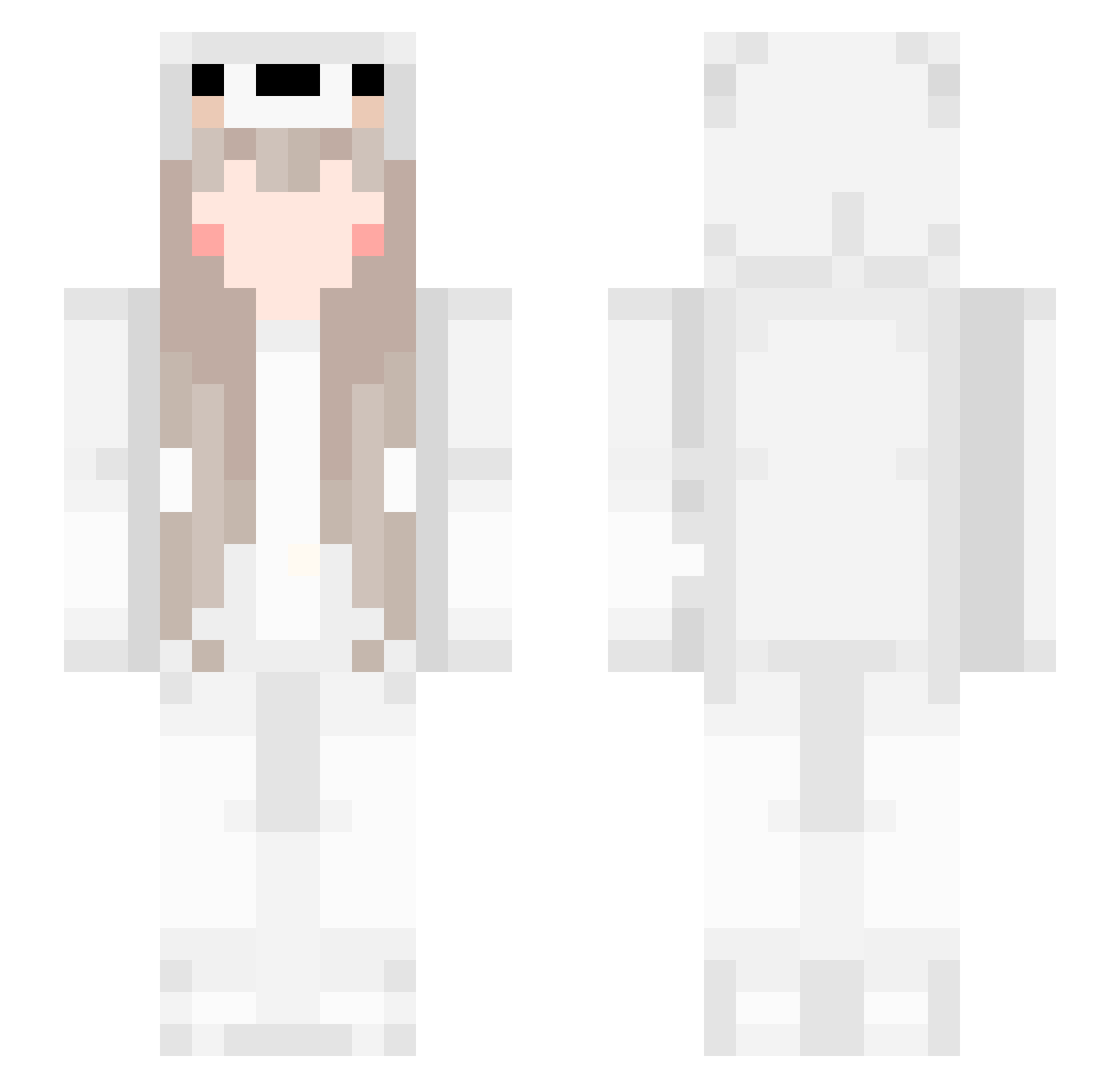
Current Minecraft skin of the player PurpleHailk, loaded from the official Mojang API. Rotate the 3D model with your mouse or finger, then download the skin as a PNG file and use it in Minecraft: Bedrock Edition or Java Edition for free. When PurpleHailk changes their skin, this page updates automatically and the old skin stays in the history below.
Other players with this skin (561)
PurpleHailk was the 129th player we have seen with this skin, first spotted on 16.08.2026. The same skin was seen on these players. Open a nickname to see their current skin and skin history.
 Vizarhez Claireeth sasasand MaoErDuo angelznq fuliovo BsYi Daytieme snailnatt liuguangqingmeng pzzw Blankair Luo_keke jbxun catkkk wwarriorr2177 WHITE_SN0W bibobear Lycoris0305 Ytq86 blanca98 zw26 Despair7777 Will_eart xiaoyiQAQ Zaix_OxO MY_huhu uwudal YUI_YII xxanny7 Achoice7 siren_2 youlandaier0101 otto5431 F1sh_01 YunLiHSWL Tu3o Weloisia iI8n MayHanamaki zangyuge xiaochenchen521 __Gayan xiaolu_555 Zttttttttttttttt Ac18cm Ax1Ley dear0626 LjwDOGE TLSAZ xx2023 qcl36250 Michaelzhy Le_Lawliet chipie57450 IHateTheWorldddd beicen Raindroping Serendipity_Ax xjj0701
More Girl Minecraft skins
How to install the PurpleHailk skin
- Press the Download button above to save the skin as a PNG file.
- Minecraft: Bedrock Edition (PE): open the Dressing Room from the main menu (or tap your character → Edit Character), go to Classic Skins → Owned, press the + (new skin) button, choose the downloaded PNG and pick the Slim (Alex) model. Works on PC and mobile; consoles cannot import custom skins.
- Minecraft: Java Edition: open the Minecraft Launcher, go to the Skins tab, click New Skin, load the PNG, pick the Slim (Alex) model and press Save & Use. You can also upload it at minecraft.net → Profile → Change Skin.
The skin does not show up after import - what should I do?
Restart Minecraft and open the Dressing Room again - imported skins sometimes appear only after a restart. Also make sure you selected the imported skin and picked the Slim (Alex) model.
Which model should I choose, Classic or Slim?
This skin is designed for the Slim (Alex) model. If you pick the wrong model, the arms of the skin will look stretched or squeezed.
Is the skin of PurpleHailk free to download?
Yes. Press Download, save the PNG file and use it in Minecraft: Bedrock Edition or Java Edition - no payment or registration needed. The skin also works on multiplayer servers and Realms.
More skins
Looking for more? Go back to all Minecraft skins and check the top skins of the week, month and all time, or find any player's skin by nickname.