
ProtectorPeanut - Minecraft Skins & Skin History
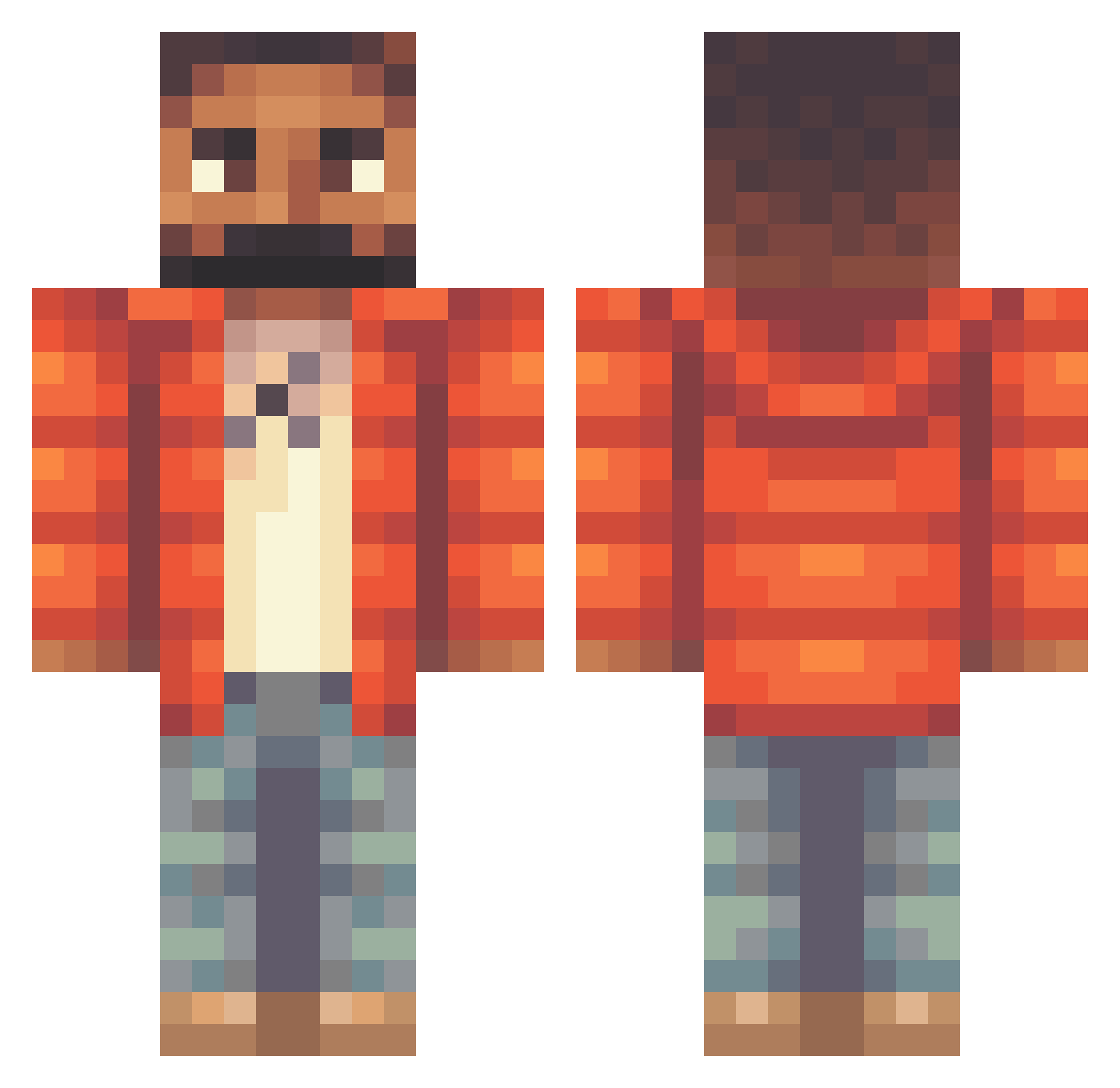
Current Minecraft skin of the player ProtectorPeanut, loaded from the official Mojang API. Rotate the 3D model with your mouse or finger, then download the skin as a PNG file and use it in Minecraft: Bedrock Edition or Java Edition for free. When ProtectorPeanut changes their skin, this page updates automatically and the old skin stays in the history below.
Other players with this skin (320)
ProtectorPeanut was the 72nd player we have seen with this skin, first spotted on 18.08.2026. The same skin was seen on these players. Open a nickname to see their current skin and skin history.
 SrBreakz Chrispy531 Noctuax SaxonTaylor1 cjhogan ovocarlo pebbq SirAlphaty Dolladolladamian LingLing_1 Hitaneex_DS_x8 SmallAdy_ Gmoneyyy07 AubreyGrahamm Teddyrex9 xXx_bladee_PL LOL_Gaming1 ReimaMangruda Vinyline CukkLord seamonkeysnorter MartinM77 FatalNecro gahser Nhek Drizzy1337 BigRobbyRich MannyGugsa iamharveylane Sinisterr___ FeLOOPx BaguetteMonk Jollystoner thetics BigTonka13 iamcardi_B Jackostaaa rafonkoderpe FriD1x Fishy_GoGo talinho_1 BabbaBogi Noskrodamus MorsGoat Cornisaurus Cabinet88 kiddix kpczkk SLATTMIKE Amazonlieferant Shamrlox NawelChill Thomas_Dinh Yurrrrrrrr Invoker229 BundaaMan SteveFMS nekminut23 Smitttyy PapaTea
More Beard Minecraft skins
How to install the ProtectorPeanut skin
- Press the Download button above to save the skin as a PNG file.
- Minecraft: Bedrock Edition (PE): open the Dressing Room from the main menu (or tap your character → Edit Character), go to Classic Skins → Owned, press the + (new skin) button, choose the downloaded PNG and pick the Classic (Steve) model. Works on PC and mobile; consoles cannot import custom skins.
- Minecraft: Java Edition: open the Minecraft Launcher, go to the Skins tab, click New Skin, load the PNG, pick the Classic (Steve) model and press Save & Use. You can also upload it at minecraft.net → Profile → Change Skin.
The skin does not show up after import - what should I do?
Restart Minecraft and open the Dressing Room again - imported skins sometimes appear only after a restart. Also make sure you selected the imported skin and picked the Classic (Steve) model.
Which model should I choose, Classic or Slim?
This skin is designed for the Classic (Steve) model. If you pick the wrong model, the arms of the skin will look stretched or squeezed.
Is the skin of ProtectorPeanut free to download?
Yes. Press Download, save the PNG file and use it in Minecraft: Bedrock Edition or Java Edition - no payment or registration needed. The skin also works on multiplayer servers and Realms.
More skins
Looking for more? Go back to all Minecraft skins and check the top skins of the week, month and all time, or find any player's skin by nickname.