
Powerguido19 - Minecraft Skins & Skin History
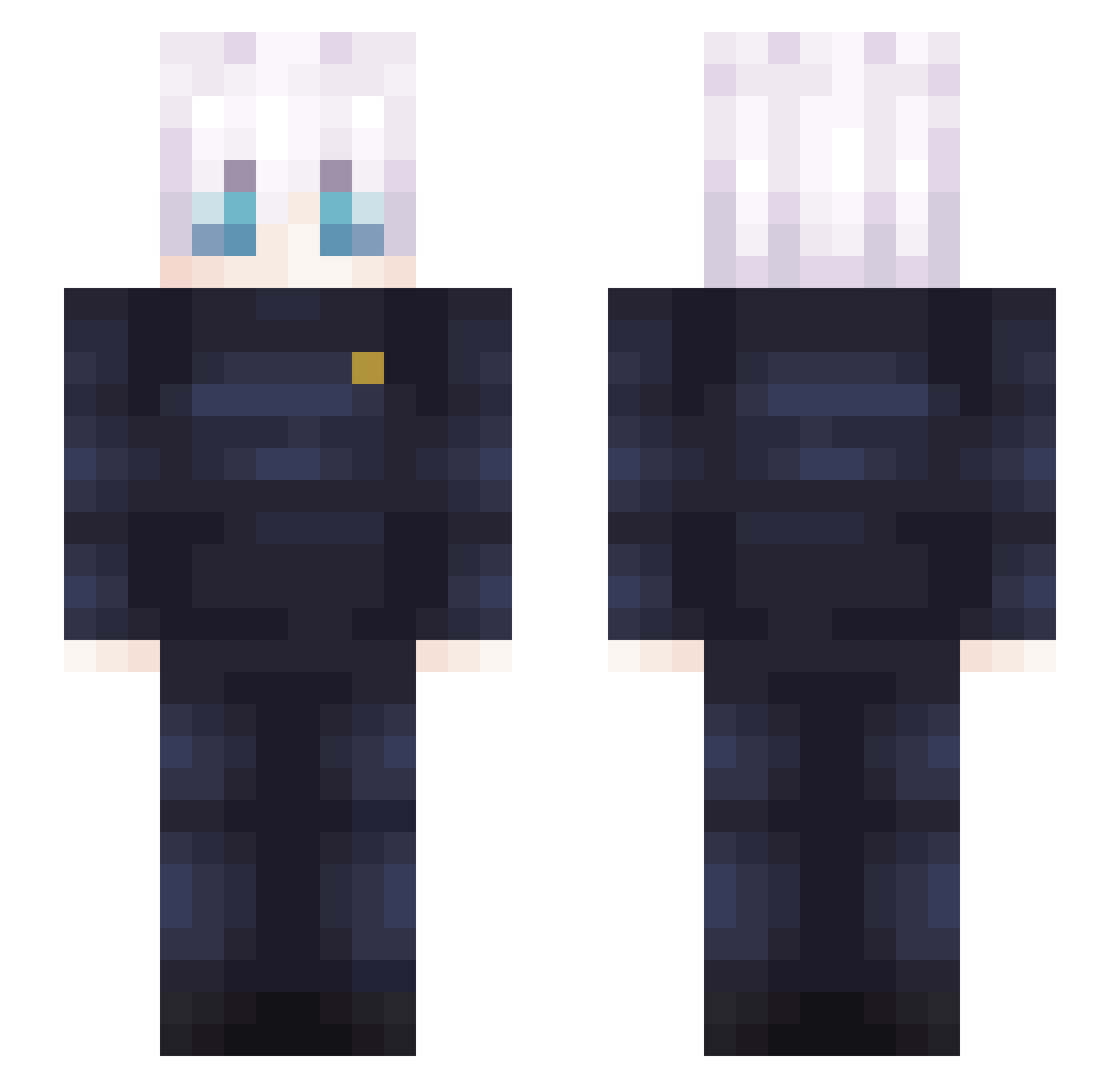
Current Minecraft skin of the player Powerguido19, loaded from the official Mojang API. Rotate the 3D model with your mouse or finger, then download the skin as a PNG file and use it in Minecraft: Bedrock Edition or Java Edition for free. When Powerguido19 changes their skin, this page updates automatically and the old skin stays in the history below.
Other players with this skin (408)
Powerguido19 was the 188th player we have seen with this skin, first spotted on 16.09.2026. The same skin was seen on these players. Open a nickname to see their current skin and skin history.
 Schmitters_ Michys21 Lakapro69 Capy1230 Shiroki121220 SatoruGojo87 GojolSatolu Jt3tran Hamburger313 djklabyy Rekazza Viful_ Azerty59 yutayoz Oscarotetons Juanibot_ D_1Ace MarkFed IDpilloman EnderuTitan555 ToasterDooble GoshoMalkiqt260 lay_m marxocholo tobi_0101 wsdhr GaabrielC Pudokin Hawkeye2023 Kblazzn kyomukyomupurinn I_DontGetIt MrBlocky03 AOA_TERRY AlfredCF94 marquemoon dan_kintsugi highvoltDj Tatsumaki0 SexyNeg0R alfredolivas Zanza_01 Wrizztiff casimilo Yonestic AEHIM XIDylanIX OPERiN_ Galanpa28 Breno5550 Rocket1853 ImHaywire Tedi0 adzout valrriderr Gojo85 paps1116 reekzy_yt Jotshkie Obitoo12
More Satoru Gojo Minecraft skins
See all 1375 Satoru Gojo skins
How to install the Powerguido19 skin
- Press the Download button above to save the skin as a PNG file.
- Minecraft: Bedrock Edition (PE): open the Dressing Room from the main menu (or tap your character → Edit Character), go to Classic Skins → Owned, press the + (new skin) button, choose the downloaded PNG and pick the Slim (Alex) model. Works on PC and mobile; consoles cannot import custom skins.
- Minecraft: Java Edition: open the Minecraft Launcher, go to the Skins tab, click New Skin, load the PNG, pick the Slim (Alex) model and press Save & Use. You can also upload it at minecraft.net → Profile → Change Skin.
The skin does not show up after import - what should I do?
Restart Minecraft and open the Dressing Room again - imported skins sometimes appear only after a restart. Also make sure you selected the imported skin and picked the Slim (Alex) model.
Which model should I choose, Classic or Slim?
This skin is designed for the Slim (Alex) model. If you pick the wrong model, the arms of the skin will look stretched or squeezed.
Is the skin of Powerguido19 free to download?
Yes. Press Download, save the PNG file and use it in Minecraft: Bedrock Edition or Java Edition - no payment or registration needed. The skin also works on multiplayer servers and Realms.
More skins
Looking for more? Go back to all Minecraft skins and check the top skins of the week, month and all time, or find any player's skin by nickname.