
Power_A_Kuma - Minecraft Skins & Skin History
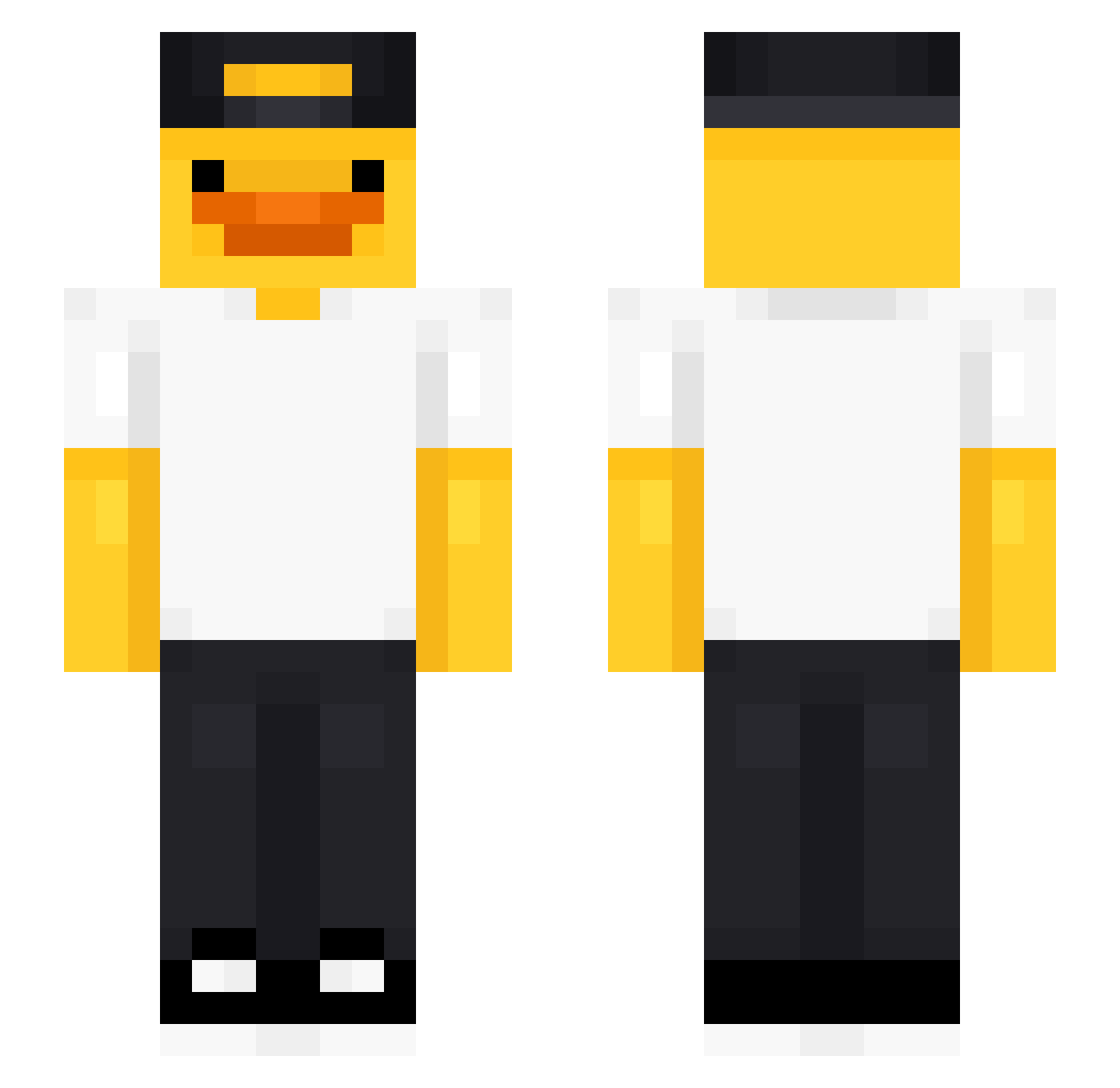
Current Minecraft skin of the player Power_A_Kuma, loaded from the official Mojang API. Rotate the 3D model with your mouse or finger, then download the skin as a PNG file and use it in Minecraft: Bedrock Edition or Java Edition for free. When Power_A_Kuma changes their skin, this page updates automatically and the old skin stays in the history below.
Other players with this skin (491)
Power_A_Kuma was the 199th player we have seen with this skin, first spotted on 06.09.2026. The same skin was seen on these players. Open a nickname to see their current skin and skin history.
 Karterosik Nytro05 Patrick31826 liten_two falcopunchwill Burfict pdvz1n kboz Yonsie123 Chopper4342 Peter_Father2120 Barsnki flukeylukey19 Matcha_M_F
 Sablelyn98 troydevs ValaOps OhmSoul beat02024 sjp929 zec11 v1ke_super_ez NerdzGG StripyCrane2768 Vhc01 pavss7 SigneTheArtist kingofmonkey1 Culkins EZHE2 Nicolascv15 Frytek777 HYOYONG_0202 VIP1500 Kim_Something LoccoX EmrBn_ SONIW henry0528 ChickenWing2k7 Mr_Hey bertimd Wakukuw ume_destroy ItsSalsitas Sottapytty10 DOX_02 gazeux3945 pizzasteve43 homik_oreo Kanga98 ButtCheekMan2 __kream Zane_H DeadPooL7044 SuperSonic572 David2479 Juuuun TSNCCamper1 Senbonashi
More Cap Minecraft skins
How to install the Power_A_Kuma skin
- Press the Download button above to save the skin as a PNG file.
- Minecraft: Bedrock Edition (PE): open the Dressing Room from the main menu (or tap your character → Edit Character), go to Classic Skins → Owned, press the + (new skin) button, choose the downloaded PNG and pick the Slim (Alex) model. Works on PC and mobile; consoles cannot import custom skins.
- Minecraft: Java Edition: open the Minecraft Launcher, go to the Skins tab, click New Skin, load the PNG, pick the Slim (Alex) model and press Save & Use. You can also upload it at minecraft.net → Profile → Change Skin.
The skin does not show up after import - what should I do?
Restart Minecraft and open the Dressing Room again - imported skins sometimes appear only after a restart. Also make sure you selected the imported skin and picked the Slim (Alex) model.
Which model should I choose, Classic or Slim?
This skin is designed for the Slim (Alex) model. If you pick the wrong model, the arms of the skin will look stretched or squeezed.
Is the skin of Power_A_Kuma free to download?
Yes. Press Download, save the PNG file and use it in Minecraft: Bedrock Edition or Java Edition - no payment or registration needed. The skin also works on multiplayer servers and Realms.
More skins
Looking for more? Go back to all Minecraft skins and check the top skins of the week, month and all time, or find any player's skin by nickname.