
Postitlappen - Minecraft Skins & Skin History
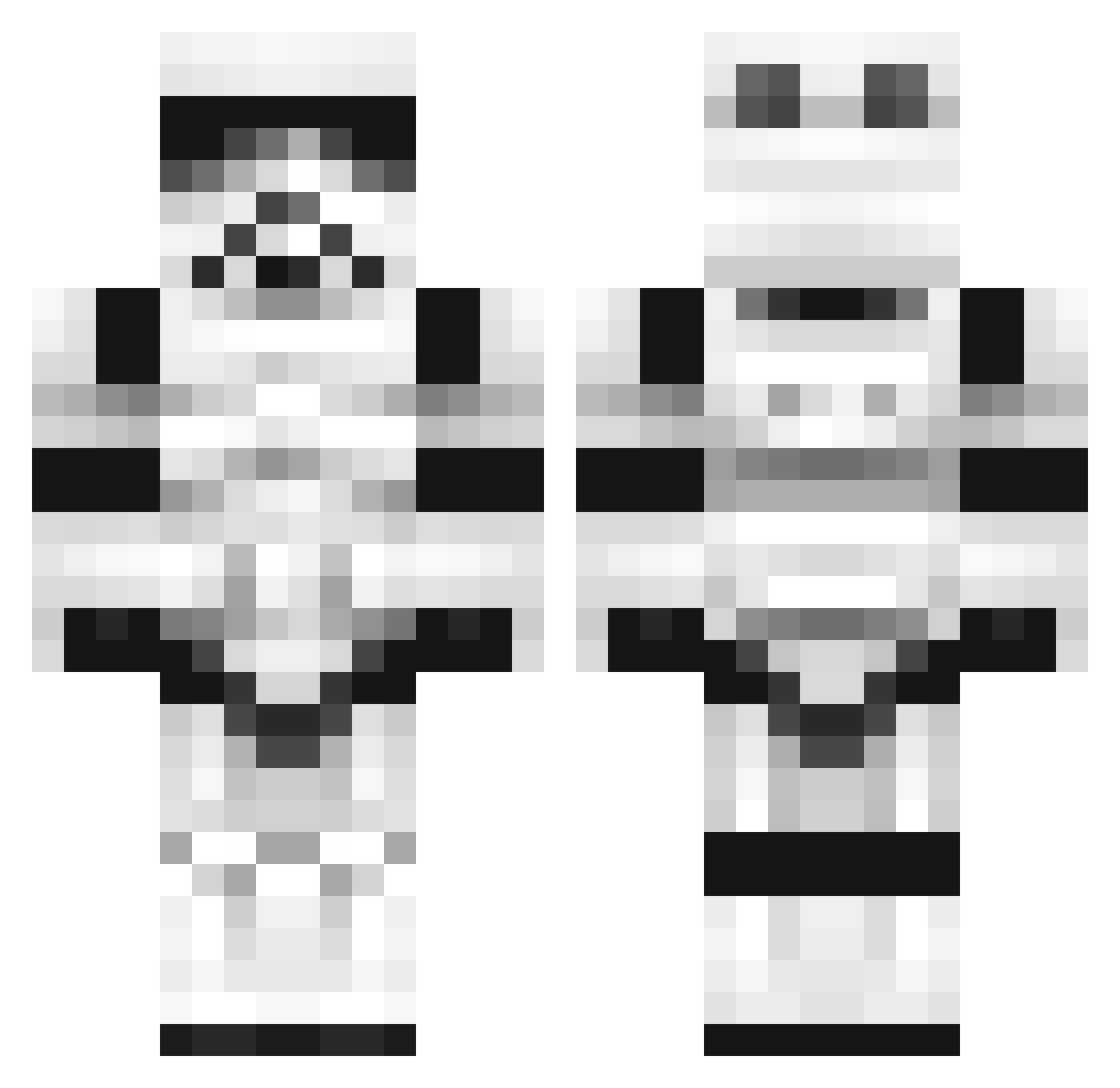
Current Minecraft skin of the player Postitlappen, loaded from the official Mojang API. Rotate the 3D model with your mouse or finger, then download the skin as a PNG file and use it in Minecraft: Bedrock Edition or Java Edition for free. When Postitlappen changes their skin, this page updates automatically and the old skin stays in the history below.
Other players with this skin (1100)
Postitlappen was the 558th player we have seen with this skin, first spotted on 20.09.2026. The same skin was seen on these players. Open a nickname to see their current skin and skin history.
 rotherzxjnr AdamWearsPrada silvercomet MAmma_MUuuu PiggyC00L BerlinPunk nosho99 SW4Y1N Shakk Darkmatter420 Chelden Seval2002 Ritske100 MILFCow octaviokoch MitoTaich Jirca rjm1992 KuphJr paj47 CrypticWisdom itsDuckworth69 DTHEDogi TheRealBongwagon MaXiboFlop Ascent3 Razorfish KingKrunch97 Oddkid Hooogi D0n_Patr0n Liquid_Zero Bryantriana Dylansawesome xXThe_InventorXx HECKtor89 RequiemBay SebSVW Loganator1219 khoahnguyen ReZet35 drumwithknives skerms Shotgunicus Corafication jensi5 WIKVIYA BoredomFactor Seegurke1234 Wammybay Baerius_ mamapete6250 KoRnyKenny Werun99 RilTeunt Jakecrafter7273 Bonifacio98 wyrmwoode Bhaunted BlueKahn
More Trooper Minecraft skins
How to install the Postitlappen skin
- Press the Download button above to save the skin as a PNG file.
- Minecraft: Bedrock Edition (PE): open the Dressing Room from the main menu (or tap your character → Edit Character), go to Classic Skins → Owned, press the + (new skin) button, choose the downloaded PNG and pick the Classic (Steve) model. Works on PC and mobile; consoles cannot import custom skins.
- Minecraft: Java Edition: open the Minecraft Launcher, go to the Skins tab, click New Skin, load the PNG, pick the Classic (Steve) model and press Save & Use. You can also upload it at minecraft.net → Profile → Change Skin.
The skin does not show up after import - what should I do?
Restart Minecraft and open the Dressing Room again - imported skins sometimes appear only after a restart. Also make sure you selected the imported skin and picked the Classic (Steve) model.
Which model should I choose, Classic or Slim?
This skin is designed for the Classic (Steve) model. If you pick the wrong model, the arms of the skin will look stretched or squeezed.
Is the skin of Postitlappen free to download?
Yes. Press Download, save the PNG file and use it in Minecraft: Bedrock Edition or Java Edition - no payment or registration needed. The skin also works on multiplayer servers and Realms.
More skins
Looking for more? Go back to all Minecraft skins and check the top skins of the week, month and all time, or find any player's skin by nickname.