
PoopooMonky - Minecraft Skins & Skin History
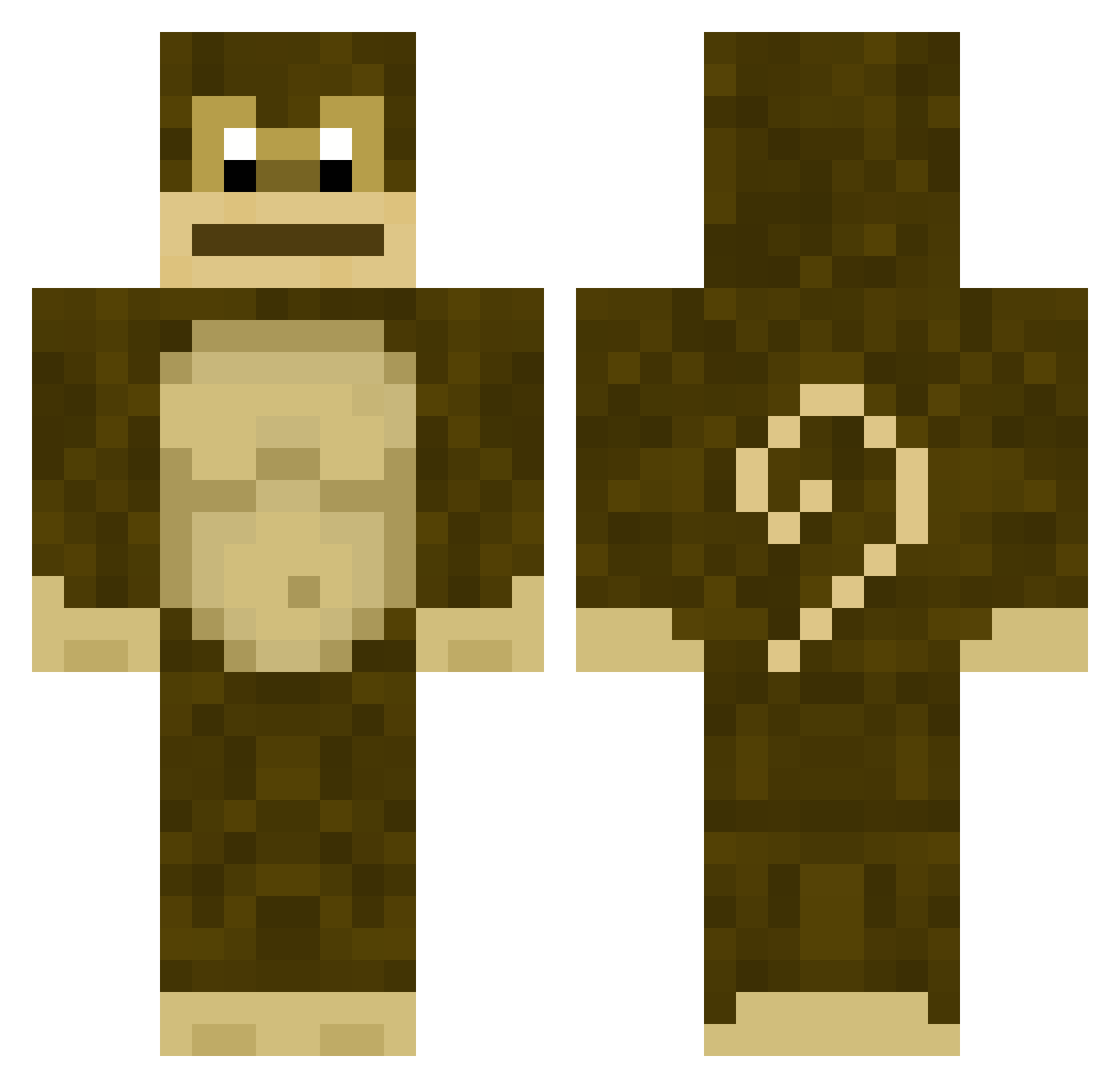
Current Minecraft skin of the player PoopooMonky, loaded from the official Mojang API. Rotate the 3D model with your mouse or finger, then download the skin as a PNG file and use it in Minecraft: Bedrock Edition or Java Edition for free. When PoopooMonky changes their skin, this page updates automatically and the old skin stays in the history below.
Other players with this skin (251)
PoopooMonky was the 43rd player we have seen with this skin, first spotted on 12.08.2026. The same skin was seen on these players. Open a nickname to see their current skin and skin history.
 Babblito grunaldo AsianAedan Swerftt BNVillager VladLikesDads Dead_Dog78866 _coma_kid_ SAIVE Keaper_45 slawomir1947 Hoovelts Hammy426 011i3C011in5 ItzFishy Affenkoks yonorbuu monky2 substanceabuse4 hahahaahhahaha kevinpi __Fly Tataji affenalarm1312 MildRotel 1x1_Lego_Brick vvDelii SupremeBingus CasualMonkeyy Jubsz GGreeen_ amdakilla JohnnyRocket06 RationalFlow zhaiix _F_L_E_X_ ElMacacoFeliz Trunkmonkey78 toni_5 misq Dahyun226 song0005 6monke Finn09357 TeePOP YegorRatislav ChaussetteSalee RemoV2 CrunkeeMunkee coralieee Roosetr MonkeeGooder shimak_ Kaigenx sybila_ apinakapina Bitty5147 Kespp Zemic69 bluboi831
More Gorilla Minecraft skins
How to install the PoopooMonky skin
- Press the Download button above to save the skin as a PNG file.
- Minecraft: Bedrock Edition (PE): open the Dressing Room from the main menu (or tap your character → Edit Character), go to Classic Skins → Owned, press the + (new skin) button, choose the downloaded PNG and pick the Classic (Steve) model. Works on PC and mobile; consoles cannot import custom skins.
- Minecraft: Java Edition: open the Minecraft Launcher, go to the Skins tab, click New Skin, load the PNG, pick the Classic (Steve) model and press Save & Use. You can also upload it at minecraft.net → Profile → Change Skin.
The skin does not show up after import - what should I do?
Restart Minecraft and open the Dressing Room again - imported skins sometimes appear only after a restart. Also make sure you selected the imported skin and picked the Classic (Steve) model.
Which model should I choose, Classic or Slim?
This skin is designed for the Classic (Steve) model. If you pick the wrong model, the arms of the skin will look stretched or squeezed.
Is the skin of PoopooMonky free to download?
Yes. Press Download, save the PNG file and use it in Minecraft: Bedrock Edition or Java Edition - no payment or registration needed. The skin also works on multiplayer servers and Realms.
More skins
Looking for more? Go back to all Minecraft skins and check the top skins of the week, month and all time, or find any player's skin by nickname.