
Pokey1914 - Minecraft Skins & Skin History
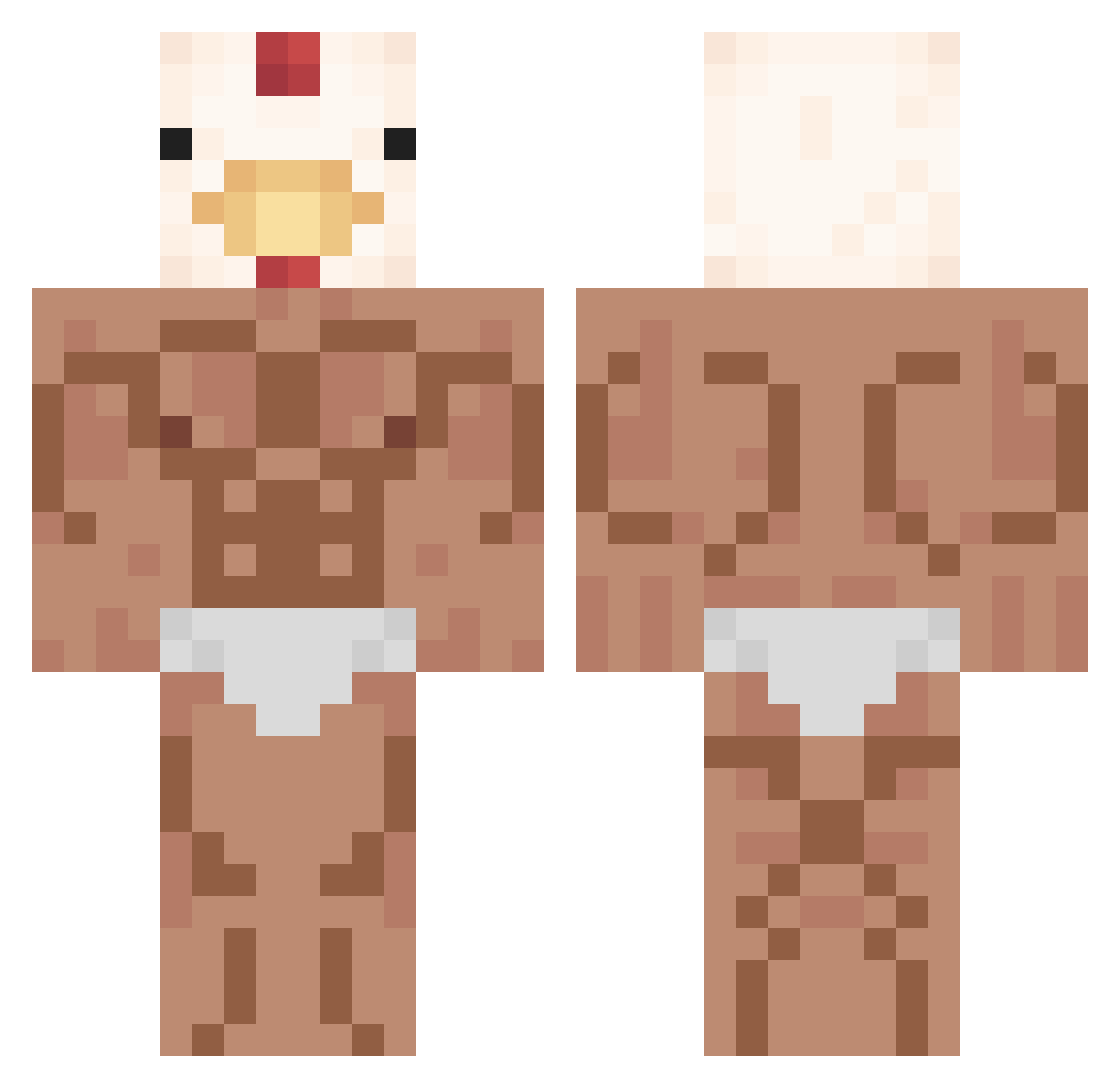
Current Minecraft skin of the player Pokey1914, loaded from the official Mojang API. Rotate the 3D model with your mouse or finger, then download the skin as a PNG file and use it in Minecraft: Bedrock Edition or Java Edition for free. When Pokey1914 changes their skin, this page updates automatically and the old skin stays in the history below.
Other players with this skin (352)
Pokey1914 was the 107th player we have seen with this skin, first spotted on 24.08.2026. The same skin was seen on these players. Open a nickname to see their current skin and skin history.
 vSxolar___ Damix19_ Ivanfpuga Ironwhirlied markopolo88 ZzBESTIA Tonye28 dlwntjd12 GHOST_03 Ojichan888 yazzui124 loven1123 xyzovsky hel8567 jajar_ mybig77 Rubiales00 Naosan5776 Siazo_ GleichTritte AriLP4 ccboss118 Marlo252 Dylan_Booth nyny5225 BirbIsntStarteur oblivi0nn benja11502 Gi_seok Salve67 kfcbigboi83305 Bets_Dragoon happydog116 Amiral_Poulet Invictus_60 eRecked Tocues Groggg ssecs Boiboite DeSimone_ Davu_0 BaeJihan BigLeeDawg WANBE520 LAVERITO adrix62 Wantoslip Bennji_boy gnome204 Hotts_ qwtt Dog_KING_GAMING ChickennNug Tesla1528 Pliqo3 inkya_OB fujioyuji Ganashi01
 SpaltenSprenkler
More Chicken Minecraft skins
How to install the Pokey1914 skin
- Press the Download button above to save the skin as a PNG file.
- Minecraft: Bedrock Edition (PE): open the Dressing Room from the main menu (or tap your character → Edit Character), go to Classic Skins → Owned, press the + (new skin) button, choose the downloaded PNG and pick the Classic (Steve) model. Works on PC and mobile; consoles cannot import custom skins.
- Minecraft: Java Edition: open the Minecraft Launcher, go to the Skins tab, click New Skin, load the PNG, pick the Classic (Steve) model and press Save & Use. You can also upload it at minecraft.net → Profile → Change Skin.
The skin does not show up after import - what should I do?
Restart Minecraft and open the Dressing Room again - imported skins sometimes appear only after a restart. Also make sure you selected the imported skin and picked the Classic (Steve) model.
Which model should I choose, Classic or Slim?
This skin is designed for the Classic (Steve) model. If you pick the wrong model, the arms of the skin will look stretched or squeezed.
Is the skin of Pokey1914 free to download?
Yes. Press Download, save the PNG file and use it in Minecraft: Bedrock Edition or Java Edition - no payment or registration needed. The skin also works on multiplayer servers and Realms.
More skins
Looking for more? Go back to all Minecraft skins and check the top skins of the week, month and all time, or find any player's skin by nickname.