
Poglet - Minecraft Skins & Skin History
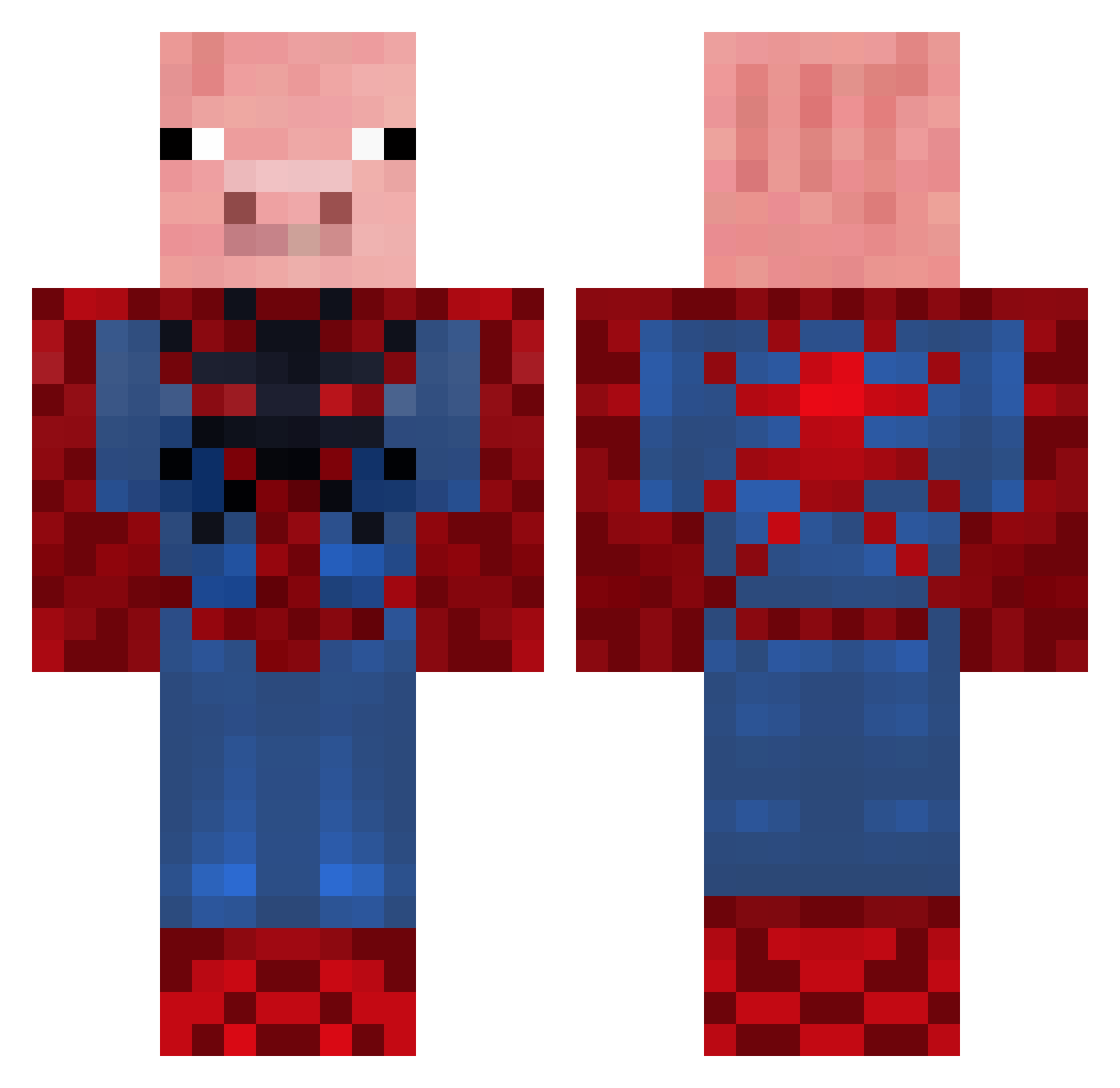
Current Minecraft skin of the player Poglet, loaded from the official Mojang API. Rotate the 3D model with your mouse or finger, then download the skin as a PNG file and use it in Minecraft: Bedrock Edition or Java Edition for free. When Poglet changes their skin, this page updates automatically and the old skin stays in the history below.
Other players with this skin (655)
Poglet was the 223rd player we have seen with this skin, first spotted on 31.08.2026. The same skin was seen on these players. Open a nickname to see their current skin and skin history.
 thevirus1996 charliewilliam maidenlol toutoundji gtg642 Trustthewhitevan nonomad Kizzoox JackyJack1622 Zanderrrrrrrrrrr bbroeck JACKPRETZEL FUNTIME42 weirdman21 Steelerzz sorriso97 0_0HeyJaridos0_0 Captain_Cabbage SpiderFig Gators19 LilPupper68 FreestyleKid1 Dis_Betch UnicornSlayer236 RoamingRex 2jigsaw2 LumpyMustard556 Simson_Fighter Gobz0rnator giogio19 YugYog_Jnr Private_Ryan01 xXDGKIDXx mr_tuminus killagkevin arad17 EgoSpeed NellieWeston blast_born ReniusG GenkTheChink nBxVenom kippah shane40289 kathman101 Moses522 madazn Elephant0509 Blasmore nikolas2206 toast1998 bohna jmcbcfc Xninja263 swordswinger22 cole10j uyug7 MarvelousTick5 scroan Temo4
More Pig Minecraft skins
How to install the Poglet skin
- Press the Download button above to save the skin as a PNG file.
- Minecraft: Bedrock Edition (PE): open the Dressing Room from the main menu (or tap your character → Edit Character), go to Classic Skins → Owned, press the + (new skin) button, choose the downloaded PNG and pick the Classic (Steve) model. Works on PC and mobile; consoles cannot import custom skins.
- Minecraft: Java Edition: open the Minecraft Launcher, go to the Skins tab, click New Skin, load the PNG, pick the Classic (Steve) model and press Save & Use. You can also upload it at minecraft.net → Profile → Change Skin.
The skin does not show up after import - what should I do?
Restart Minecraft and open the Dressing Room again - imported skins sometimes appear only after a restart. Also make sure you selected the imported skin and picked the Classic (Steve) model.
Which model should I choose, Classic or Slim?
This skin is designed for the Classic (Steve) model. If you pick the wrong model, the arms of the skin will look stretched or squeezed.
Is the skin of Poglet free to download?
Yes. Press Download, save the PNG file and use it in Minecraft: Bedrock Edition or Java Edition - no payment or registration needed. The skin also works on multiplayer servers and Realms.
More skins
Looking for more? Go back to all Minecraft skins and check the top skins of the week, month and all time, or find any player's skin by nickname.