
Pogg_Iz - Minecraft Skins & Skin History
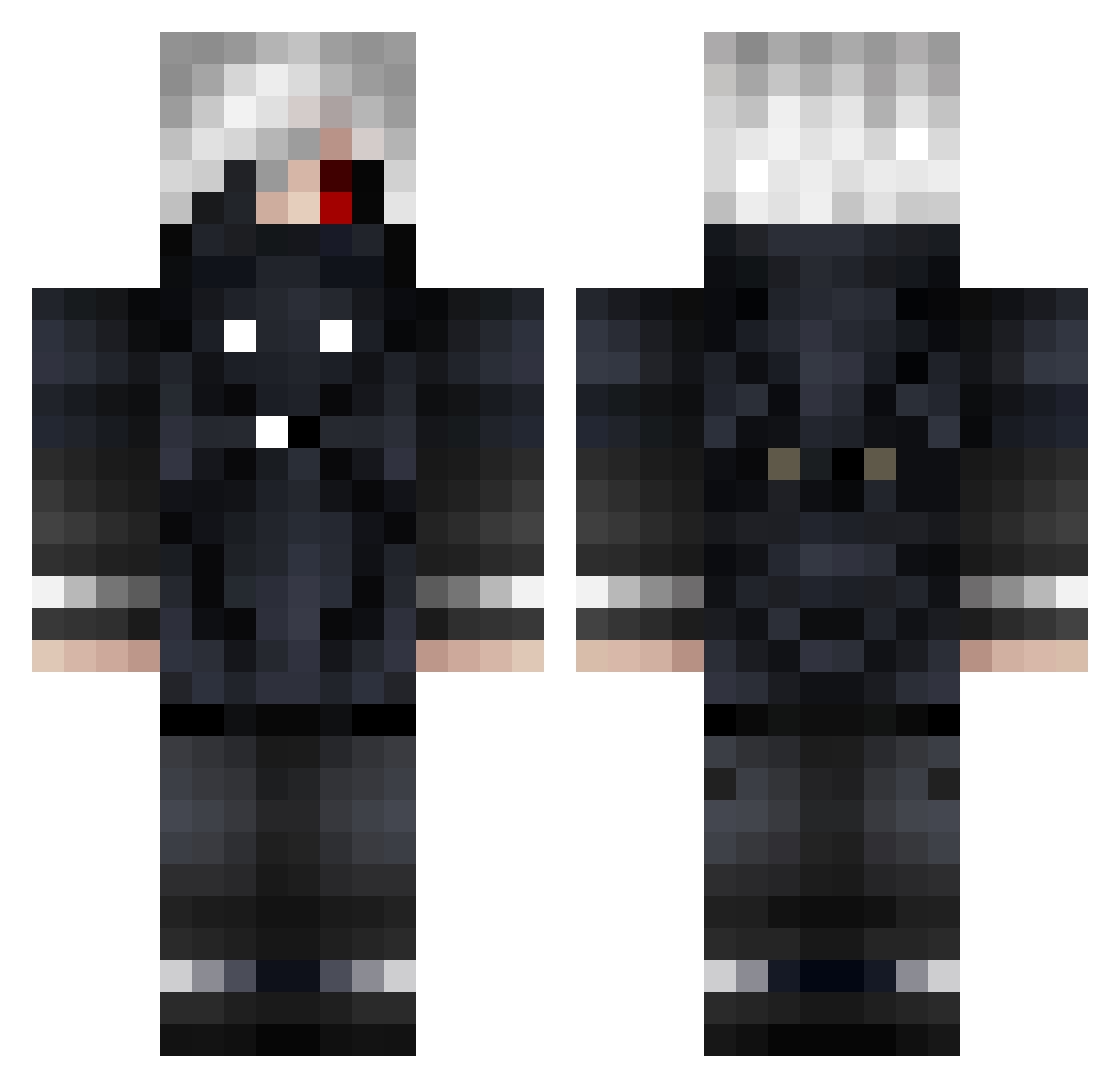
Current Minecraft skin of the player Pogg_Iz, loaded from the official Mojang API. Rotate the 3D model with your mouse or finger, then download the skin as a PNG file and use it in Minecraft: Bedrock Edition or Java Edition for free. When Pogg_Iz changes their skin, this page updates automatically and the old skin stays in the history below.
Other players with this skin (830)
Pogg_Iz was the 271st player we have seen with this skin, first spotted on 01.09.2026. The same skin was seen on these players. Open a nickname to see their current skin and skin history.
 2PaKoBNHa zzXeRozz dark_slayer1457_ Bunbo26 Jeremy28500 FeeelinSleepy Pop6212 Sotio0102 Signal0115 MonkeySlayer246 kai032669 ps9630 Dragontube1 LeorlonTyan _HaiseSasaki_ Kaneki6133 Chun_Tsan kohon Oranolio WiesL0w SuperJu813 Mryat18 Alen1012 EyepatchKaneki killazjame DroopyDingles perdushka2006 eksafu taffffy JSHMN svtsukii ValentinoJG _McPoh_ Tyn0oo Vredor EasyForYou Drxvmz pantadzio1442 2Pac_A_Shakur Tsuki_ll CekcuShalzy NebulaZorua KaneKi_D YukkiPL0 nataniel177 Theboyjoe11 Clara_Bee keroro5656 Hazeroth46 AdelinMatei edamamenosato Shinkada bloo387 _TheDarKKillers_ senpaitms_1 sasori_san XernieLP K3nK4n3ki bloodr00t brok1
More Mask Minecraft skins
How to install the Pogg_Iz skin
- Press the Download button above to save the skin as a PNG file.
- Minecraft: Bedrock Edition (PE): open the Dressing Room from the main menu (or tap your character → Edit Character), go to Classic Skins → Owned, press the + (new skin) button, choose the downloaded PNG and pick the Classic (Steve) model. Works on PC and mobile; consoles cannot import custom skins.
- Minecraft: Java Edition: open the Minecraft Launcher, go to the Skins tab, click New Skin, load the PNG, pick the Classic (Steve) model and press Save & Use. You can also upload it at minecraft.net → Profile → Change Skin.
The skin does not show up after import - what should I do?
Restart Minecraft and open the Dressing Room again - imported skins sometimes appear only after a restart. Also make sure you selected the imported skin and picked the Classic (Steve) model.
Which model should I choose, Classic or Slim?
This skin is designed for the Classic (Steve) model. If you pick the wrong model, the arms of the skin will look stretched or squeezed.
Is the skin of Pogg_Iz free to download?
Yes. Press Download, save the PNG file and use it in Minecraft: Bedrock Edition or Java Edition - no payment or registration needed. The skin also works on multiplayer servers and Realms.
More skins
Looking for more? Go back to all Minecraft skins and check the top skins of the week, month and all time, or find any player's skin by nickname.