
Podcast01 - Minecraft Skins & Skin History
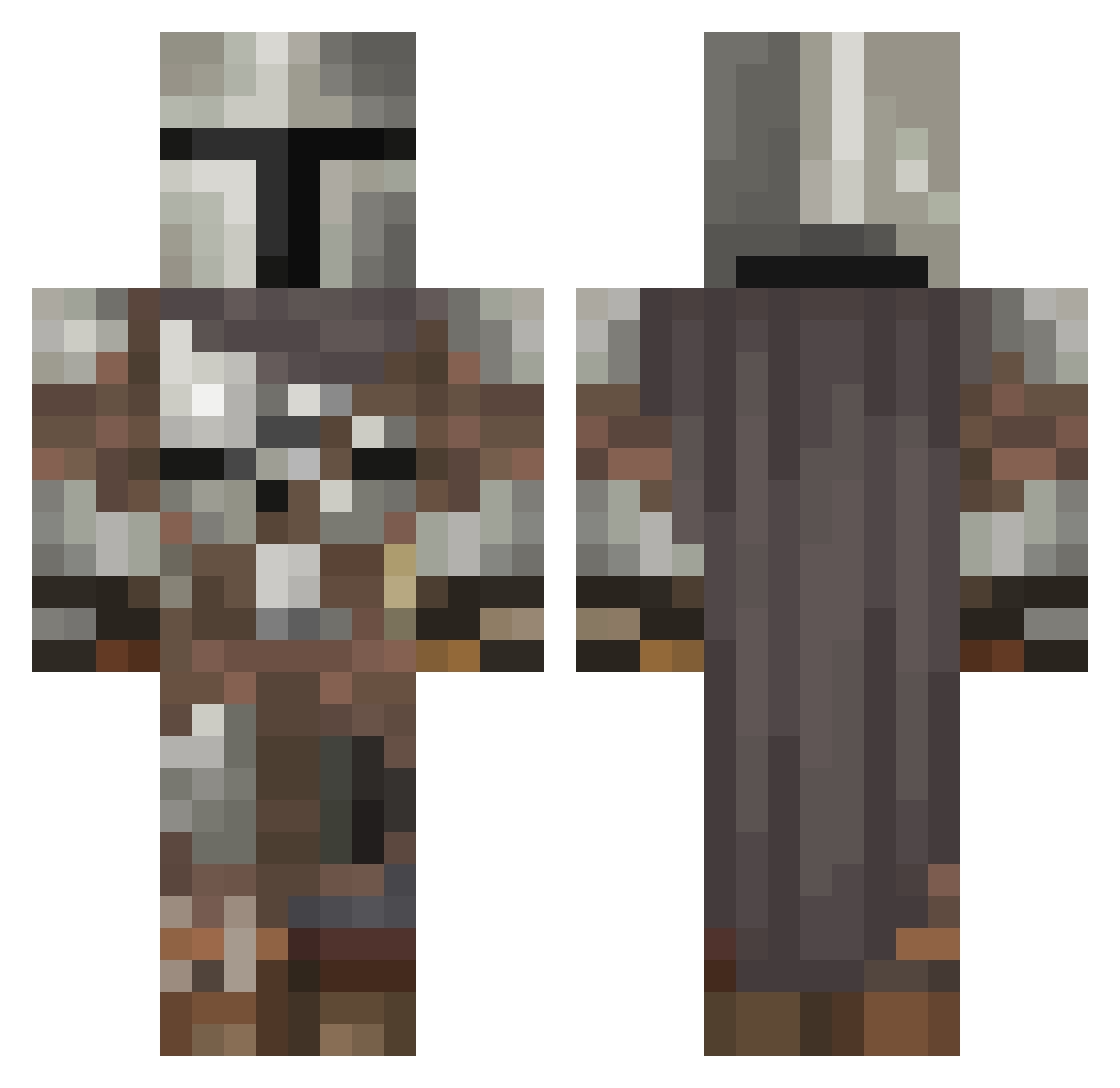
Current Minecraft skin of the player Podcast01, loaded from the official Mojang API. Rotate the 3D model with your mouse or finger, then download the skin as a PNG file and use it in Minecraft: Bedrock Edition or Java Edition for free. When Podcast01 changes their skin, this page updates automatically and the old skin stays in the history below.
Other players with this skin (669)
Podcast01 was the 638th player we have seen with this skin, first spotted on 13.11.2026. The same skin was seen on these players. Open a nickname to see their current skin and skin history.
 Olatunjo McBoogie HERTECH Albino_Squid absoluterampage RedGamingChair notHenkovic donutmanxx LilPewPew Mhlindsey _LHX EatMyDirectTv SighClops101 JW33R FawnDoubloon Lnoll12 Iron_Heart Moliniden AngryYhin Rigmig TheTysManDoom MfourRK lendonat HUGO208 kluk2003 daEisi VoR4Yn01 DefterPenny5807 Generaltrump245 Gherkin12 HeroKeroTR stobbe327 MBGTBenjamin EfeYa21 THEONLINETURTLE1 Trailer2022 Zackey101YT cyklonisko ChekyBoi69420 SemiLiquidity AdamLauzun TsaimentheGreat D_Dub07 SushiAssassin1 Drus036 nunyacain hannahfaith1321 Comfort_Misha LowRezMC manglex1 __Tank___ MetroEpidemic Despicable_JP FearTFG POGGERS2021 Vip118 __Forever__ BailsZA parzelans kidgaming
More The Mandalorian Minecraft skins
See all 675 The Mandalorian skins
How to install the Podcast01 skin
- Press the Download button above to save the skin as a PNG file.
- Minecraft: Bedrock Edition (PE): open the Dressing Room from the main menu (or tap your character → Edit Character), go to Classic Skins → Owned, press the + (new skin) button, choose the downloaded PNG and pick the Classic (Steve) model. Works on PC and mobile; consoles cannot import custom skins.
- Minecraft: Java Edition: open the Minecraft Launcher, go to the Skins tab, click New Skin, load the PNG, pick the Classic (Steve) model and press Save & Use. You can also upload it at minecraft.net → Profile → Change Skin.
The skin does not show up after import - what should I do?
Restart Minecraft and open the Dressing Room again - imported skins sometimes appear only after a restart. Also make sure you selected the imported skin and picked the Classic (Steve) model.
Which model should I choose, Classic or Slim?
This skin is designed for the Classic (Steve) model. If you pick the wrong model, the arms of the skin will look stretched or squeezed.
Is the skin of Podcast01 free to download?
Yes. Press Download, save the PNG file and use it in Minecraft: Bedrock Edition or Java Edition - no payment or registration needed. The skin also works on multiplayer servers and Realms.
More skins
Looking for more? Go back to all Minecraft skins and check the top skins of the week, month and all time, or find any player's skin by nickname.