
Plutous_the_Crow - Minecraft Skins & Skin History
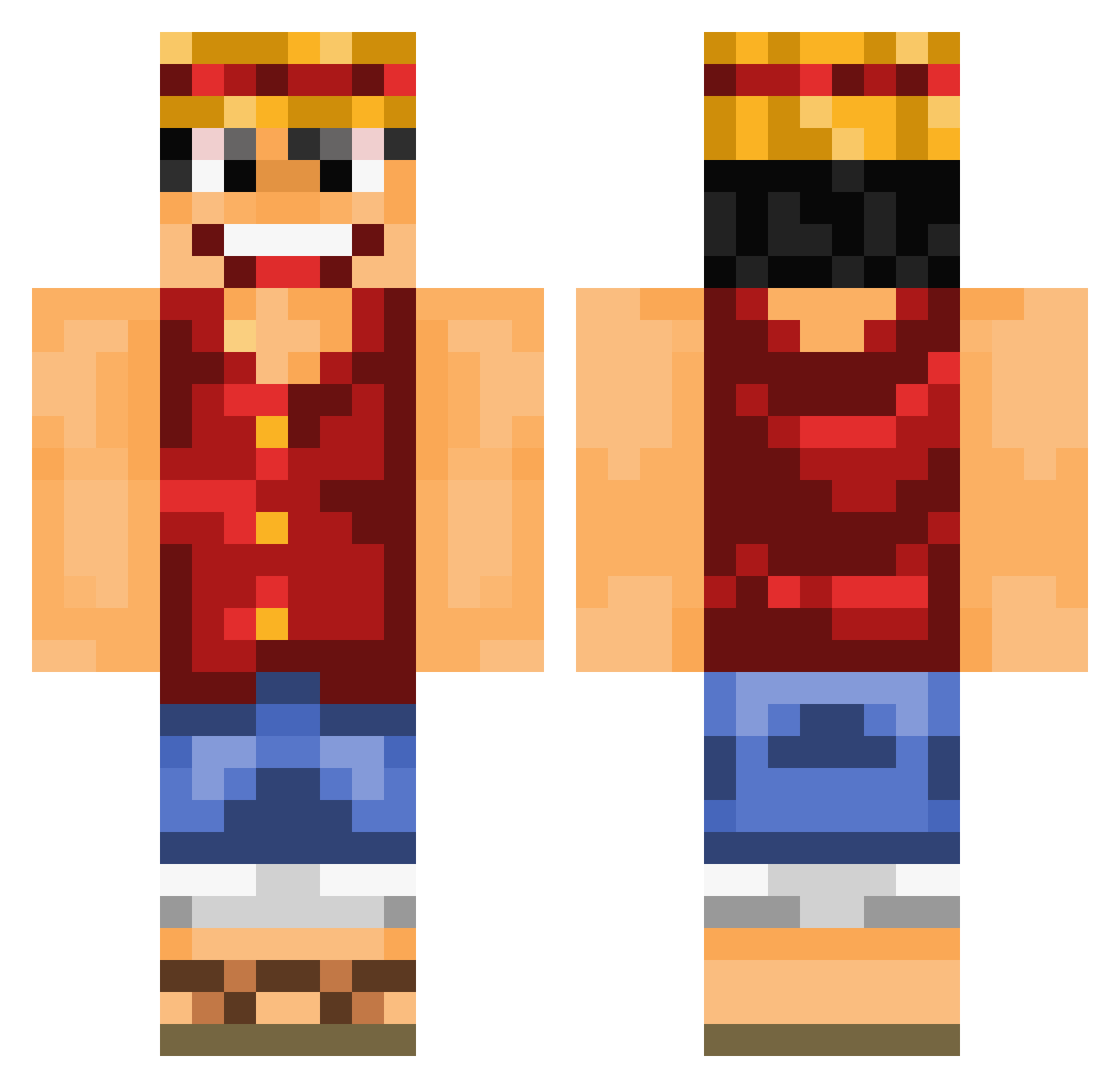
Current Minecraft skin of the player Plutous_the_Crow, loaded from the official Mojang API. Rotate the 3D model with your mouse or finger, then download the skin as a PNG file and use it in Minecraft: Bedrock Edition or Java Edition for free. When Plutous_the_Crow changes their skin, this page updates automatically and the old skin stays in the history below.
Other players with this skin (1016)
Plutous_the_Crow was the 918th player we have seen with this skin, first spotted on 09.11.2026. The same skin was seen on these players. Open a nickname to see their current skin and skin history.
 BotSnebb Barcouli Dreigs pelleje jm3ll0 Akxmi1707 mauvaischasseur Rafii__ DeineMudda007 0Ribo0 Dr_Somali_Kawaza SinatraChill Totosay sciphit Garazeb_Orrelios Baaba00 SuperWZ666 DavsterZ Luisito1468 srmaximiano DiavoloTheBoss _Mudbone_ W_nana xl21 MyShaft99 FlowzJR Nuerni123 Rocket_Otter IJSMango Isislohan Gon767 minD213 FilsDeLoutre SelfRusher HubertDelabatte VashTheStampeed Krystalitator LOLO_paco RacheBeyne WardenLaw fa1 konamilks Wattevuk NBitt14 shreks_froge jwajcma11 BB_Mora Selket9 Mkopsky Mc_Lando DRAGON_SKELL Gazpach agethos miles444 Relat1ngRel1c64 Hazedelo teaster78 VetTuna 2BInl2 Madgamerfreek
More Monkey D Luffy Minecraft skins
See all 1046 Monkey D Luffy skins
How to install the Plutous_the_Crow skin
- Press the Download button above to save the skin as a PNG file.
- Minecraft: Bedrock Edition (PE): open the Dressing Room from the main menu (or tap your character → Edit Character), go to Classic Skins → Owned, press the + (new skin) button, choose the downloaded PNG and pick the Classic (Steve) model. Works on PC and mobile; consoles cannot import custom skins.
- Minecraft: Java Edition: open the Minecraft Launcher, go to the Skins tab, click New Skin, load the PNG, pick the Classic (Steve) model and press Save & Use. You can also upload it at minecraft.net → Profile → Change Skin.
The skin does not show up after import - what should I do?
Restart Minecraft and open the Dressing Room again - imported skins sometimes appear only after a restart. Also make sure you selected the imported skin and picked the Classic (Steve) model.
Which model should I choose, Classic or Slim?
This skin is designed for the Classic (Steve) model. If you pick the wrong model, the arms of the skin will look stretched or squeezed.
Is the skin of Plutous_the_Crow free to download?
Yes. Press Download, save the PNG file and use it in Minecraft: Bedrock Edition or Java Edition - no payment or registration needed. The skin also works on multiplayer servers and Realms.
More skins
Looking for more? Go back to all Minecraft skins and check the top skins of the week, month and all time, or find any player's skin by nickname.